



Can I use an indoor dryer vent with a gas dryer?
No. We do not recommend using an indoor dryer vent kit with the GE GTD48GASW0WB gas dryer because it can allow combustion exhaust (including carbon monoxide) and moisture to enter your home.
Use a standard, code-compliant outdoor venting setup so exhaust gases and lint leave the home.
- Vent the dryer to the outdoors (wall cap or roof cap)
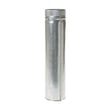
- Use rigid or semi-rigid metal duct (avoid plastic or foil duct)
- Keep the vent run as short and straight as possible
- Seal joints with foil HVAC tape (not screws that catch lint)
- Clean lint from the duct and exterior hood regularly
Indoor vent kits rely on a lint filter and a water reservoir or secondary filter to catch lint. That approach does not remove combustion byproducts from a gas dryer.
| Dryer type | Indoor vent kit | Primary risk |
|---|---|---|
| Electric dryer | Sometimes used (with strict lint control) | Moisture and lint indoors |
| Gas dryer (like GTD48GASW0WB) | Not recommended | Carbon monoxide exposure |
If you were considering an indoor vent because clothes take too long to dry, we recommend checking airflow first.
- Clean the lint screen; replace it if the mesh is damaged or clogged (GE dryer lint screen WE03X23881)
- Inspect the vent duct for kinks, crushed sections, or heavy lint buildup
- Confirm the exterior vent hood opens fully while running
- If the drum turns but heat is inconsistent, the burner system may need diagnosis
Proper venting protects your household from carbon monoxide and helps the dryer dry faster with less wear on parts like the drum belt and idler pulley.
Last updated: February 2026
How do you reset the heating on a GE dryer?
To reset a heating issue on your GE GTD48GASW0WB gas dryer, we power-reset the control by unplugging the dryer (or switching off the breaker) for 1 minute, then restoring power and running a timed heat cycle. If it still will not heat, the problem is usually airflow, a safety thermostat, or the gas ignition system.
- Turn the dryer OFF.
- Unplug the power cord (or turn the dryer circuit breaker OFF).
- Wait 60 seconds.
- Restore power.
- Set Timed Dry and High Heat, then start the cycle.
- Confirm the gas shutoff valve is fully open.
Heating on a gas dryer depends on airflow and safety devices; a “reset” often means correcting the condition that tripped protection.
- Airflow restriction: clean the lint screen and check the vent for kinks, crushing, or heavy lint buildup.
- Lint screen condition: a clogged or damaged screen can reduce airflow; replace if needed with GE dryer lint screen WE03X23881.
- High-limit thermostat: if it opens from overheating, the burner shuts down; a failed thermostat can prevent heat entirely. Consider dryer high-limit thermostat WE04X26138.
- Ignition system: if the igniter does not glow or the burner never lights, the igniter or gas valve components may be at fault; a common suspect is dryer burner igniter WE4M449.
- Cycle/timer issues: on some cycles, heat is controlled by the timer contacts; if the timer is faulty, heat can be inconsistent. See dryer timer WE04X24550.
| What you notice | Most common cause | What we do first |
|---|---|---|
| Runs but no heat at all | Gas supply off, igniter/valve issue, thermostat open | Verify gas valve open; check igniter glow |
| Heats briefly then stops | Vent restriction overheating the dryer | Inspect and clear venting |
| Takes too long to dry | Poor airflow, lint buildup | Clean lint screen and vent path |
A gas dryer that cannot move air properly can overheat and trip safety controls, which stops the burner. Fixing airflow often restores normal heating and helps protect parts like the thermostat, igniter, and drum seals.
For deeper troubleshooting steps, we use gas dryer wont heat troubleshooting video.
Last updated: February 2026
How to replace GE dryer sensor?
On the GE GTD48GASW0WB gas dryer, a “sensor” question usually means the moisture sensor bars (dryness sensor) or a door switch. Replacement is straightforward once you confirm which part is failing; we recommend testing the door switch first because it is a common no-start cause.
- Unplug the dryer (and shut off the gas if you will open the cabinet).
- If the dryer will not start, test the door by pressing it closed firmly; if it starts intermittently, suspect the door switch.
- If the dryer runs but shuts off early or leaves clothes damp on Auto cycles, suspect moisture sensor bars or airflow issues.
- Clean the lint screen and confirm strong airflow at the outside vent.
- If you see an error code on a display-style GE dryer, use GE cleanspeak dryer error codes to interpret it.
For GTD48GASW0WB, the door switch is a frequent fix when the dryer will not run with the door closed.
Typical steps:
- Unplug the dryer.
- Open the door and locate the switch at the door opening.
- Remove the mounting screw(s) and pull the switch forward.
- Transfer wires to the new switch one at a time.
- Install the new switch and test operation.
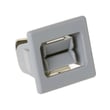
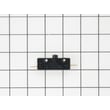
Recommended part: dryer door switch WE04X28977.
Most GE dryers use sensor bars inside the drum area (often near the lint filter housing). If Auto cycles end too soon, first clean the sensor bars with rubbing alcohol and a soft cloth; fabric softener residue can insulate the sensor.
| Symptom | Most likely cause | What to do first |
|---|---|---|
| Dryer will not start | Door switch, start switch, timer | Check dryer door switch WE04X28977 and start circuit |
| Runs but no heat | Igniter, gas valve, thermostat, airflow | Follow gas dryer wont heat troubleshooting video |
| Auto cycle ends early | Moisture sensor dirty, poor airflow | Clean sensor bars; check venting |
Replacing the correct “sensor” prevents repeat failures and wasted parts. A bad door switch stops the motor circuit; a dirty moisture sensor or restricted venting causes short cycling and poor drying.
Last updated: February 2026
What are the things inside a dryer drum called?
Inside the drum of your GE GTD48GASW0WB gas dryer, the raised “things” you see are typically called drum baffles (also called lifters). They tumble and separate clothes as the drum turns so air can move through the load for faster, more even drying.
Even though baffles are the most visible items inside the drum, customers often mean other internal dryer components too.
- Drum baffles (lifters): lift and drop clothes for better tumbling
- Lint screen: catches lint before it enters the blower and venting (example: GE dryer lint screen WE03X23881)
- Drum belt: turns the drum by connecting it to the motor (example: GE dryer drum belt WE03X29897)
- Idler pulley/assembly: keeps proper tension on the belt
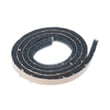
- Drum glides and felt seal: support the drum and reduce scraping noise
- Thermostats: regulate temperature and help prevent overheating
| What you notice | Common name | Why it matters |
|---|---|---|
| Raised fins inside the drum | Drum baffles (lifters) | Improves tumbling and drying performance |
| Mesh screen you pull out | Lint screen | Airflow, drying time, and safety |
| Thumping, drum not turning | Belt/idler issue | Drum movement stops or becomes noisy |
| Squealing or scraping | Glides/felt seal/bearings | Prevents drum wear and noise |
Using the right terms helps you troubleshoot faster and order the correct GE parts. For example, poor drying is often airflow related (lint screen, venting), while a drum that will not turn points more toward the belt, idler, or motor.
Last updated: February 2026