




How do I find the model of my Hotpoint dishwasher?
You can find the model number for your Hotpoint dishwasher on the dishwasher’s identification label, which is typically located on the inside edge of the door or on the tub frame around the door opening. For parts lookup, match the full model exactly (for example, HDF310PGR3BB).
Check these common label locations first:
- Along the top or side edge of the inner door (visible when you open the door)
- On the tub frame near the door latch area
- On the left or right side wall of the tub opening
- Near the bottom edge of the door opening (use a flashlight)
Use the complete ID information from the label.
- Full model number (letters and numbers, no spaces)
- Any serial number (helpful for confirming production range)
- Any revision or suffix characters after the model number
| Label item | Example | Why it matters |
|---|---|---|
| Model number | HDF310PGR3BB | Ensures the part fits your exact dishwasher |
| Serial number | (varies) | Helps confirm the correct version when designs change |
| Suffix/revision | (varies) | Can affect which control board, latch, or pump is used |
Try these quick fixes before you give up:
- Wipe the label gently with a damp cloth and a drop of dish soap
- Use your phone camera and zoom in, or take a photo with flash
- Shine a flashlight across the label at an angle to make faded print stand out
Hotpoint dishwashers can use different components across similar-looking models. Using the exact model number helps us match the right parts the first time, such as a dishwasher door latch lock WD01X29878 or a dishwasher electronic control board WD21X32938.
Last updated: February 2026
What are the commonly replaced parts in a dishwasher?
In a Hotpoint dishwasher like model HDF310PGR3BB, the most commonly replaced parts are the wash and drain components, door-latching and sealing parts, and a few key electrical items. These parts wear from heat, detergent, hard-water buildup, and normal mechanical use over time.
- Spray arms that clog or crack (poor cleaning)
- Filters and sump seals that clog or leak (standing water, odors)
- Drain pump and hoses (won’t drain)
- Water inlet valve (won’t fill, fills slowly)
- Heating element (poor drying, cool water)
- Door latch and strike (won’t start because the door won’t “prove” closed)
- Control components (no response, intermittent operation)
| Symptom you notice | Part that often fixes it | Example part for this model |
|---|---|---|
| Dishes not getting clean | Clogged or damaged spray arm | G.e. dishwasher spray arm, lower WD22X33499 |
| Dishwasher won’t drain | Drain pump failure or blockage | Dishwasher drain pump WD19X25461 |
| Dishwasher won’t fill | Water inlet valve issue | Water valve assembly WD15X27703 |
| Not drying well | Heater problem | Dishwasher heating element WD05X35098 |
| Won’t start or stops mid-cycle | Door not latching or control issue | Dishwasher door latch lock WD01X29878 |
- Clean the filter area and remove debris from the sump.
- Spin spray arms by hand; confirm they rotate freely and holes are not plugged.
- Verify the sink drain and garbage disposal inlet are clear (new disposals often have a knockout plug).
- Confirm hot water at the sink runs hot before starting a cycle.
- Check that the door closes firmly and the latch engages.
Replacing the right part restores wash pressure, proper filling and draining, and safe heating. That improves cleaning and drying results and helps prevent leaks that can damage the kitchen floor.
For step-by-step troubleshooting, we recommend starting with dishwasher common questions and then using symptom-specific guides such as dishwasher not draining video or dishwasher not cleaning dishes video.
Last updated: February 2026
What does F03 mean on a Hotpoint dishwasher?
On the Hotpoint HDF310PGR3BB dishwasher, the F03 code points to a drain problem: the unit is not getting rid of water fast enough (a drain timeout). Fixing the drain path, pump, or drain control usually clears the code.
- Cancel the cycle and let the dishwasher attempt to drain; listen for the drain pump running.
- Check the sink drain and garbage disposal inlet (a clogged disposal connection can block dishwasher draining).
- Inspect the drain hose for kinks, crushing, or a low spot that traps water.
- Verify the drain hose routing has a high loop under the counter (or an air gap if your setup uses one).
- Clean the filter area so debris cannot restrict water flow to the sump.
If the drain path is clear but the dishwasher still times out, these model-matched parts are the most common suspects:
| Symptom you notice | Most likely area | Model-matched part to consider |
|---|---|---|
| Hums but barely drains, or drains slowly | Drain pump or blockage at pump | Dishwasher drain pump WD19X25461 |
| Drains sometimes, then stops mid-cycle | Control sensing or drain control issue | G.e. dishwasher pressure sensor WD21X25468 |
| Has power but acts erratic during drain steps | Electronic control | Dishwasher electronic control board WD21X32938 |
A drain timeout leaves dirty water in the tub, can trigger repeated cycle stops, and can prevent proper washing and drying. Restoring normal drain flow protects the wash pump, sump, and filters from heavy debris buildup.
For a step-by-step drain diagnosis and safe checks, use our dishwasher not draining video.
Last updated: February 2026
What is error 10 on Hotpoint dishwasher?
Error 10 (often shown as E10) on the Hotpoint HDF310PGR3BB dishwasher means the cycle timed out because the dishwasher did not fill to the correct water level in time or it could not empty (drain) within the allowed time.
- Make sure the water supply valve under the sink is fully open.
- Confirm the inlet hose is not kinked or crushed behind the dishwasher.
- Clean the sink air gap (if you have one) and check the garbage disposal inlet for a knockout plug.
- Inspect the drain hose for a high loop and for clogs/grease buildup.
- Remove and rinse the filter area; a restricted filter can slow draining and trigger timeouts.
A fill problem usually shows up early in the cycle and you may hear little or no water entering.
Common causes
| Symptom | Most likely cause | What typically fixes it |
|---|---|---|
| No water sound at start | Closed valve or kinked hose | Open valve, straighten hose |
| Slow fill, weak flow | Clogged inlet screen or failing valve | Clean screen; replace valve if needed |
| Fills then stops with code | Water level sensing issue | Check pressure sensing and wiring |
Parts that commonly relate to fill and water-level sensing on this model include the water valve assembly WD15X27703 and the g.e. dishwasher pressure sensor WD21X25468.
A drain problem often leaves standing water in the tub at the end of the cycle.
Common causes
- Clogged filter/sump area or blocked drain hose
- Disposal connection blocked
- Drain pump not running or jammed
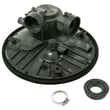
On the HDF310PGR3BB, a common drain-related replacement is the dishwasher drain pump WD19X25461. For sump restrictions or sealing issues, the dishwasher sump and seal assembly WD19X28199 can also be relevant.
A fill or drain timeout prevents proper washing and can stop the heater from operating normally, so dishes come out dirty, wet, or the cycle ends early.
For step-by-step troubleshooting, we use the same checks shown in dishwasher not filling video and dishwasher not draining video.
Last updated: February 2026
Why is my Hotpoint dishwasher not working?
If your Hotpoint dishwasher model HDF310PGR3BB isn’t working, the most common causes are a door that isn’t latching, a power problem, a drain issue, or a control failure. We recommend starting with quick checks, then testing likely parts such as the door latch and control fuse.
- Make sure the door closes firmly and the latch clicks; a misaligned strike can prevent any cycle from starting.
- Confirm the dishwasher has power (breaker on, outlet live if applicable).
- Cancel the cycle and try a fresh start after 1 minute.
- Check for standing water in the tub; a drain problem can stop operation.
- Listen for fill noise in the first 1 to 2 minutes; no fill points to a water supply or valve issue.
If the quick checks don’t help, these parts are frequent culprits:
- Dishwasher door latch lock WD01X29878
- Dishwasher door latch strike WD13X10071
- Dishwasher control board fuse WD21X25696
- Dishwasher electronic control board WD21X32938
- Dishwasher drain pump WD19X25461
| What it’s doing | Most likely checks | Common part(s) |
|---|---|---|
| Dead, no lights, no response | Power supply, fuse | Control fuse, control board |
| Has power but won’t start | Door latch engagement | Door latch lock, latch strike |
| Stops mid-cycle or acts erratic | Control logic, sensing | Electronic control board |
| Won’t drain, water left in tub | Drain path, pump | Drain pump |
| Hums but doesn’t fill | Water supply, inlet valve | Water valve assembly |
Dishwashers are designed to fail safe. If the door switch circuit (latch/strike) isn’t made, or the control loses power through a fuse, the unit often appears “not working” even though other components are fine. Checking the latch and fuse early prevents unnecessary part replacement.
For step-by-step troubleshooting when the unit won’t run, use dishwasher wont start video.
Last updated: February 2026
Why is my brand new Hotpoint dishwasher not draining?
If your Hotpoint HDF310PGR3BB dishwasher is brand new and not draining, the most common causes are an installation-related drain path problem (kinked hose, missing high loop, or disposer plug not removed) or a blockage in the filter/sump area. A failed drain pump is less common on a new unit.
- Cancel the cycle and listen for the drain pump running (a steady hum or whir).
- Check the drain hose behind the unit for kinks, crushing, or a tight bend.
- Verify the drain hose is routed with a proper high loop under the countertop.
- If connected to a garbage disposer, make sure the disposer inlet knockout plug was removed.
- If connected to a sink tailpiece/air gap, check for clogs at the connection point.
Food debris and packing material can block flow early on, especially if the first loads had labels or bits of plastic.
- Remove and rinse the filter area; inspect the sump for debris.
- Make sure the lower spray arm spins freely and is not obstructing the sump area.
- If the dishwasher drains slowly or leaves standing water, inspect the drain pump inlet for blockage.
Helpful parts for this model:
| What happens when it should drain | Most likely cause | What to do next |
|---|---|---|
| Pump runs but water stays | Blocked hose, disposer plug, air gap/tailpiece clog | Clear drain path and verify high loop |
| Loud buzz/hum, little or no water movement | Debris in pump or pump impeller jam | Check sump/pump inlet; clear debris |
| Silent, no drain sound | Door not fully latched, control issue, wiring | Confirm latch engagement; then check electrical items |
A restricted drain path can keep the dishwasher from completing the cycle, leave dirty water in the tub, and trigger repeated drain attempts that strain the drain pump and control system.
For a step-by-step walkthrough, use dishwasher not draining video.
Last updated: February 2026





