




What is the lifespan of a GE gas dryer?
A GE gas dryer typically lasts 10 to 13 years. For your GE GFD85GSPN1RS, consistent airflow maintenance (lint screen and venting) and avoiding chronic overheating are the biggest factors that help the motor, drum supports, and gas heat system reach that normal service life.
What affects lifespan the most
- Airflow restrictions: clogged lint screen, crushed vent, blocked exterior hood
- Overheating: repeated high-heat cycles with poor venting can stress thermostats and wiring
- Load habits: frequent overloading strains the drive motor, belt, and drum supports
- Moisture sensor care: residue on sensor bars can cause longer run times and extra wear
- Routine cleaning: lint buildup inside the cabinet increases heat and component stress
Quick maintenance checklist (best return on effort)
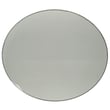
- Clean the lint screen every load; replace a damaged screen such as the dryer lint screen WE16X32537.
- Check venting for strong airflow; keep the duct as short and straight as possible.
- Vacuum lint around the door opening and front grille area regularly.
- Wipe moisture sensor bars occasionally to prevent extended cycles.
- Stop using the dryer if you smell burning or notice repeated overheating; correct airflow first.
Common “end-of-life” symptoms and what they usually mean
| Symptom | Most common cause | Typical fix type |
|---|---|---|
| Loud squeal or thump | Worn idler, drum supports, baffle issues | Mechanical parts service |
| Runs but no heat | Ignition or safety/limit devices | Heat system diagnosis |
| Takes too long to dry | Vent restriction or weak airflow | Vent cleaning and airflow check |
| Won’t start | Door switch or control issue | Electrical diagnosis |
Why it matters
A gas dryer can run for years past the 10-year mark when airflow stays strong. Good venting keeps temperatures stable, which reduces cycling stress on thermostats, protects the drive motor, and helps clothes dry faster with less wear on the drum system.
For model-specific fault displays, use our GE gfd model series error codes reference to match the code to the most likely system involved.
Last updated: January 2026
What is the most common problem with a GE dryer?
The most common GE dryer problems are airflow restrictions (lint buildup or a crushed/long vent), no-heat conditions, and the drum not turning. On GE model GFD85GSPN1RS, we see many “symptoms” trace back to poor venting, which causes long dry times and overheating.
Most common issues (and what they look like)
- Clogged lint screen or venting: clothes take too long to dry, cabinet feels hot, burning smell
- No heat (gas or electric): tumbles but stays cool, cycles end with damp loads
- Won’t start: no response when you press Start, or starts only with the door held shut
- Drum not turning: motor runs but drum does not move, or you hear squealing before it stops
- Overheating or shutting off: dryer stops mid-cycle, then runs again after cooling
Quick checks we recommend first
- Clean the lint screen and confirm it is seated correctly; replace a damaged screen such as the dryer lint screen WE16X32537.
- Check airflow at the outside vent hood; weak airflow points to a blocked duct.
- Inspect the vent path for kinks, crushed flex duct, or excessive length.
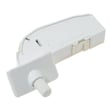
- If the dryer won’t start, test the door latch action and consider the door switch WE04X34281 if the door switch is intermittent.
- If you hear squealing or the drum stalls, inspect the belt path and idler; the dryer idler assembly WE03X30657 is a common wear item.
Common symptom-to-part map
| Symptom | Most likely area | Example part for GFD85GSPN1RS |
|---|---|---|
| Long dry times | Venting, lint screen, blower path | Dryer lint screen (WE16X32537) |
| No heat (gas) | Ignition and safety controls | Dryer burner igniter (WE04X10183), safety thermostat (WE04X30582) |
| Overheats | Airflow, thermostats | Dryer blower thermostat (WE04X29714), dryer outlet backup thermostat (WE04X10190) |
| Won’t start | Door switch, controls | Door switch (WE04X34281), dryer user interface (WE22X37338) |
Why it matters
Airflow problems do more than slow drying; they also drive overheating, nuisance shutdowns, and premature failure of thermostats and other heat-related parts. Fixing venting first often prevents repeat repairs.
For display faults or beeping with an error code, use the GE gfd model series error codes reference to match the code to the most likely circuit or component.
Last updated: January 2026
How do I find the model number on my GFD85GSPN1RS?
On a GE dryer like model GFD85GSPN1RS, the model number is printed on the appliance’s rating label. We typically find that label when you open the dryer door, around the door opening on the front panel, or on the door itself.
Where to look on the dryer
Check these common GE dryer label locations:
- Open the door and look along the door opening (front frame) near the latch side
- Check the inside edge of the dryer door
- Look just behind the door opening on the front panel
- If you do not see it, inspect the lower front area after removing the lint screen and looking down with a flashlight
What the label looks like and what to copy
The rating label usually includes several identifiers. Copy the model number exactly as shown.
| Label item | What it’s used for | Example format |
|---|---|---|
| Model number | Matching parts and diagrams | GFD85GSPN1RS |
| Serial number | Production date and service history | Letters and numbers |
| Electrical/gas info | Installation and troubleshooting | Volts, amps, gas type |
Why it matters
Using the exact model number ensures you get the correct GE dryer parts (like a door switch, control board, or lint screen) that fit and connect properly.
If the label is missing or unreadable
Use these options to identify the unit:
- Check your purchase receipt or delivery paperwork
- Look for a duplicate label on the cabinet edge near the door opening
- Compare visible parts on the dryer to the parts list (for example, the dryer lint screen WE16X32537 or door switch WE04X34281)
Last updated: March 2026





