 Installation guide
 Owner’s manual





How do I do a hard reset on my GE microwave?
To hard reset your GE JVM6175SK3SS microwave/hood combo, disconnect power for about 1 to 2 minutes (unplug it or switch off the breaker), then restore power and set the clock. This full power cycle clears many control glitches after a power surge.
Hard reset steps (power cycle)
- Press Cancel/Off to stop any cooking cycle.
- Unplug the microwave; if it’s hardwired, turn off the circuit breaker.
- Wait 1 to 2 minutes.
- Restore power.
- Set the time using the clock instructions in the owner's manual.
If the display says “LOCKED”
Your control panel lock is on. On this model, press and hold Set Clock for about 3 seconds to lock or unlock the controls.
Quick checks if it still won’t start
- Confirm the door closes firmly; a loose latch can prevent starting.
- Check your home fuse or breaker; reset if tripped.
- If the unit is dead after a surge, inspect the internal fuse and power path (use our guide: how to replace a microwave fuse).
- If it runs but does not heat, focus troubleshooting on the high-voltage system (magnetron, diode, capacitor): why is my microwave not heating.
Common “reset” types for this microwave
| What you’re trying to fix | Best reset to try | What it does |
|---|---|---|
| Frozen keypad, odd behavior after outage | Hard reset (unplug/breaker 1 to 2 min) | Clears control memory by removing power |
| “LOCKED” on display | Hold Set Clock 3 seconds | Toggles child lock-out |
| Need to set time after reset | Set Clock, enter time, Start/Set Clock | Restores time-of-day settings |
Why it matters
A hard reset is the fastest safe first step for control-board glitches caused by brief outages or surges; it can restore normal operation without replacing parts.
If you end up needing replacement parts for JVM6175SK3SS (for example a door interlock switch or latch components), order from the parts list for your model or search by model number on Sears PartsDirect.
Last updated: February 2026
What's the average lifespan of a GE microwave?
A GE microwave typically lasts about 9 years. For an over-the-range microwave/hood combo like GE JVM6175SK3SS, heavy daily cooking, poor airflow (grease buildup), and door-slam wear can shorten life; good cleaning and ventilation habits help it reach that average.
Typical lifespan and what changes it
Most microwaves fall into a fairly tight range, but real-world life depends on heat load and how hard the door and interlock system get used.
- Light use (reheat/defrost): often reaches the average lifespan
- Heavy use (multiple full-power cooks daily): tends to wear faster
- Poor venting or clogged filters: increases internal heat stress
- Door abuse (slamming, hanging on door): accelerates switch and latch wear
- Grease and steam buildup: can affect the control area and airflow
What usually fails first on over-the-range models
On JVM6175SK3SS-STYLE units, the most common wear points are the door safety/interlock parts, the turntable drive, and heating components.
| Symptom | Common area involved | Example part for this model |
|---|---|---|
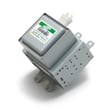
| Runs but does not heat | High-voltage circuit | Microwave magnetron WB27X11079 |
| Dead, no display | Fuse/thermal protection/power path | (check per owner's manual) |
| Starts then stops when door moves | Door interlock/latch | Micro-switch WB24X830 |
| Turntable not rotating | Turntable motor/coupler | Microwave turntable motor WB26X10233 |
Maintenance that extends lifespan (and why it matters)
Keeping airflow and the door system in good shape reduces heat stress and nuisance shutdowns, which are two of the biggest lifespan killers in over-the-range microwaves.
- Wipe the cavity and door seals regularly to prevent grease buildup
- Keep the vent area clean so the cooling fan can move air
- Replace the recirculating filter on schedule if you do not vent outside
- Avoid running the microwave empty (it overheats components)
- Close the door gently so the latch and interlock switches stay aligned
If you use recirculating mode, a fresh microwave charcoal filter WB02X11536 helps keep airflow and odor control consistent.
When replacement makes more sense than repair
We typically recommend replacement when the unit is near the 9-year mark and needs a major high-voltage part (magnetron, transformer, capacitor), or when multiple symptoms show up close together.
For ordering, you can use the parts list for JVM6175SK3SS or search by model on Sears PartsDirect.
Last updated: February 2026
What is the difference between 1.7 and 1.9 cu ft microwave?
A 1.9 cu. ft. microwave has more interior cooking space than a 1.7 cu. ft. model, so larger dishes fit more comfortably. For a GE over-the-range unit like model JVM6175SK3SS, the bigger decision is usually installation compatibility; confirm clearances, venting, and power in the installation guide.
What changes from 1.7 to 1.9 cu. ft.
The extra 0.2 cu. ft. mainly affects what you can fit and how easily it rotates on the turntable.
- Larger usable cavity for casserole dishes and bigger dinner plates
- More room around taller containers (less chance of rubbing the top)
- Some 1.9 cu. ft. models pair the larger cavity with higher cooking wattage
- Feature differences are common: sensor cooking, lighting, and vent fan performance
Fit and install checks before swapping over-the-range models
Over-the-range microwaves can look similar but still require different mounting and vent setups.
| What to compare | Why it matters | Where to check |
|---|---|---|
| Mounting plate pattern and cabinet measurements | Avoids re-drilling and alignment problems | Installation guide |
| Venting direction (recirculating, top, rear) | Determines ductwork and damper setup | Installation guide |
| Minimum height above cooking surface | Protects clearance and helps manage heat | Installation guide |
| Electrical supply (dedicated grounded outlet, circuit size) | Prevents nuisance tripping and unsafe wiring | Installation guide |
Electrical note for JVM6175SK3SS
Use the electrical requirements listed in the installation guide for your exact setup. Plan on a properly grounded 120V, 60 Hz supply on a dedicated 15 to 20 amp branch circuit, and do not use an extension cord.
Why it matters
Capacity affects everyday usability, but installation details decide whether a swap is straightforward. Matching venting and mounting requirements saves time and prevents airflow, clearance, and fit issues.
Parts note (if your current microwave will not start)
Door-interlock problems are a common cause. We stock door switch parts used in the interlock circuit, such as the micro-switch WB24X830. You can also order model-specific parts from the list for JVM6175SK3SS or search by model on Sears PartsDirect.
Last updated: February 2026


