 Installation guide
 Owner’s manual
 Error Codes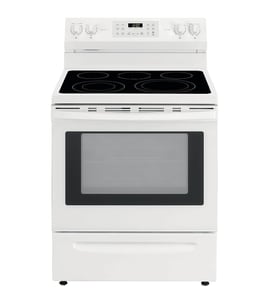








How to reset JennAir cooktop?
To reset the cooktop on your Jenn-Air range model JDS9860CDS01, turn the cooktop off, then cycle power at the home breaker for about 1 minute and restore power. Let the cooktop cool, then watch for about 1 minute to confirm the error does not return.
Reset steps (safe, quick)
- Turn all surface burner knobs to OFF.
- Turn OFF the range circuit breaker (or remove the fuse) for 1 minute.
- Turn the breaker ON.
- Wait until the cooktop surface is cool to the touch.
- Test one burner briefly; confirm normal ignition and no error display.
If the cooktop still will not light after a reset
Use these checks from the installation and operation guidance for this model:
- Confirm the range is plugged in and the breaker is not tripped.
- Confirm the gas shutoff valve is fully open (handle parallel to the gas pipe).
- Make sure burner caps are seated level on the burner bases; misaligned caps can prevent ignition.
- Turn the knob to LITE and listen for clicking; sparking continues only while held in LITE.
- If the first ignition attempt takes longer than normal, purge air by trying again (the first lighting can take longer due to air in the gas line).
Quick symptom guide
| What you notice | Most likely cause | What to do next |
|---|---|---|
| No lights, no spark | No power to range | Reset breaker; verify outlet power |
| Spark clicks but no flame | Gas off or air in line | Open shutoff valve; retry ignition |
| Flame uneven or weak | Cap/head not seated or dirty | Reseat caps; clean and dry parts |
| Error returns quickly | Control or ignition issue | Follow troubleshooting in the manual |
Why it matters
A power reset clears many temporary control faults, but ignition still depends on steady electrical power, an open gas supply, and correctly positioned burner caps and burner heads. Getting those basics right prevents repeat no-light conditions and nuisance error codes.
For model-specific operating and troubleshooting details, use the JDS9860CDS01 owner’s manual. For gas supply and initial burner lighting checks, use the JDS9860CDS01 installation guide.
Last updated: February 2026
Where to find model number on JennAir stove?
On the Jenn-Air range model JDS9860CDS01, the model number and serial number are printed on the appliance’s rating label. We use that complete model and serial number to match the correct parts, accessories, and service information in the JDS9860CDS01 owner's manual.
Common places to check on a Jenn-Air range
Look for a paper or metal tag in one of these spots:
- Along the oven door frame (visible when you open the oven door)
- On the front frame behind the storage drawer or warming drawer (remove the drawer to view)
- On the side trim or frame near the lower oven cavity opening
- On the back panel of the range (you may need a flashlight)
What you should write down (and why)
We recommend recording both the model and serial number exactly as shown.
| Item on the label | What it’s used for | Example of what to capture |
|---|---|---|
| Model number | Ensures diagrams and parts lists match your exact build | JDS9860CDS01 |
| Serial number | Helps identify production series and correct revisions | Full serial as printed |
Tips to find it faster
These steps help you locate the tag without guessing:
- Open the oven door and scan the frame edges first
- Use a phone flashlight and take a photo so you can zoom in
- Check behind the storage drawer if you do not see a label at the door frame
- Copy the characters exactly; include any leading zeros
Why it matters
Jenn-Air ranges can have multiple versions that look similar. Using the complete model number (and serial number when needed) prevents ordering the wrong part, such as a range bake element WPW10310274 that fits a different revision.
Last updated: February 2026
Is JennAir considered high end?
Yes. Jenn-Air is widely considered a high-end kitchen appliance brand; for the JDS9860CDS01 slide-in range, that typically shows up as premium styling, strong cooking performance, and a service and parts ecosystem built around factory-specified components (as outlined in the JDS9860CDS01 use and care guide).
What “high end” means for this Jenn-Air range
High-end is less about one feature and more about the overall ownership experience: design, performance, and long-term support.
Common high-end indicators include:
- Premium finishes and design-forward styling
- More precise cooking control (bake, broil, and burner performance)
- Brand-supported service network and documented maintenance
- Availability of factory-specified replacement parts
- Higher typical repair-part costs compared to value brands
Parts and service support (a practical high-end signal)
Jenn-Air emphasizes using factory-specified parts so replacements fit and function correctly. When you service a JDS9860CDS01, that matters most for core heating and sealing components.
Examples of parts customers commonly replace over time:
- Range bake element WPW10310274 (baking heat)
- Range oven door gasket WPW10162384 (door seal and temperature stability)
- Burner components such as burner heads (cooktop flame quality)
Quick comparison: what you can expect
| Category | What you typically see in high-end brands like Jenn-Air | What it affects |
|---|---|---|
| Design/finish | Premium materials and styling | Kitchen look, resale appeal |
| Performance | More consistent heat and control | Baking results, simmering |
| Support | Documented operation and service pathways | Easier troubleshooting and correct parts |
| Parts cost | Higher-priced OEM components | Repair budget |
Why it matters
If you are deciding whether to repair or replace, “high end” often means the range is worth maintaining longer because performance and parts support stay strong. For safe operation details (including anti-tip guidance), follow the JDS9860CDS01 installation guide.
Last updated: February 2026
How long should a JennAir stove last?
A Jenn-Air range like model JDS9860CDS01 typically lasts 15 years with normal household use and basic maintenance. Keeping burners clean, protecting the oven door seal, and addressing heating or ignition issues early helps you reach that lifespan.
Typical lifespan and what affects it
Most ranges reach their full service life when heat, gas ignition, and ventilation components stay in good working order.
- Heavy daily cooking shortens lifespan faster than light use
- Overheating from blocked airflow or a failing cooling fan can stress controls
- Worn door seals waste heat and increase bake times
- Repeated ignition clicking can point to moisture, dirty burner parts, or a weak igniter
- Using factory specified replacement parts helps ensure proper fit and performance (as noted in the JDS9860CDS01 owner’s manual)
Quick maintenance checklist (high impact)
- Clean burner heads and ports regularly; keep them dry after cleaning
- Avoid slamming the oven door; it protects hinges and door glass
- Inspect the oven door gasket for gaps, tears, or flattening
- Keep the downdraft intake area clear so the blower can move air
- If baking becomes uneven or slow, check for signs of a weakening element
Common “end-of-life” symptoms vs. fixable issues
| Symptom | Most common cause | Often fixable by replacing |
|---|---|---|
| Oven not heating or slow preheat | Failed bake circuit | Range bake element WPW10310274 |
| Heat leaking around door | Worn seal | Range oven door gasket WPW10162384 |
| Burner won’t light consistently | Dirty/worn burner head or ignition issue | Burner head WPW10406243 |
Why it matters
A range that is nearing the end of its service life often costs more to operate (longer preheats, uneven cooking) and becomes less reliable. Replacing a high-wear part early, like a bake element or door gasket, often restores performance and helps the range reach the typical 15-year lifespan.
Last updated: February 2026
Why is my JennAir cooktop burner not working?
On the Jenn-Air range model JDS9860CDS01, a cooktop burner usually fails to light because the range has no power for the spark igniters, the gas shutoff valve is closed, or the burner cap is misaligned or ports are clogged. Start with power, gas, then burner seating.
Quick checks (most common fixes)
- Confirm the range is plugged in and the breaker is not tripped (spark ignition needs power).
- Make sure the manual gas shutoff valve is fully open (handle parallel to the gas pipe).
- Remove the grate and verify the burner cap sits level and aligned on the burner base.
- Clean clogged burner ports with a soft brush; clear debris and spills.
- Turn the knob to LITE and listen for clicking; all burners may click, but only the selected burner should light.
- If the burner is wet (recent cleaning or boilover), let it dry fully before retrying.
What you should see and hear
When you turn the knob to LITE, the igniter should spark (clicking sound) and the flame should light within about 4 seconds (first-time lighting can take longer if there is air in the gas line).
| Symptom | Likely cause | What to do first |
|---|---|---|
| No clicking on any burner | No power to range | Check outlet, breaker, fuse |
| Clicking but no flame | Gas off or cap not seated | Open shutoff valve; reseat cap |
| Flame is yellow/uneven/noisy | Ports clogged or cap misaligned | Clean ports; level the cap |
| Popping noises | Burner wet | Dry burner parts completely |
Parts that commonly relate to burner ignition
If cleaning and proper seating do not restore ignition, the issue is often in the ignition circuit or burner hardware.
Why it matters
A properly seated burner cap and clear burner ports help the gas-air mix ignite correctly. Power and an open gas valve are required for the pilotless spark system to light the burner safely and consistently.
For model-specific operating details and burner component diagrams, use the JDS9860CDS01 owner's manual.
Last updated: February 2026





