 Installation guide
 Owner’s manual
 Error Codes




How do you reset a Kenmore electric stove?
To reset a Kenmore electric range like model 79042543312, we restore power and, if needed, restore the oven control to factory default settings. After a power interruption, we also reset the clock and any oven function settings per the 79042543312 owner's manual.
Quick reset options (start here)
- Power reset: Turn the range off, then switch the range circuit breaker OFF.
- Wait 60 seconds.
- Switch the breaker ON and confirm the display comes back.
- Reset the clock and reselect your cooking mode (Bake, Broil, etc.).
- If the oven was running when power failed, make sure all functions are OFF before restarting.
Restore factory default settings (control reset)
Use this when settings seem “stuck” or temperatures were adjusted.
- Press and hold 7 on the numeric keypad until the acceptance tone sounds (about 6 seconds).
- Press START.
This restores user-adjustable options (such as 12/24-hour display, tones, and any oven temperature offset) back to default.
What to check after the reset
| Symptom after reset | Most likely area to check | Common next step |
|---|---|---|
| Oven heats but temperature seems off | Calibration/offset setting | Restore defaults, then test bake |
| Oven will not heat at all | Heating circuit or sensor/control | Troubleshoot heat, test components |
| Display works but buttons act odd | Control settings or control panel issue | Restore defaults; inspect keypad |
Why it matters
A power reset clears minor electronic glitches, while a factory-default restore also clears changed user settings (including temperature offset). That helps you avoid undercooked food, overheating, and confusing control behavior.
Parts that commonly relate to “won’t heat” complaints
If the reset does not fix heating problems, these are common suspects on electric ranges:
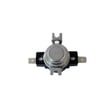
- Oven temperature sensing issues (example: range oven temperature sensor 5304504897)
- Failed bake or broil heating element
- Control board or wiring connection problems
- Loose or overheated power connection at the terminal block
Last updated: February 2026
How many watts does a Kenmore oven use?
A Kenmore electric oven like model 79042543312 typically draws about 2,500 to 4,000 watts when a heating element is on; the control cycles the bake and broil elements on and off, so the wattage you see varies by mode and temperature. For the exact electrical rating for your unit, check the 79042543312 owner's manual.
Typical wattage you can expect
Electric ranges use high wattage in short bursts (especially during preheat) and lower average wattage once the oven is maintaining temperature.
- Bake element: commonly 2,500 to 3,500 watts
- Broil element: commonly 3,000 to 4,000 watts
- Convection fan motor (if equipped): typically under 200 watts
- Preheat: higher average draw because the element stays on longer
- Bake/roast: lower average draw because the element cycles
Quick reference table
| Cooking mode | Main power user | What changes the wattage most |
|---|---|---|
| Bake | Bake element | Set temperature and cycling time |
| Broil | Broil element | Broil setting and cycling |
| Convection bake | Bake element + fan | Fan adds a small extra load |
How to confirm the exact wattage for your range
Use these reliable places to verify the rating for 79042543312:
- The model and serial tag (often lists volts, amps, or watts)
- The electrical requirements section in the 79042543312 owner's manual
- The installation instructions for circuit and supply requirements in the 79042543312 installation guide
Why it matters
Wattage helps you confirm the range is on the correct 240V circuit and can explain symptoms like slow preheat or weak broil. If temperatures are inaccurate, the range oven temperature sensor 5304504897 is a common part involved in regulating heat.
Last updated: February 2026
Where to find model number on Kenmore Electric Range?
On the Kenmore electric range model 79042543312, the model and serial number are on the serial plate attached to the left side of the oven frame, typically visible when you open the storage drawer or warmer drawer. Confirm the exact location in the 79042543312 owner's manual.
Quick ways to find the model number label
Check these common spots in this order:
- Open the storage drawer (or warmer drawer) and look on the left side of the oven frame
- Look along the oven door frame (door jamb area) after opening the oven door
- Check the back panel near the vent area
- Look behind the lower drawer opening if your model has a bottom drawer
What the label looks like and what to write down
The serial plate usually includes both the model number and serial number. We recommend recording:
- Model number (for example: 79042543312)
- Serial number
- Date of purchase (if available)
- Electrical rating information (helpful for installation and troubleshooting)
| You need this for | Why it helps | What to use |
|---|---|---|
| Ordering parts | Ensures exact fit for your range | Model number + part name/ID |
| Troubleshooting | Matches the right diagrams and error code info | Model number + symptom/error |
| Service calls | Speeds up diagnosis and scheduling | Model + serial number |
Why it matters
Kenmore ranges often share similar styling across multiple series, so the model number is what ensures we match the correct parts (like a bake element, control board, or temperature sensor) and the correct wiring and installation requirements.
Last updated: February 2026
Why is my Kenmore electric oven not getting hot?
If your Kenmore electric range model 79042543312 isn’t getting hot, the most common causes are a failed bake element, a bad oven temperature sensor, or a control problem that prevents the oven from energizing the heating circuit. Use the checks below to pinpoint the issue safely.
Quick checks first (no tools)
- Confirm you selected Bake (not Delay Start, Keep Warm, or a timed feature).
- Allow a full 10 to 15 minutes of preheat time for normal baking.
- Avoid lining the oven bottom with foil or liners; this can interfere with heat and is not recommended. See the 79042543312 owner's manual.
- Try Broil for 2 to 3 minutes; if broil heats but bake does not, the bake circuit is the likely problem.
- If the oven was just in Self Clean, wait until it cools and the door unlocks; the oven can stay hot for about an hour after cleaning.
Parts that most often cause “no heat”
1) Bake element (most common)
A bake element can look blistered, cracked, or separated and still fail electrically.
2) Oven temperature sensor
If the sensor is out of range, the control may limit or stop heating. For this model, the listed sensor is the range oven temperature sensor 5304504897.
3) Control or wiring issue
Loose or burned connections can stop power from reaching the element. If you see heat damage at the power connection area, inspect the terminal block 5304409888 and wiring.
What to test (with power OFF)
Turn off the breaker before removing panels or testing continuity.
- Bake element continuity: replace if open (no continuity).
- Sensor resistance: compare to the temperature/resistance chart in the manual.
- Wiring harness and connectors: look for loose spades, corrosion, or overheated terminals.
Symptom-to-cause guide
| Symptom | Most likely cause | Next best step |
|---|---|---|
| Broil works, bake doesn’t | Bake element or bake relay/control | Test bake element first |
| Both bake and broil don’t heat | Power supply, control, wiring | Check breaker, then wiring/control |
| Oven heats but temperature is wrong | Temperature sensor or calibration | Check sensor, then calibration settings |
Why it matters
An oven that will not heat is often a single failed part (element or sensor), but a wiring or terminal issue can create overheating at connections. Catching that early helps prevent repeat failures and improves baking performance.
Last updated: February 2026





