Installation guide
 Owner’s manual
 Error Codes




How to find Whirlpool gas range model number?
For your Whirlpool gas freestanding range model WFG550S0HV0, the model and serial number label is located on the upper-left side of the front frame. You can see it by opening the oven door and looking along the front frame area. See the WFG550S0HV0 owner's manual for the exact label location diagram.
Quick steps to locate the model number
- Turn the oven off and let all surfaces cool.
- Open the oven door fully.
- Look at the upper-left side of the front frame (the frame around the oven opening).
- Write down both the model number and serial number exactly as shown.
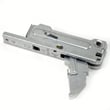
- Use that model number when ordering Whirlpool range parts such as an igniter, spark module, or door hinge.
Common places people look (and why they miss it)
The model tag is often confused with other labels or locations. For WFG550S0HV0, start with the oven door frame first.
| Location checked | What you might find there | Usefulness |
|---|---|---|
| Oven door front frame (upper-left) | Model and serial label | Best place to check |
| Storage/warming drawer area | Sometimes a rating label on some ranges | Not the primary spot for this model |
| Back panel | Gas and electrical info labels | Helpful, but not the easiest access |
Why it matters
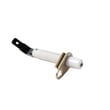
We use the model number to match parts to the exact Whirlpool design revision. That prevents ordering the wrong item when you need common repairs like replacing the range oven burner igniter WPW10333842 or a door component.
Last updated: February 2026
Why won't my Whirlpool gas stove heat up?
If your Whirlpool WFG550S0HV0 gas range is not heating, the most common causes are a power or gas supply issue, air in the gas line (especially after installation), or an ignition problem where the oven is not sparking to light the gas. Use the checks below to pinpoint the failure.
Quick checks first (no tools)
- Confirm the range is plugged into a grounded outlet and the breaker is not tripped.
- Verify the main gas shutoff valve is fully open.
- If this is the first use or gas was recently shut off, purge air by lighting a surface burner for 30 to 60 seconds, then try Bake again.
- Make sure the oven is not in Demo mode (Demo disables oven heating).
- Cancel any error code, then retry the cycle; persistent codes point to a control or sensing issue.
What to look for when you start Bake
When you set the oven to Bake, you should hear/notice ignition activity (sparking) as the gas lights.
| What you observe | What it usually means | What to do next |
|---|---|---|
| No display, no response | No power to range | Check outlet, breaker, fuse |
| Surface burners work, oven will not | Demo mode, control setting, or oven ignition issue | Check settings, then ignition symptoms |
| Sparking but no heat | Gas not reaching burner or ignition not lighting | Confirm gas valve open; check for air in line |
| Error code returns after clearing | Control detected a fault | Use Whirlpool freestanding range error codes to identify the code |
Parts that commonly fix “won’t heat” symptoms
If the oven is getting power and gas, ignition components are frequent culprits on gas ranges.
- Oven burner igniter: a weak or failed igniter can prevent reliable lighting.
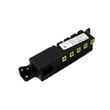
- Spark module: if the range is not sparking correctly, the ignition system may be failing.
- Gas valve/control: if ignition is present but gas flow is inconsistent, gas control components can be involved.
For this model, a common ignition-related replacement part is the range oven burner igniter WPW10333842.
Why it matters
A gas oven that will not heat is often a simple supply or setup issue (power, shutoff valve, air in the line). If those are correct, focusing on ignition (spark and igniter performance) prevents unnecessary part swaps and gets baking temperatures back faster.
For model-specific operating steps and mode settings, use the WFG550S0HV0 owner's manual.
Last updated: February 2026
What is the average lifespan of WFG550S0HV0?
The average lifespan of a Whirlpool gas freestanding range like model WFG550S0HV0 is about 15 years. Regular cleaning, correct burner setup, and prompt repair of ignition or oven-heating problems help this range reach its full service life.
What affects lifespan most
- Keeping burner ports and caps clean so flames stay even
- Avoiding harsh cleaners (no oven cleaners, bleach, or rust removers on key surfaces)
- Fixing weak ignition early (repeated clicking, delayed lighting)
- Preventing heat loss with a good door seal
- Using correct cookware size and not overheating empty pans
Quick care checklist for WFG550S0HV0
Use the cleaning and operating guidance in the WFG550S0HV0 owner's manual.
- Let the cooktop and oven cool before cleaning
- Remove and reinstall burner caps with alignment pins seated correctly
- Clear clogged burner ports with a straight pin (do not enlarge ports)
- Keep grates properly positioned to prevent cooktop chipping
- If a burner still will not light after cap alignment, schedule service rather than forcing DIY sealed-burner repairs
Common “wear” parts over time
These parts do not set the lifespan by themselves, but replacing them when worn can keep the range working safely and efficiently.
| Symptom | Commonly involved part | Example from this model’s parts |
|---|---|---|
| Oven heat is inconsistent or won’t ignite | Oven igniter | Range oven burner igniter WPW10333842 |
| Oven door does not close tightly, heat leaks | Door gasket | Door seal W11542153 |
| Surface burner won’t spark or keeps clicking | Spark system component | Spark module (red) WPW10475149 |
Why it matters
A gas range that lights reliably and seals heat properly cooks more evenly, preheats faster, and puts less strain on components like the igniter, spark module, and gas valve.
Last updated: March 2026