Installation guide
 Owner’s manual
 Error Codes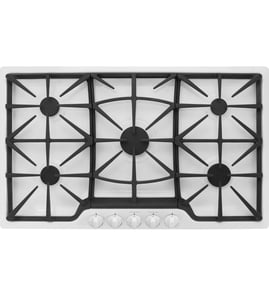



How long does a Jenn-Air cooktop last?
A Jenn-Air gas cooktop like model JGCP436WP01 typically lasts 15 years with normal household use. Keeping burners clean, using the correct cookware, and addressing ignition or gas-flow issues early helps you get the full service life.
Most cooktops reach their full lifespan when heat, ignition, and gas delivery stay stable over time.
- Cleaning habits: spills and boil-overs can clog burner ports and affect flame quality
- Ignition wear: frequent clicking or delayed ignition stresses igniters and spark circuitry
- Gas quality and pressure: incorrect pressure can cause weak flames or soot
- Ventilation and heat exposure: excess heat under the cooktop can shorten wiring and component life
- Installation quality: correct clearances and proper electrical grounding reduce failures
These symptoms often show up more as the cooktop ages, especially on heavily used burners.
| Symptom | What it usually points to | What we check first |
|---|---|---|
| Burners click but do not light reliably | ignition component wear or moisture/soil | burner cap/head seating and cleaning |
| Uneven, yellow, or lifting flames | clogged ports or gas pressure issue | burner head ports and regulator setup |
| Clicking continues after flame is lit | igniter sensing/grounding issue | burner dryness, grounding, wiring |
| Gas odor or hard-to-turn knobs | valve or tubing concern | shut off gas and inspect by a technician |
Use these habits to reduce wear on burners, igniters, and valves.
- Clean burner caps and burner heads after they cool; keep ports clear
- Dry the cooktop thoroughly after cleaning to prevent constant sparking
- Avoid oversized pots that reflect heat down onto knobs and controls
- Keep grates stable and seated to prevent cookware rocking and spills
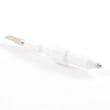
- If ignition becomes inconsistent, inspect ignition parts early (for example, the surface igniter W10854967)
A cooktop that is maintained and correctly installed runs cleaner, lights faster, and puts less stress on high-cost components like the spark system and burner valves. For model-specific installation clearances and connection guidance, follow the JGCP436WP01 installation guide.
Last updated: February 2026
What are common problems with Jenn-Air stoves?
Common problems we see on Jenn-Air gas cooking products like the JGCP436WP01 cooktop include burners that click but do not light, weak or uneven flames, and ignition that keeps sparking after the flame is on. Many of these issues trace back to power, gas supply, or burner-cap alignment described in the JGCP436WP01 installation guide.
- Burner will not light: burner cap misaligned, clogged burner ports, gas shutoff closed, or no power to ignition.
- Continuous clicking/sparking: moisture or food residue around the igniter, mis-seated cap, or an ignition component issue.
- Lights slowly (more than a few seconds): air in the gas line (often after installation or service) or partial blockage.
- Uneven flame: dirty burner head/ports, cap not centered, or gas pressure/regulator concerns.
- One burner works, others do not: wiring/ignition distribution issue, sometimes tied to the spark module.
- Confirm the cooktop has power (plugged in; breaker not tripped).
- Confirm the gas shutoff valve is fully open.
- Reseat the burner cap so it sits flat and centered on the burner base.
- Try lighting again; burners typically light within about 4 seconds during normal operation.
- If the cooktop was just installed or the gas line was opened, expect the first light to take longer while air purges.
If the basics above check out and ignition problems persist, these model-compatible parts are often involved:
| Symptom | Part that may be involved | Example part for this model |
|---|---|---|
| No spark on multiple burners | Spark module | Spark module W11601369 |
| Weak/intermittent spark at a burner | Surface igniter | Surface igniter W10854967 |
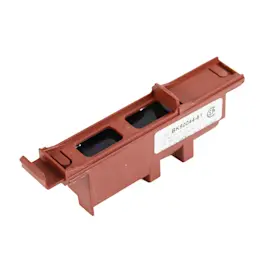
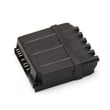
| Clicking continues across burners | Range spark module | Range spark module WPW10475147 |
A gas cooktop needs both gas flow and electrical power for electronic ignition. When either is missing, or when burner caps are not positioned correctly, you can get delayed ignition, no ignition, or constant sparking, which affects cooking performance and safety.
Last updated: February 2026
Why does my Jenn Air Gas cooktop igniter keep clicking?
Continuous igniter clicking on the Jenn-Air JGCP436WP01 usually happens when the burner is not proving flame quickly. The most common causes are moisture or soil around the igniter electrode, a burner cap that is not seated correctly, or an ignition control (spark module) that is shorting and firing continuously.
- Turn the knob to OFF and let the burner area cool.
- Remove the grate and burner cap; re-seat the cap so it sits flat and centered.
- Dry the igniter electrode area thoroughly (spills and cleaning water commonly trigger clicking).
- Clean food residue from the burner head and cap ports so gas flow is even.
- Try lighting again; on this model, sparking should stop once the flame lights.
The electronic ignition system sparks when you turn a knob to a lighting position, and it keeps sparking until the flame lights or you turn the knob to OFF. Burners should light within about 4 seconds during normal operation (first-time lighting can take longer if there is air in the gas line). See the JGCP436WP01 installation guide.
| Symptom | Most likely cause | What to do next |
|---|---|---|
| Clicking continues after flame is on | Wet/dirty igniter or mis-seated cap | Dry, clean, and re-seat cap |
| Clicking and burner will not light | Cap/base alignment, power, gas supply | Verify alignment, power, gas shutoff open |
| Clicking on multiple burners | Spark module issue or moisture in switch area | Dry thoroughly; consider spark module diagnosis |
If cleaning, drying, and correct cap alignment do not stop the clicking, ignition parts are the next most common fix:
- Surface igniter W10854967 (damaged electrode or cracked insulator can leak spark)
- Range spark module WPW10475147 (can cause continuous sparking across burners)
Continuous clicking is more than a nuisance; it can prevent reliable lighting, cause uneven flames, and accelerate wear on the igniter and spark module. Correct burner cap alignment is especially important on this cooktop for consistent ignition.
Last updated: February 2026
Why is my Jenn Air Gas Range oven not igniting?
On the Jenn-Air JGCP436WP01 gas cooktop, a burner usually won’t ignite when power, gas supply, or burner-cap alignment is off. We recommend confirming the cooktop has power, the gas shutoff valve is open, and the burner base and cap are seated correctly as shown in the JGCP436WP01 installation guide.
- Make sure the cooktop is plugged in and the circuit breaker has not tripped (electronic ignition needs power).
- Confirm the gas shutoff valve is fully open.
- Re-seat the burner base so the igniter electrode lines up correctly.
- Re-seat the burner cap; if the cap is mispositioned, the burner will not light.
- Turn the knob to LITE and listen for clicking (spark) while watching for flame.
- If this is the first lighting after installation or service, allow extra time for air to purge from the gas line.
Cooktop burners on this model use electronic igniters (no standing pilot). When you turn a knob to a lighting position, the igniter should spark until the flame lights.
| What you observe | Most likely cause | What to do next |
|---|---|---|
| No clicking/sparking at any burner | No power to cooktop | Check outlet, breaker/fuse, then retry |
| Clicking but no flame | Gas off or air in line | Open shutoff valve; retry and allow a few seconds |
| One burner won’t light, others do | Cap/base misaligned or igniter issue | Re-seat cap/base; inspect igniter area |
| Continuous clicking after flame | Flame not sensing properly (often cap/base position) | Re-seat cap/base; ensure burner is assembled correctly |
If power and gas are correct and a burner still won’t light reliably, ignition components are common suspects:
- Surface igniter W10854967 (spark electrode/igniter for a surface burner)
- Range spark module WPW10475147 (creates spark for the ignition system)
A mispositioned burner cap or a closed gas valve can prevent ignition and cause repeated sparking. Verifying correct burner assembly and basic power and gas supply first prevents unnecessary part replacement and helps restore safe, consistent lighting.
Last updated: February 2026
Why is my Jenn-Air stove top not working?
If your Jenn-Air gas cooktop model JGCP436WP01 is not working, the most common causes are loss of power to the electronic ignition system, the gas shutoff valve being closed, or burner parts (cap/head) being misaligned or dirty so the burner will not light.
- Confirm the cooktop is plugged into a properly grounded, polarized 3-prong outlet.
- Check the home breaker or fuse; the ignition will not spark without power.
- Verify the gas shutoff valve is fully open.
- Make sure each burner cap sits flat and centered on the burner base.
- Try lighting again; first-time lighting after service can take longer due to air in the gas line.
When you turn a knob to LITE, the igniter should click and spark until the flame lights (then stop sparking when you turn the knob away from LITE).
| Symptom | Most likely cause | What to do next |
|---|---|---|
| No clicking/sparking on any burner | No power, tripped breaker, bad ignition circuit | Verify outlet and breaker; then inspect ignition components |
| Clicking but burner will not light | Gas off, cap/head misaligned, clogged ports | Open gas valve; reseat/clean burner parts |
| One burner will not spark | Failed igniter at that burner, wiring issue | Inspect/replace the igniter for that position |
| Constant clicking even after flame | Moisture/soil around igniter, misaligned cap | Dry and clean; reseat cap and head |
If power and gas supply are correct and the burners still will not light reliably, these model-compatible parts are common fixes:
- Surface igniter W10854967 (failed igniter can stop one burner from sparking)
- Range spark module WPW10475147 (can affect sparking across multiple burners)
This cooktop uses electronic ignition (no standing pilot), so it needs both electric power and gas flow to operate. A simple power issue or a slightly off-center burner cap can prevent ignition and make the cooktop seem completely “dead.”
For model-specific lighting and operation steps, follow the JGCP436WP01 installation guide.
Last updated: February 2026
Why is the display not working on my Jenn-Air gas stove?
If the display is not working on your Jenn-Air JGCP436WP01 gas cooktop, the most common causes are a loss of power to the cooktop, a tripped breaker or blown fuse, or a loose/failed connection in the ignition and control wiring. Start by confirming the cooktop has a grounded electrical supply and that power is reaching the unit.
- Make sure the cooktop is plugged in (if applicable) and the outlet has power.
- Reset the circuit breaker fully OFF, then back ON (or replace the fuse).
- Confirm the gas shutoff valve is open (some models will still spark without gas, but operation checks often happen together).
- If the cooktop was recently installed, verify the electrical requirements and connection locations match the installation instructions.
- If the display went out after cleaning, allow time for moisture to dry around knobs and the top surface.
This cooktop uses an electronic ignition system and requires a grounded electrical supply. If power is interrupted, you can lose display or ignition function even though gas is available. The installation instructions also emphasize placing gas and electric supplies where they are accessible without removing the cooktop. See the JGCP436WP01 installation guide.
| Symptom | Most likely cause | What to do next |
|---|---|---|
| Display dead and no clicking/sparking | No power to cooktop | Check breaker, outlet, wiring connection |
| Display dead but burners still spark/light | Control/display circuit issue | Inspect harness connections; service may be needed |
| Intermittent display | Loose connection or failing module | Check wiring and connectors; consider module replacement |
If you have spark issues along with a dead or intermittent display, ignition components are often part of the same troubleshooting path:
- Range spark module WPW10475147 (controls spark output to igniters)
- Surface igniter W10854967 (creates the spark at the burner)
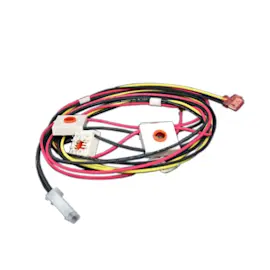
- Wire harness W10399615 (connects ignition and related circuits)
A non-working display is often a power or connection problem, and this model depends on electricity for electronic ignition. Restoring proper grounded power and solid wiring connections helps prevent no-ignite conditions and inconsistent burner operation.
Last updated: February 2026