Owner’s manual
 Error Codes



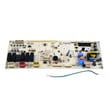
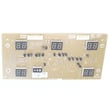
How to reset LG electric stove?
To reset your LG LRE3083SW electric range, we recommend doing a hard reset: turn the range off, shut off power at the breaker for 1 to 5 minutes, then restore power and set the clock. This clears many control glitches after a power surge or error.
- Turn all surface burners and the oven off.
- Switch the range circuit breaker OFF (or unplug the cord if accessible).
- Wait at least 1 minute; use 5 minutes if the display was frozen.
- Turn the breaker ON (or plug back in).
- Re-set the clock and test Bake and a surface element.
For control panel button sequences and settings menus, follow the LRE3083SW owner's manual.
A reset restores power, but it does not repair a failed part. Use this quick symptom guide:
| Symptom after reset | Most likely area to check | Common next step |
|---|---|---|
| Oven will not heat | Bake circuit, sensor, control | Test bake, then inspect wiring and components |
| Oven heats but temps are wrong | Temperature sensing | Check the oven sensor and calibration settings |
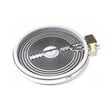
| One surface burner will not heat | Radiant element or switch/control | Inspect element and connections |
| Display works but oven still will not run | Relay/control issue | Check for error codes and power supply |
If the oven is not heating or is overheating, these model-matched parts are common suspects:
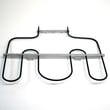
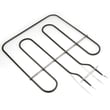
- Range bake element MEE62306405 (no glow or no heat in Bake)
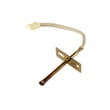
- Range oven temperature sensor EBG61305805 (temperature swings, underbakes, error codes)
- Range safety thermostat 6930W1A003X (opens if overheating occurs)
A hard reset is a safe first step because it clears temporary electronic faults. If the problem returns immediately, focusing on the bake element, oven temperature sensor, or control components prevents repeated shutdowns and inconsistent cooking results.
Last updated: February 2026
What is FCFE3083AS?
FCFE3083AS is a Frigidaire electric range model number, not an LG model. If you’re shopping parts or looking up specs for your LG range, use LG model LRE3083SW so you get the correct manual, wiring, and replacement parts for your appliance.
FCFE3083AS identifies a different brand and model family, so parts and troubleshooting steps typically won’t cross over.
- FCFE3083AS: Frigidaire range model number
- LRE3083SW: LG electric range model number (your Sears PartsDirect model page)
- Manuals, control boards, and heating parts are model-specific
- Using the wrong model number can lead to ordering the wrong bake element, control board, or sensor
Use this checklist before ordering parts:
- Model tag matches LRE3083SW exactly
- Brand on the tag is LG
- Power requirement is a 120/240V class electric range (typical for this series)
- Your parts list includes LG-style part IDs (example: EBG61305805, MEE62306405)
| Item | FCFE3083AS | LRE3083SW |
|---|---|---|
| Brand | Frigidaire | LG |
| Appliance type | Electric range | Electric range |
| Use this for parts on this page | No | Yes |
Ranges can look similar across brands, but the oven temperature sensor, radiant surface elements, and display/control boards are engineered for specific wiring and control logic. Matching the exact model number helps prevent repeat failures and incorrect fit.
- Use the LRE3083SW owner's manual to confirm features, electrical requirements, and operating details.
- If you’re diagnosing heating problems on this LG range, the oven wont heat troubleshooting electric range problems video is a good starting point.
Last updated: February 2026
Why is my LG electric oven not heating up?
If your LG LRE3083SW electric range oven is not heating, the most common causes are a power supply problem (tripped breaker), incorrect oven control settings, or a failed heating circuit such as the bake element, temperature sensor, or control board. Start with the quick checks in the LRE3083SW owner's manual.
- Confirm the range is plugged into a live, properly grounded outlet.
- Reset the house circuit breaker (electric ranges often use a 240V double breaker).
- Verify you are in Bake (not Timer or Delay Start) and set a temperature.
- If the control is beeping and shows an F code, press Clear/Off to stop the beeping.
- If the oven was just in Self Clean, let it cool below the door-lock temperature before testing.
The manual notes that an F-9 condition relates to the oven not heating, and recurring fault codes should be recorded after clearing. Use this as a guide to decide what to test next.
| Symptom | Most likely area | What to do next |
|---|---|---|
| No heat in Bake or Broil | Power supply or control | Check breaker, then test control outputs |
| Oven beeps, shows F code | Electronic control fault | Clear code, retry; if it returns, troubleshoot the heating circuit |
| Long preheat or uneven temps | Sensor or bake element | Check sensor resistance and inspect element |
If power and settings are correct, these parts are frequent culprits on LRE3083SW:
- Range bake element MEE62306405 (open or burned element)
- Range oven temperature sensor EBG61305805 (bad temperature feedback)
- Range control/relay boards (if the element and sensor test good)
An electric oven heats by switching 240V power through the control and relay circuits to the bake and broil elements. A tripped breaker, a failed bake element, or a sensor that reports the wrong temperature can all stop heating or cause the control to shut heating down.
Last updated: February 2026