Get free shipping on your order, with any water filter subscription. Find my filter

Open Hamburger Menu
Sears Parts Direct
Tips to find your model number

Samsung DVG50R5400V/A3-00 dryer Parts

Here are the diagrams and repair parts for Samsung DVG50R5400V/A3-00 dryer, as well as links to manuals and error code tables, if available.

Samsung DVG50R5400V/A3-00 dryer
By Schematic
By Part
SELECT DIAGRAM
?

This is the number corresponding to the part on the diagram / schematic

Browse Parts for DVG50R5400V/A3-00 DRYER

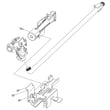
  • Dryer Door Switch for Samsung DVG50R5400V/A3-00 - Part DC64-00828B

    Front parts assy diagram

    Dryer Door Switch

    In Stock
    $46.72
    11% OFF Phone Price : $52.72Info Icon
    Minus Item
    Qty
    Plus Item
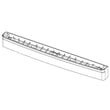
  • Dryer Blower Fan Guide for Samsung DVG50R5400V/A3-00 - Part DC61-03364A

    Motor duct assy diagram

    Dryer Blower Fan Guide

    In Stock
    $23.77
    20% OFF Phone Price : $29.77Info Icon
    Minus Item
    Qty
    Plus Item
  • Dryer Blower Housing for Samsung DVG50R5400V/A3-00 - Part DC93-00098D

    Motor duct assy diagram

    Dryer Blower Housing

    Part #DC61-02348B

    Replaced by #DC93-00098D

    Info Icon
    Manufacturer substitution
    This part replaces DC61-02348B. Substitute parts can look different from the original.
    In Stock
    $218.75
    5% OFF Phone Price : $230.75Info Icon
    Minus Item
    Qty
    Plus Item
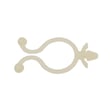
  • Laundry Appliance Wire Harness Retainer for Samsung DVG50R5400V/A3-00 - Part DC61-40081A

    Small parts diagram

    Wire Clamp

    Part #DC61-60074A

    Replaced by #DC61-40081A

    Info Icon
    Manufacturer substitution
    This part replaces DC61-60074A. Substitute parts can look different from the original.
    This item is not returnable
    In Stock
    $2.16
    Minus Item
    Qty
    Plus Item
  • Dryer Drum Front Cover Assembly for Samsung DVG50R5400V/A3-00 - Part DC97-23730A

    Drum assy diagram

    Dryer Drum Front Cover Assembly

    Part #DC97-17081A

    Replaced by #DC97-23730A

    Info Icon
    Manufacturer substitution
    This part replaces DC97-17081A. Substitute parts can look different from the original.
    In Stock
    $234.96
    Minus Item
    Qty
    Plus Item
  • Screw-tappin for Samsung DVG50R5400V/A3-00 - Part 6002-000520

    Drum assy diagram

    Tapping Screw

    Part #6002-000231

    Replaced by #6002-000520

    Info Icon
    Manufacturer substitution
    This part replaces 6002-000231. Substitute parts can look different from the original.
    In Stock
    $27.31
    Minus Item
    Qty
    Plus Item
  • Assembly Cover Filter;dv3000j,dve45t3200w/a3 for Samsung DVG50R5400V/A3-00 - Part DC97-16741D

    Drum assy diagram

    Dryer Lint Screen Cover

    Part #DC97-16741B

    Replaced by #DC97-16741D

    Info Icon
    Manufacturer substitution
    This part replaces DC97-16741B. Substitute parts can look different from the original.
    In Stock
    $270.38
    Minus Item
    Qty
    Plus Item
  • Assy Case Fi for Samsung DVG50R5400V/A3-00 - Part DC97-16742B

    Drum assy diagram

    Dryer Lint Screen

    Part #DC97-16742A

    Replaced by #DC97-16742B

    Info Icon
    Manufacturer substitution
    This part replaces DC97-16742A. Substitute parts can look different from the original.
    In Stock
    $232.24
    5% OFF Phone Price : $244.24Info Icon
    Minus Item
    Qty
    Plus Item
  • Kenmore Dryer Electronic Control Board for Samsung DVG50R5400V/A3-00 - Part DC92-03611B

    Main assy diagram

    Kenmore Dryer Electronic Control Board

    Part #DC92-01729W

    Replaced by #DC92-03611B

    Info Icon
    Manufacturer substitution
    This part replaces DC92-01729W. Substitute parts can look different from the original.
    In Stock
    $224.55
    5% OFF Phone Price : $236.55Info Icon
    Minus Item
    Qty
    Plus Item
  • Drum Wrapper for Samsung DVG50R5400V/A3-00 - Part DC66-00405L

    Drum assy diagram

    Drum Wrapper

    Part #DC66-00405L

    The manufacturer no longer makes this part, and there's no substitute part

Samsung DRYER DVG50R5400V/A3-00 FAQs

For the Samsung DVG50R5400V dryer, there is not a separate “moisture sensor reset” button; most moisture-sensing problems clear up by cleaning the sensor area and then power-cycling the dryer to clear a temporary control glitch. Use the steps in the DVG50R5400V user manual as your model-specific reference.

Step-by-step: what we recommend for DVG50R5400V

  • Turn the dryer off and open the door.
  • Clean the lint filter (a restricted lint screen can mimic sensor-dry problems).
  • Locate the moisture sensor bars (typically near the lint filter housing inside the drum opening).
  • Wipe the sensor bars with rubbing alcohol on a soft cloth; remove any dryer sheet residue.
  • Let the alcohol fully dry.
  • Power-cycle reset: unplug the dryer (or switch the breaker off) for 5 to 10 minutes, then restore power.
  • Run a Sensor Dry cycle with a normal-sized load to confirm the fix.

What “reset” can and cannot do

Action What it helps What it will not fix
Cleaning sensor bars False “dry” readings, long dry times, inconsistent shutoff A failed sensor circuit or wiring issue
Power cycle (5 to 10 minutes) Temporary electronic glitches, stuck logic Mechanical airflow restrictions
Switching to Time Dry temporarily Finishes laundry while troubleshooting Root cause of sensor-dry issues

If clothes still are not drying on Sensor Dry

These are the most common causes on Samsung dryers like model DVG50R5400V:

  • Vent restriction (kinked duct, clogged wall cap, crushed transition duct)
  • Lint buildup in the exhaust path
  • Overloading or mixing heavy and lightweight fabrics
  • Wrong cycle/dryness selection for the load
  • A fault that triggers an information code

For code-related issues, use our Samsung dryer error codes reference to match the display code to the next check.

Why it matters

The moisture sensor helps the control board end Sensor Dry cycles at the right time. If the sensor bars are coated or airflow is restricted, the dryer can stop too early, run too long, or dry unevenly, which wastes energy and increases wear on fabrics.

Last updated: January 2026

A bad heating element in a Samsung dryer like model DVG50R5400V typically shows up as no heat or very weak heat (loads take much longer to dry). The most reliable confirmation is an electrical continuity test of the element after safely disconnecting power; an “open” reading indicates failure. See the DVG50R5400V user manual for safety and access guidance.

Common signs the heating element is failing

  • Clothes stay damp or cycles run much longer than normal
  • Dryer tumbles normally but produces little or no heat
  • A burning smell (often from lint contacting an overheating or damaged element)
  • The dryer shuts off early because a safety device trips (thermal cut-off or thermal fuse)
  • Visible damage on the coil (breaks, hot spots, or sagging) if you can safely inspect it

How we test the heating element (basic multimeter check)

  1. Unplug the dryer (electric models) or disconnect power at the breaker. For gas models, also shut off gas before servicing.
  2. Access the heater housing (panel access varies by configuration; follow the DVG50R5400V user manual).
  3. Remove at least one wire from the element terminal(s) so you are not reading through the circuit.
  4. Set your multimeter to ohms (Ω) and measure across the element terminals.

What the meter reading usually means

Meter result What it suggests Next step
Continuity present (finite Ω) Element may be OK Check airflow, thermostats, thermistor, control
Open / OL / infinite Ω Element is bad Replace the heating element
Very low Ω (near 0) Possible short Inspect wiring and heater housing; replace as needed

Why it matters

A dryer that is not heating is not always a bad element. On DVG50R5400V, restricted venting, a clogged lint filter, or a failed thermal fuse can mimic a “bad heater” symptom and can also cause repeat failures if not corrected.

Quick checks before replacing parts

  • Clean the lint filter and confirm it is seated correctly
  • Verify strong airflow at the outside vent hood
  • Run the built-in vent blockage test (procedure is in the DVG50R5400V user manual)
  • If you see an information code, use Samsung dryer error codes to narrow the cause

Last updated: January 2026

On the Samsung DVG50R5400V dryer, “E3” is not an information code shown in the model’s user manual; this usually means the display is being misread (for example, C3, 3E, or another code) or the dryer is a different model/variant. Use the code list in the DVG50R5400V user manual to match the exact characters on your display.

Confirm the exact code on your DVG50R5400V

Because Samsung codes can look similar on a 7-segment display, we recommend these quick checks:

  • Write the code down exactly as it appears (letters vs numbers).
  • Watch for alternating characters (some codes toggle).
  • Check if it is a “C” code (C80, C90, Clg) rather than an “E” code.
  • Run the dryer empty for a few minutes to see if the code returns.
  • If your dryer has Smart Care, run it to capture the code more clearly.

Information codes you may be seeing instead (common look-alikes)

The DVG50R5400V manual includes codes in formats like “Clg/Cg”, “C80/C90”, “tC”, “dC”, and “9C1”. Here are a few that are commonly mistaken for something else:

Code format in this series What it generally points to What we check first
Clg (Cg), C80, C90 Vent restriction Lint screen, duct, outside hood
dC Door not sensed closed Door closure, latch area
9C1 Abnormal voltage Power supply and cord/terminal connections
tC Temperature sensor error Service-level diagnosis is typically needed

First fixes that solve many “code” problems

Even when the code is unclear, these steps address the most common causes (airflow and load conditions):

  • Clean the lint filter before every load.
  • Inspect the exhaust duct for kinks, crushing, or heavy lint buildup.
  • Confirm you are using 4-inch metal ducting (no plastic duct).
  • Make sure the outside vent hood opens freely.
  • Avoid overloading; bulky loads can trigger overheating and shutdowns.

Why it matters

On Samsung dryers like the DVG50R5400V, restricted venting and power issues can trigger protective shutdowns and information codes; fixing airflow and electrical basics first helps prevent long dry times, overheating, and repeat errors.

For broader Samsung code definitions and troubleshooting steps, use Samsung dryer error codes.

Last updated: January 2026

Most common symptoms to help you fix your dryers

Choose a symptom to see related dryer repairs.

Main causes: bad gas valve coils, broken heating element, tripped safety thermostat or fuse, bad operating thermostat, c…

Main causes: clogged exhaust system, heating system failure, deposits on moisture sensor, control system failure…

Main causes: clogged exhaust vent, bad motor relay, loose dryer door catch, bad door switch, control system failure, fau…

Main causes: door switch failure, lack of power, broken belt, blown thermal fuse, bad drive motor, control system failur…

Main causes: damaged door strike, worn door catch…

Main causes: lack of electrical power, bad power cord, wiring failure, bad control board, blown thermal fuse, bad door s…

Main causes: bad timer or electronic control board, door switch failure…

Main causes: bad drum support roller, damaged idler pulley, broken blower fan blade, worn drum glide bearing, bad drive …

Most common repair guides to help fix your dryers

These step-by-step repair guides will help you safely fix what’s broken on your dryer.

How to replace an electronic control board in an electric dryer

How to replace an electronic control board in an electric dryer

The electronic control board manages the components and controls the cycle times in your electric dryer. Follow these st…

Repair time and Difficulty

 45 minutes or less
How to replace an igniter in a gas dryer

How to replace an igniter in a gas dryer

The igniter in a gas dryer glows white hot during the to light the gas that heats the air in the dryer. If the dryer air…

Repair time and Difficulty

 60 minutes or less
How to replace a dryer thermistor

How to replace a dryer thermistor

The thermistor senses the air temperature in the dryer. If your dryer overheats or doesn't heat at all, the thermistor …

Repair time and Difficulty

 30 minutes or less

Effective articles & videos to help repair your dryers

Use the advice and tips in these articles and videos to get the most out of your dryer.

How to use your clothes dryer efficiently

How to use your clothes dryer efficiently

Get expert tips on using your dryer efficiently to save energy.…

Are DIY appliance repairs safe?

Are DIY appliance repairs safe?

Find out how to stay safe when repairing your appliances.…

Keeping your smart appliances secure from hackers

Keeping your smart appliances secure from hackers

Find out how to protect your smart appliances from malevolent invasions by hackers.…