 Owner’s manual




Can you put a countertop microwave in a built-in space?
A Kenmore Elite countertop microwave like model 72179203010 should only be installed in a built-in space when a model-approved built-in trim kit and the required clearances are used. Without the correct trim kit and ventilation space, heat buildup can damage components and create an unsafe installation.
What we recommend for model 72179203010
- Check the installation and ventilation requirements in the 72179203010 owner's manual.
- Use only a trim kit designed for this exact model (trim kits are not universal).
- Keep required airflow openings clear; do not block intake or exhaust vents.
- Do not enclose the microwave tightly in cabinetry unless the trim kit instructions specifically allow it.
- If you cannot confirm a compatible trim kit for 72179203010, keep it as a countertop installation.
Built-in vs countertop: what changes
| Item | Countertop setup | Built-in with trim kit |
|---|---|---|
| Ventilation | Open air around unit | Controlled airflow path per kit |
| Cabinet cutout | Not required | Required (exact dimensions) |
| Safety | Standard | Depends on kit + clearances |
| Service access | Easy | Often requires removal from cabinet |
Why it matters
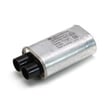
Countertop microwaves rely on free airflow to cool the magnetron and high-voltage system. When the unit is boxed into a cabinet without the correct trim kit and clearances, internal temperatures rise and you can see symptoms like weak heating, blown fuses, or intermittent shutdowns.
If your microwave starts acting up after being enclosed
- Verify the outlet is properly grounded and not on an overloaded circuit.
- Make sure vents are not blocked by cabinet panels or trim.
- If it runs but does not heat, review why is my microwave not heating for common causes.
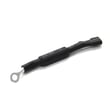
- If it goes dead or trips power, a blown fuse is common; see how to replace a microwave fuse.
Last updated: January 2026
How to reset a Kenmore Elite microwave?
To reset a Kenmore Elite microwave model 72179203010, we recommend doing a simple power reset first (unplug, wait, then restore power). If the control panel has a settings reset option, use it to return cooking options and preferences back to defaults.
Quick reset options (start here)
- Power reset: Unplug the microwave (or switch off the breaker), wait 2 to 3 minutes, then plug it back in.
- Stop/Clear reset: Press STOP/CLEAR once to cancel a cooking cycle; press again to clear the display.
- Clock re-entry: After a reset, set the clock again if the display prompts you.
- Child lock check: If the keypad seems “dead,” turn off the control lock (often done by pressing and holding STOP/CLEAR for about 3 seconds).
For model-specific button names and any menu-based reset steps, follow the keypad instructions in the 72179203010 owner's manual.
If the microwave still will not respond
These checks help separate a simple control issue from a power or safety-interlock problem:
- Confirm the outlet works by testing it with a lamp or small appliance.
- Make sure the door closes firmly and the latch engages.
- If the unit is completely dead, a blown internal fuse is common.
- If it runs but does not heat, the issue is usually in the high-voltage circuit.
- If it stops when you open or close the door, a door switch can be the cause.
Common parts related to “won’t power on” or “acts reset” symptoms
| Symptom | Common cause | Example part for 72179203010 |
|---|---|---|
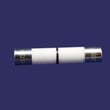
| No display, no response | Blown fuse | Microwave fuse 3B74133Q |
| Works intermittently when door moves | Door interlock switch issue | Microwave door interlock switch 6600W1K001R |
Why it matters
A proper reset clears temporary control glitches after a power surge or interrupted cook cycle. If the problem returns immediately, the microwave is usually protecting itself due to a door interlock, fuse, thermostat, or high-voltage component issue.
If the microwave runs but does not heat, use our troubleshooting steps in why is my microwave not heating.
Last updated: January 2026
How much clearance for a countertop microwave?
For the Kenmore Elite 72179203010 countertop microwave, plan on open space around the cabinet so the vents can move air and the unit stays stable on the counter. A common countertop guideline is about 3 inches on the top and sides, about 1 inch at the rear, plus a front setback; confirm the exact requirements in the 72179203010 owner's manual.
Clearance guidelines we use most often
These targets work for most countertop microwaves when the manual does not specify different numbers:
- Top: about 3 in.
- Sides: about 3 in. each
- Rear: about 1 in.
- Front: keep the front edge set back from the counter edge (about 3 in. is a common safety target)
- Vent openings: keep all louvers and grilles unobstructed
Quick reference table
| Area around microwave | Typical clearance target | What it prevents |
|---|---|---|
| Top | ~3 in. | Heat buildup under cabinets or shelves |
| Sides | ~3 in. each | Restricted airflow and hot side panels |
| Rear | ~1 in. | Pinched power cord and blocked rear vents |
| Front | Set back from edge | Tipping when opening the door |
Why it matters
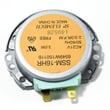
Countertop microwaves rely on internal cooling airflow. Tight spacing can trap heat, trigger thermal shutoffs, and shorten the life of components such as the microwave cooling fan motor EAU42744405. Proper setback also reduces the chance of the microwave shifting when the door is opened.
Placement checklist
- Set the microwave on a flat, level, sturdy surface.
- Do not place it in a tight cubby unless the space meets the manual’s ventilation rules.
- Keep items like paper towels and cookbooks away from the vents.
- Route the power cord so it is not pinched behind the cabinet.
Last updated: January 2026


