Installation guide
 Owner’s manual
 Error Codes



How do you reset a Whirlpool gas oven?
To reset the oven on your Whirlpool WFG525S0JS0 gas range, we recommend doing a simple power reset: press CANCEL/OFF to stop any cycle, then disconnect power for about 1 minute and restore power. This clears many control glitches and restores normal operation.
Quick reset steps (safe and effective)
- Press CANCEL/OFF on the control panel.
- Turn all surface burner knobs to OFF.
- Unplug the range (or switch the range circuit breaker OFF).
- Wait 60 seconds.
- Restore power.
- Set the clock if needed, then test BAKE or BROIL.
For control-specific steps and keypad behavior, follow the WFG525S0JS0 owner's manual.
If the oven still will not heat after a reset
A reset helps when the control is “stuck”, but it will not fix a no-ignition or gas supply problem. Use this checklist:
- Confirm the range is plugged into a grounded outlet and the breaker is not tripped.
- Make sure the gas shutoff valve is fully open.
- If this is first use or the gas was recently shut off, light a surface burner for 30 to 60 seconds to purge air from the gas line.
- Try BROIL; the burner can take longer to light under some conditions.
- If the control responds but the oven does not ignite, inspect the igniter circuit and wiring.
Common symptoms and what they point to
| What you notice | Most likely cause | What to do next |
|---|---|---|
| Display works, no heat, no ignition sound | Gas shutoff closed or air in line | Open valve; purge air using a surface burner |
| Clicking/trying to light, then stops | Weak ignition or flame sensing issue | Check igniter and connections |
| Oven works sometimes, sometimes not | Intermittent igniter | Consider replacing the igniter |
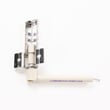
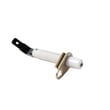
If you suspect an ignition problem, the range oven burner igniter WPW10333842 is a common wear item for this model.
Why it matters
Resetting clears temporary electronic control errors, but consistent no-heat issues usually trace back to gas supply, ignition (igniter), or wiring. Addressing the root cause prevents repeated failures and uneven cooking.
Last updated: February 2026
Why is my Whirlpool gas oven not getting hot?
If your Whirlpool WFG525S0JS0 gas oven is not getting hot, the most common causes are gas supply issues (shutoff valve off or air in the line), an oven ignition problem, or a control setting such as Demo mode. Start with the quick checks in the WFG525S0JS0 owner's manual.
Quick checks we recommend first
- Confirm the range has power (display on, no tripped breaker).
- Make sure the main gas shutoff valve is fully On (see the WFG525S0JS0 installation guide for shutoff location and setup basics).
- If this is a first-time install or the gas was recently shut off, purge air: turn on a surface burner for 30 to 60 seconds, then try Bake.
- Verify the oven is not in Demo mode (Demo mode disables oven heating).
- Avoid opening the oven door during preheat; the oven can shut heat off if the door stays open too long.
What the symptoms usually mean
| Symptom | Most likely cause | What to do next |
|---|---|---|
| Oven will not start heating at all | Demo mode, control set incorrectly, no gas supply | Recheck settings and gas shutoff; retry Bake |
| Surface burners work but oven stays cool | Oven ignition system issue | Inspect igniter operation; service if needed |
| Oven heats but cooks too hot or too cool | Temperature calibration needed | Use the oven temperature adjustment feature |
| Flames look yellow/noisy | Incorrect gas conversion or supply issue | Have gas setup checked by a technician |
Temperature and “not hot enough” complaints
This model regulates heat by cycling to maintain temperature, so a thermometer reading can look inconsistent. If food consistently undercooks or overcooks, use the oven temperature calibration steps in the manual to fine-tune the set temperature.
Parts that commonly fix “won’t heat” on this model
If gas supply and settings check out, ignition components are common repair points. For this model, a frequent replacement is the range oven burner igniter WPW10333842.
Why it matters
A gas oven that does not heat is often a gas supply or ignition safety issue. Doing the basic checks first prevents unnecessary part replacement and helps restore safe, consistent baking performance.
Last updated: February 2026
How do I find the model number on my WFG525S0JS0?
On the Whirlpool WFG525S0JS0 gas range, the model number is printed on the model and serial label on the oven frame behind the top left side of the oven door. Open the oven door fully and look along the upper-left front frame.
Where to look (fast checklist)
- Open the oven door and use a flashlight
- Check the upper-left area of the front frame
- Look for a label that lists Model and Serial
- Wipe grease or dust off the frame so the label is readable
- Write the model number exactly as shown (letters and numbers)
What the label looks like
The label is often called the model/serial rating plate. It typically includes the model number, serial number, and gas type information.
| Item on label | What it’s used for | Why it matters |
|---|---|---|
| Model number | Finding exact parts diagrams and fit | Prevents ordering the wrong part |
| Serial number | Identifying production details | Helps match revisions/updates |
| Gas type info | Confirms Natural gas vs. conversion info | Supports safe, correct setup |
Why it matters for parts and repairs
Even small model number differences can change which Whirlpool parts fit (for example, a control knob, oven igniter, or door hinge). Using the label information helps us match the correct diagrams and replacement parts for your exact range.
If the label is hard to read
- Take a close-up photo with your phone and zoom in
- Try viewing from a slight angle to reduce glare
- If the label is damaged, check your purchase paperwork for the model number
For more details and illustrations, use the WFG525S0JS0 owner’s manual.
Last updated: March 2026