 Installation guide
 Owner’s manual
 Error Codes
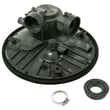




What is the most common failure on a dishwasher?
The most common dishwasher failure is a drain problem: water stays in the bottom because the filter area, drain hose, or drain pump gets restricted by food debris. On Hotpoint model HDF330PGR0BB, leaks and “won’t start” issues (often a door latch not fully closing) are also frequent.
What we see most often (and what to check first)
- Standing water after a cycle: check the filter area and drain path for debris.
- Won’t run or won’t fill: confirm the door is firmly latched and the water valve under the sink is turned on.
- Leaks under the unit: inspect and tighten water connections; then recheck for drips.
- Leaks at the door: make sure the dishwasher is positioned so the door is not rubbing adjacent cabinets.
- Poor cleaning: look for blocked spray arm holes and loading that prevents spray coverage.
Common failures and the parts that usually fix them
| Symptom | Most likely area | Example part for HDF330PGR0BB |
|---|---|---|
| Water won’t pump out | Drain system | Dishwasher drain pump WD19X25461 |
| Dishwasher won’t start | Door not latching | Door latch WD01X29878 |
| Not drying well | Heater circuit | Dishwasher heating element WD05X35098 |
| Not cleaning well | Spray pattern/coverage | G.e. dishwasher spray arm, lower WD22X33499 |
Quick diagnostic steps (safe, no tools)
- Cancel and drain: press and hold Start/Reset for about 3 seconds; listen for draining.
- Verify fill: start a cycle and confirm water enters; if not, confirm the shutoff valve is open.
- Look for leaks: check under the dishwasher and around the door during the first few minutes of fill.
- Check the float area: if the unit acts like it will not fill, make sure the float moves freely.
Why it matters
Drain restrictions and small leaks usually start as minor performance issues, then lead to odors, poor cleaning, and repeat shutdowns. Catching them early helps protect the wash pump, control board, and your cabinets.
For model-specific operating checks and troubleshooting tips, use the HDF330PGR0BB owner’s manual.
Last updated: February 2026
What model is my Hotpoint dishwasher?
Your Hotpoint dishwasher’s model number is printed on the rating label on the tub wall just inside the door. On model HDF330PGR0BB, open the door and look along the inner tub wall for a label that lists both the model and serial number; write them down exactly as shown and use them when ordering parts.
Where to look (fast checklist)
- Open the dishwasher door fully.
- Look on the tub wall just inside the door (not on the outer door panel).
- Find the label that shows Model # and Serial #.
- Copy the model number exactly (letters and numbers matter).
- Use that exact model number when matching parts like a door latch or control board.
What the label typically includes
| Label item | What it’s used for | Example |
|---|---|---|
| Model number | Correct parts and diagrams | HDF330PGR0BB |
| Serial number | Production details and service reference | Varies |
| Electrical info | Installation and troubleshooting reference | Varies |
Why it matters
We use the model number to match your dishwasher to the correct Hotpoint parts list and diagrams. Even small model-number differences can change fit and wiring, especially for items like the dishwasher electronic control board WD21X32938 or the door latch WD01X29878.
Tips if the label is hard to read
- Wipe the label gently with a damp cloth and mild soap; dry it.
- Use your phone camera and zoom in for clearer characters.
- If you recently installed the unit, keep the paperwork with your model number; the HDF330PGR0BB owner’s manual also has a spot to record the model and serial.
Last updated: February 2026
What is the average lifespan of HDF330PGR0BB?
The average lifespan of the Hotpoint HDF330PGR0BB dishwasher is 10 years with normal household use. Consistent cleaning, correct loading, and fixing small issues early (like poor draining or weak spray) helps you reach that full service life.
What affects lifespan the most
- Water quality and temperature: hard water and low incoming temperature increase buildup and cycle stress.
- Filter and sump cleanliness: a clogged filter forces the wash system to work harder.
- Drain performance: slow draining leaves soil behind and can strain the drain pump.
- Drying heat: heavy use of heated dry adds wear to heating components.
- Door sealing and latching: leaks and door misalignment shorten component life.
Maintenance that extends life (high impact)
Use the care and cleaning steps in the owner's manual and focus on these habits:
- Rinse heavy food scraps off dishes before loading.
- Clean the filter regularly; replace it if damaged (see dishwasher fine filter assembly WD12X25995).
- Check spray arms for clogs and clear the holes as needed.
- Run hot water at the sink before starting a cycle to improve wash performance.
- Keep the door gasket clean and inspect for tears (see dishwasher tub gasket WD08X23476).
Common wear items and what they do
| Part | What you notice when it is failing | Example part for this model |
|---|---|---|
| Fine filter | Grit on dishes, poor cleaning, debris in sump | WD12X25995 |
| Heating element | Poor drying, cooler wash water | WD05X35098 |
| Drain pump | Standing water, slow drain | WD19X25461 |
| Lower spray arm | Lower rack not cleaning well | WD22X33499 |
Why it matters
A dishwasher that is maintained typically reaches its full lifespan; neglected filters, spray arms, and draining issues often cause “not cleaning” or “not draining” symptoms that lead to early, avoidable repairs.
Last updated: March 2026





