Installation guide
 Owner’s manual
 Error Codes




How do I fix the F5 E1 error code on a Whirlpool oven?
On the Whirlpool WFE540H0AE0 electric range, the F5 E1 error code typically points to a problem with the oven door lock circuit or the electronic oven control sensing an invalid door lock signal. We fix it by power-cycling first, then checking the door lock mechanism and wiring; if those check out, the control board is the next likely failure.
Quick checks to try first
- Turn the range off at the breaker for 1 minute, then restore power and retest.
- Make sure the oven door is fully closed and nothing is obstructing the latch area.
- If the code appears after a self-clean cycle, let the oven cool completely and retry.
- If the display shows other codes, look them up in the WFE540H0AE0 owner's manual.
What usually causes F5 E1
F5 E1 is most often triggered by one of these conditions:
- Door lock motor or latch mechanism sticking or not moving freely
- Loose, damaged, or overheated wiring at the latch or control
- Failed electronic oven control (clock/control board)
- Power supply issues that confuse the control (less common)
Parts that commonly solve it (when replacement is needed)
If basic checks do not clear the code, these are common repair paths:
| Symptom you see | Most likely area | Typical fix |
|---|---|---|
| Code appears during or after clean | Door lock system | Inspect latch movement and connections |
| Code returns immediately on power-up | Control sensing fault | Replace control board |
| Intermittent code when opening/closing door | Harness/connector issue | Reseat or repair wiring |
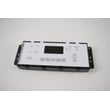
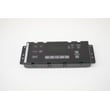
For this model, a common control replacement is the range oven control board WPW10586737 (match by model and wiring layout before ordering).
Why it matters
When the control thinks the door is locked (or cannot confirm the lock position), it can disable baking or cleaning functions for safety. Clearing the underlying latch or control issue restores normal oven operation and prevents repeat shutdowns.
Safety notes before servicing
- Shut off power at the breaker before removing panels or touching wiring.
- If you need to move the range, follow the anti-tip and leveling guidance in the WFE540H0AE0 installation guide.
Last updated: January 2026
How to fix oven temperature sensor Whirlpool?
On a Whirlpool WFE540H0AE0 electric range, “fixing” the oven temperature sensor usually means checking the wiring connection and replacing the sensor if it is out of spec or causing inaccurate baking temperatures. Use the WFE540H0AE0 owner's manual for model-specific testing and calibration steps.
What the oven temperature sensor does
The oven temperature sensor (RTD) tells the oven control board what the actual oven temperature is. If the sensor circuit is open, shorted, or drifting, you can see symptoms like underbaking, overbaking, long preheat, or error codes.
Common signs of a bad sensor:
- Oven temperature is consistently too hot or too cool
- Preheat takes much longer than normal
- Temperature swings are larger than usual
- Oven shuts off unexpectedly during a bake
- An error code appears on the display (varies by model)
Safe replacement overview (what we do)
Before any checks or replacement, disconnect power at the breaker; ranges use high voltage.
Typical steps:
- Turn power off at the circuit breaker (do not rely on the control panel)
- Locate the sensor probe inside the oven cavity (usually upper rear wall)
- Remove the mounting screws and gently pull the sensor forward
- Disconnect the wire connector (do not pull on wires)
- Install the new sensor and reassemble
If you need the correct replacement part for this model, use the range oven temperature sensor WPW10181986.
Quick troubleshooting checklist (before buying parts)
These checks often solve the problem without replacing parts:
- Confirm the range is getting proper power (no tripped breaker)
- Inspect the sensor connector for a loose fit or heat damage
- Check for pinched or burned wiring leading to the sensor
- If the display shows a fault, look it up in Whirlpool freestanding range error codes
What to replace based on symptoms
| Symptom | Most likely cause | Common next step |
|---|---|---|
| Oven temp off by a lot | Sensor drifting | Replace sensor |
| Error code related to oven temp | Sensor circuit or wiring | Check connector, then replace sensor |
| Oven won’t heat at all | Heating circuit issue | Follow oven wont heat troubleshooting electric range problems video |
Why it matters
A failing sensor can make baking unpredictable and can also cause the control to cycle the bake element incorrectly, which affects preheat time and cooking results.
Last updated: January 2026
How to reset error code on Whirlpool stove?
On the Whirlpool WFE540H0AE0 electric range, you can clear many error codes by pressing Cancel/Off; if the code stays on, reset power at the breaker for 1 minute, then restore power to reboot the oven control. If the code returns, the range needs troubleshooting for the specific failure.
Safe reset steps (recommended order)
- Press Cancel/Off once and wait 30 seconds.
- Turn OFF the range circuit breaker (or remove the fuse) for 1 minute.
- Turn the breaker ON and set the clock.
- Start Bake and confirm the oven begins heating.
- If the display shows F9 or F9, E0, treat it as a wiring issue and have a qualified electrician verify the outlet wiring.
For model-specific operating details and troubleshooting, use the WFE540H0AE0 owner's manual.
What the error code usually means
Most Whirlpool range error codes fall into a few groups. Clearing the code only helps if it was a temporary control glitch.
| What you see | What it often points to | What to check next |
|---|---|---|
| Code clears after reset | Momentary control glitch | Monitor for repeat codes |
| Code returns quickly | Sensor, wiring, or control issue | Inspect connections; run a quick bake test |
| F9 or F9, E0 | Miswired electrical supply | Electrician checks supply wiring |
If the code comes back after a reset
Use the code as a direction for diagnosis, not just a message to clear.
- Look up the exact code meaning in Whirlpool freestanding range error codes.
- If the oven temperature seems inaccurate or you get temperature-related codes, check the oven temperature sensor and its wiring; a common replacement is the range oven temperature sensor WPW10181986.
- If the oven will not heat at all, inspect the bake circuit and element condition; the range bake element W10779716 is a common heating part on this model.
- If multiple functions act erratically (beeping, random codes), the oven control board or harness connections may need attention.
Why it matters
Repeated error codes on the WFE540H0AE0 help pinpoint whether the issue is power supply, heating feedback (sensor), or the electronic control. Resetting is a good first step, but repeat codes prevent unreliable baking and can lead to no-heat conditions.
Last updated: January 2026