Get free shipping on your order, with any water filter subscription. Find my filter

Open Hamburger Menu
Sears Parts Direct
Tips to find your model number
GE JBS15H1WW electric range

GE JBS15H1WW electric range Parts

Here are the diagrams and repair parts for GE JBS15H1WW electric range, as well as links to manuals and error code tables, if available.

By Schematic
By Part
SELECT DIAGRAM
?

This is the number corresponding to the part on the diagram / schematic

Browse Parts for JBS15H1WW Ranges

  • Speed Nut for GE JBS15H1WW - Part WB1K3

    Body parts diagram

    Speed Nut

    Part #WB01K0003

    Replaced by #WB1K3

    Info Icon
    Manufacturer substitution
    This part replaces WB01K0003. Substitute parts can look different from the original.
    This item is not returnable
    In Stock
    $8.38
    11% OFF Phone Price : $9.38Info Icon
    Minus Item
    Qty
    Plus Item
  • Range Screw for GE JBS15H1WW - Part WB1X5364

    Control panel & cooktop diagram

    Bisq Screw

    Part #WB01K10018

    Replaced by #WB1X5364

    Info Icon
    Manufacturer substitution
    This part replaces WB01K10018. Substitute parts can look different from the original.
    In Stock
    $9.03
    10% OFF Phone Price : $10.03Info Icon
    Minus Item
    Qty
    Plus Item
  • Washer Contoured for GE JBS15H1WW - Part WB02X32440

    Door & drawer parts diagram

    Washer

    Part #WB01X0119

    Replaced by #WB02X32440

    Info Icon
    Manufacturer substitution
    This part replaces WB01X0119. Substitute parts can look different from the original.
    In Stock
    $34.54
    Minus Item
    Qty
    Plus Item
  • Hotpoint Range Indicator Light Lens (red) for GE JBS15H1WW - Part WB25T10041

    Control panel & cooktop diagram

    Lens

    Part #WB25K0002

    Replaced by #WB25T10041

    Info Icon
    Manufacturer substitution
    This part replaces WB25K0002. Substitute parts can look different from the original.
    This item is not returnable
    In Stock
    $9.86
    9% OFF Phone Price : $10.86Info Icon
    Minus Item
    Qty
    Plus Item
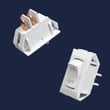
  • Rocker Switch for GE JBS15H1WW - Part WB24K10005

    Control panel & cooktop diagram

    Range Rocker Switch

    Part #WB24K10018

    Replaced by #WB24K10005

    Info Icon
    Manufacturer substitution
    This part replaces WB24K10018. Substitute parts can look different from the original.
    In Stock
    $18.58
    10% OFF Phone Price : $20.58Info Icon
    Minus Item
    Qty
    Plus Item
  • Support Base for GE JBS15H1WW - Part WB63K10232

    Body parts diagram

    Support Base

    Part #WB63K10027

    Replaced by #WB63K10232

    Info Icon
    Manufacturer substitution
    This part replaces WB63K10027. Substitute parts can look different from the original.
    In Stock
    $30.49
    16% OFF Phone Price : $36.49Info Icon
    Minus Item
    Qty
    Plus Item
  • G.e. Appliance Light Bulb, 40-watt for GE JBS15H1WW - Part 40A15

    Body parts diagram

    40a15bulb

    Part #STD372401

    Replaced by #40A15

    Info Icon
    Manufacturer substitution
    This part replaces STD372401. Substitute parts can look different from the original.
    In Stock
    $15.40
    11% OFF Phone Price : $17.40Info Icon
    Minus Item
    Qty
    Plus Item
  • Hous Receptl for GE JBS15H1WW - Part WB08K0001

    Body parts diagram

    Hous Receptl

    Part #WB08K0001

    The manufacturer no longer makes this part, and there's no substitute part

  • Nut 10-32 for GE JBS15H1WW - Part WB01X5968

    Body parts diagram

    Nut 10-32

    Part #WB01X5968

    The manufacturer no longer makes this part, and there's no substitute part

  • Door Liner for GE JBS15H1WW - Part WB55K0021

    Door & drawer parts diagram

    Door Liner

    Part #WB55K0021

    The manufacturer no longer makes this part, and there's no substitute part

GE Electric Range JBS15H1WW FAQs

On the GE JBS15H1WW electric range, you can usually clear an “F-” error code by pressing CLEAR/OFF, then doing a quick power reset (turn the range power off for at least 30 seconds, then restore power). If the code returns, it points to a condition that needs troubleshooting.

Steps to reset an “F-” error code

  • Press CLEAR/OFF once.
  • Wait a few seconds and try using BAKE or BROIL again.
  • If the code comes back, turn OFF power to the range at the breaker (or unplug if accessible).
  • Leave power off for 30 to 60 seconds.
  • Restore power and set the clock if it is flashing (common after a power outage).
  • If the error repeats immediately, stop using the oven and diagnose the cause using the JBS15H1WW owner’s manual.

If the code happened during self-clean

If your model is running a self-clean cycle and an error appears, the door latch position is the first thing to check.

  • Make sure the latch is fully moved to the right (locked position)
  • Press CLEAR/OFF
  • Let the oven cool for about 1 hour
  • Try the function again

What the reset does (and does not do)

A reset clears a control “glitch” after a surge or interruption, but it does not fix a failed component.

What you see What it usually means What to do next
“F-” plus a number/letter flashing Function error code Clear/Off, then power reset
Clock flashing Power outage occurred Reset the clock
Error returns after reset Ongoing fault Follow manual troubleshooting, service if needed

Why it matters

Repeated “F-” codes can interrupt heating, cancel timed cooking, or stop self-clean. Resetting correctly helps you separate a one-time power event from a real problem with the oven control, latch system, or another circuit.

For model-specific code behavior and control pad steps, use our GE freestanding range error codes reference alongside the manual.

Last updated: February 2026

On the GE JBS15H1WW electric range, there is no separate “control lock” feature like many GE wall ovens use. If the controls seem locked, the most common cause is the oven being in (or coming out of) self-clean with the door latch engaged; cancel the cycle with CLEAR/OFF and wait for the oven to cool so the latch can fully return.

Quick checks that usually restore control

  • Press CLEAR/OFF once to cancel any active function.
  • If Self Clean was started, wait until the oven cools below the locking temperature.
  • Slide the door latch handle fully left to the unlocked position (never force it).
  • If the display is flashing after a power outage, reset the clock using the CLOCK pad and the + / - pads.
  • If an “F-” error code appears, press CLEAR/OFF; if it repeats, disconnect power briefly and restore power.

Step-by-step: “locked” after self-clean

  1. Touch CLEAR/OFF to stop the clean cycle.
  2. Wait for the oven to cool (the door will not unlock until it cools).
  3. Move the latch handle all the way left.
  4. Try a simple bake to confirm normal operation.

What you’ll see and what it means

Symptom Most likely cause What to do
Door will not open Oven still above locking temperature Wait to cool; do not force latch
“F-” code flashing Function error condition Press CLEAR/OFF; check latch position
Time of day flashing Power outage occurred Reset clock

Why it matters

A latched door during self-clean can make the range feel “locked” even though it is not a keypad lock. Letting the oven cool and returning the latch to the full unlocked position prevents latch damage and restores normal bake and broil operation.

For the exact pad names and self-clean latch steps for this model, use the JBS15H1WW owner’s manual.

Last updated: February 2026

On the GE JBS15H1WW electric range, an F7 code is a control-related function error. We start by clearing the code, then resetting power for 30 seconds; if it returns, focus on the keypad/control connection and wiring, and schedule service if the error repeats.

Quick reset steps (do these first)

  • Press CLEAR/OFF to stop the alarm and clear the display.
  • Turn power off to the range at the breaker for at least 30 seconds, then restore power.
  • Set the clock if it’s flashing after the reset.
  • Try BAKE and BROIL to see if the code returns.
  • If the code appeared during self-clean, verify the door latch is fully in the locked position, then let the oven cool for 1 hour before retrying.

For the exact button names and error-code behavior on this model, use the JBS15H1WW owner’s manual.

If F7 comes back: what to check

F7 commonly points to a stuck key, a keypad ribbon connection issue, or a problem in the control circuit.

  • Disconnect power before opening any panels.
  • Inspect the control area for pinched, loose, or heat-damaged wires.
  • Reseat the keypad ribbon cable (if equipped) so it’s fully inserted and straight.
  • Look for signs of moisture, grease, or corrosion around the control.
  • If the oven light area has heat damage or arcing, inspect the socket and wiring; replace the range light socket WB08T10026 if it’s burned or loose.

What the display is telling you

Display behavior What it usually means What we do
“F-” plus a number/letter flashes Function error detected by the oven control CLEAR/OFF, then power reset
Code repeats after reset Ongoing control/keypad/wiring fault Inspect connections; service if needed
Code during self-clean Latch position or latch switch issue Confirm latch fully locked; cool down

Why it matters

An F7 error can disable baking or broiling and, if caused by a shorted keypad or damaged wiring, it can worsen over time. Clearing the code and doing a proper power reset quickly separates a one-time glitch from a repeatable control problem.

Last updated: February 2026

Most common symptoms to help you fix your ranges

Choose a symptom to see related range repairs.

Main causes: power supply failure, blown thermal fuse, bad relay control board, damaged terminal block, wiring failure…

Main causes: broken broiler element, weak or broken broil burner igniter, control system failure, faulty temperature sen…

Main causes: power supply problem, control thermostat or electronic control board failure, broken element, bad burner ig…

Main causes: broken oven door lock assembly, wiring failure, electronic control board problem…

Main causes: faulty temperature sensor, electronic control board problem, control thermostat failure, weak burner ignite…

Main causes: bad bake element, broken burner igniter, control system failure, blown thermal fuse, faulty temperature sen…

Main causes: food splatters, spilling food on the oven door, allowing liquid to drip through oven door vent when cleanin…

Most common repair guides to help fix your ranges

These step-by-step repair guides will help you safely fix what’s broken on your range.

How to replace a range oven door switch

How to replace a range oven door switch

The oven door switch detects whether the oven door is closed and helps control the oven light. Replace the switch if it …

Repair time and Difficulty

 30 minutes or less
How to replace a range oven door lock assembly

How to replace a range oven door lock assembly

Oven door not locking? You can replace the lock assembly in less than 30 minutes. Here's how.…

Repair time and Difficulty

 15 minutes or less

Effective articles & videos to help repair your ranges

Use the advice and tips in these articles and videos to get the most out of your range.

4 things you're doing wrong with your oven

4 things you're doing wrong with your oven

You might be surprised by these 4 tips for using your oven better.…

How to correct an oven's temperature setting

How to correct an oven's temperature setting

If your oven consistently undercooks or overcooks, it might need recalibration. You can reset it yourself.…

Quiz: Are you abusing your appliances?

Quiz: Are you abusing your appliances?

Take our quiz to see how well you treat your appliances. Then, find out what you can do to help them last longer.…

Parts & More

Air Compressor
Bottom-Mount Refrigerator
Dishwasher
Electric Line Trimmer
Electric Range
Gas Range
Lawn Edger
Line Trimmer
Parts
Side-By-Side Refrigerator
Small Appliance
Trash Compactor
Weight System
Wet/Dry Vacuum