 Installation guide
 Owner’s manual
 Error Codes




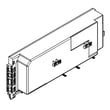
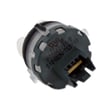
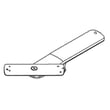
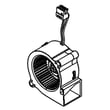
How do I do a hard reset on my Frigidaire dishwasher?
For your Frigidaire FDSH4501AS2A dishwasher, a “hard reset” is typically a power cycle: turn the dishwasher off at the breaker (or unplug it) for about 5 minutes, then restore power and restart a cycle. This clears most control glitches but does not fix mechanical problems.
- Cancel and restart the cycle: Press START/CANCEL, then close the door to let it respond and drain if needed.
- Power cycle reset: Turn OFF the circuit breaker for about 5 minutes, then turn it back ON.
- Restart after a door interruption: If the door was opened mid-cycle, press START/CANCEL and close the door immediately to resume.
- Confirm the dishwasher is remembering the last cycle: This model is designed to remember the last cycle selection, so you may only need to press START/CANCEL to run it again.
When the door is opened during a running cycle, the dishwasher stops and the display can prompt you to press Start; pressing START/CANCEL and closing the door resumes from the interruption point.
| Situation | Best “reset” action | What it accomplishes |
|---|---|---|
| Control panel frozen or unresponsive | Power cycle at breaker | Clears many electronic glitches |
| Cycle won’t resume after opening door | Press START/CANCEL, close door | Restarts from interruption point |
| You want to stop a cycle | Press START/CANCEL | Cancels the cycle and may drain |
A reset helps when the user interface or control logic gets “stuck,” but if the dishwasher still will not start, fill, drain, or clean after resetting, the issue is usually with a component (for example a latch, drain pump, or inlet valve) rather than the settings.
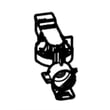
- Door not latching consistently: crosley dishwasher door latch assembly 111315040
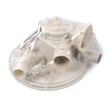
- Not draining: crosley dishwasher drain pump A00044328
- Not filling: dishwasher water inlet valve 807445905
For model-specific button sequences, display messages, and operating behavior, follow the FDSH4501AS2A owner's manual.
Last updated: January 2026
How do I fix a Frigidaire Gallery dishwasher that won't drain?
If your Frigidaire dishwasher (including the Frigidaire FDSH4501AS2A) won’t drain, we start by confirming the cycle is fully complete (not paused), then checking for a kinked/clogged drain path and a blocked disposer connection. Most drain problems are caused by a restriction, not a failed control.
- Cancel the cycle and let the unit attempt a drain; then verify the cycle is not in a pause state.
- Check the sink/disposer: if connected to a food waste disposer, make sure it’s empty.
- If the dishwasher drain hose connects to a disposer, confirm the disposer inlet knockout plug was removed.
- Inspect the drain hose for kinks, crushing, or a high loop that has slipped down.
- Clean the bottom filter area so water can flow freely to the sump.
- If you have a countertop drain air gap, remove the cap and check for debris (the air gap is separate from the dishwasher).
If the drain path is clear but the dishwasher still won’t evacuate water, these parts are common suspects on this style of Frigidaire dishwasher:
| Symptom | Most likely cause | What we check first |
|---|---|---|
| Hums but won’t drain | Drain pump jammed or failed | Debris in pump area, then pump replacement |
| Drains slowly | Partial clog or restricted hose | Hose routing, air gap, disposer inlet |
| Intermittent draining | Water level sensing issue | Pressure switch and hose condition |
Helpful model-matched parts to consider:
Water left in the bottom of the tub after a completed cycle is not normal; it can lead to odors, poor cleaning, and standing water that re-deposits soil on dishes.
For the exact cancel/drain steps, cleaning points, and installation-related drain routing details for FDSH4501AS2A, use the FDSH4501AS2A owner’s manual and the FDSH4501AS2A installation guide.
Last updated: January 2026
What is the most common problem with the Frigidaire dishwasher?
On the Frigidaire FDSH4501AS2A dishwasher, the most common issue we see is a drain problem: water stays in the tub because the filters, sump area, or drain hose gets restricted. Door-latch related “won’t start” symptoms are also common and are often cleared by fully latching the door.
- Cancel the cycle and reset power at the breaker for 5 minutes, then try a drain.
- Clean both filters and check the sump area for debris (labels, glass, food).
- Inspect the drain hose for kinks, pinches, or a high loop that collapsed.
- If connected to a garbage disposer, confirm the disposer inlet knockout plug was removed.
- If the dishwasher still will not drain, the drain pump can be the failed component.
These codes help narrow the “most common problem” quickly.
| What you see | What it usually means | What to do first |
|---|---|---|
| i20, i40, iF0 | Restricted drain or clogged filters | Clean filters and sump; check drain hose and disposer connection |
| CLOSE | Door not fully latched | Close firmly; check latch alignment |
| i10 | Low fill | Check water supply valve is open; look for a pinched supply line |
| i30 | Leak/overflow in bottom pan | Check leveling and inlet connections |
If cleaning and hose checks do not restore normal operation, these parts are frequent repair paths for this model family.
- Crosley dishwasher drain pump A00044328 (won’t drain, humming during drain)
- Crosley dishwasher door latch assembly 111315040 (won’t start, “CLOSE” won’t clear)
- Dishwasher water inlet valve 807445905 (won’t fill, i10)
Drain restrictions can trigger error codes, leave dirty water in the tub, and cause odor buildup. Catching a clogged filter or pinched hose early prevents repeat cycle failures and reduces strain on the drain pump.
For model-specific operating steps, error-code behavior, and cleaning guidance, use the FDSH4501AS2A owner’s manual.
Last updated: January 2026





