Owner’s manual
 Error Codes



How do I reset my Samsung bottom freezer refrigerator?
To reset your Samsung RF28HMEDBSR bottom-mount refrigerator, we typically recommend doing a power reset first: unplug the refrigerator (or switch the breaker off) for about 5 minutes, then restore power and allow the controls to reboot. For model-specific control-panel resets, use the RF28HMEDBSR user manual.
Quick reset options (most common)
- Power reset (recommended first): Unplug for 5 minutes, then plug back in.
- Breaker reset: Turn the refrigerator circuit breaker off for 5 minutes, then back on.
- Control lock check: If the panel seems unresponsive, make sure Control Lock is not enabled.
- Cooling Off mode: If the refrigerator is running but not cooling, verify it is not in Cooling Off (demo) mode.
- After reset: Wait 24 hours for temperatures to fully stabilize.
What to expect after a reset
| What you notice | What it usually means | What to do |
|---|---|---|
| Display flashes or beeps | Normal reboot | Wait 1 to 2 minutes |
| Temps look “wrong” at first | Sensors are re-reading | Give it several hours |
| Ice maker pauses | Normal after power loss | Allow 24 hours for ice production |
| Error returns quickly | Ongoing fault condition | Check error-code guidance below |
If you are trying to clear an error code
On Samsung refrigerators, some error codes clear after a power reset, but others return if the underlying issue is still present (fan, sensor, defrost, or communication problems). For code meanings and next steps, use Samsung rb series bottom freezer refrigerator error codes.
Why it matters
A reset can clear a temporary control-board glitch after a power flicker, door-left-open event, or temperature adjustment. If the same symptoms return right away, troubleshooting the specific system (cooling, fans, defrost, or controls) prevents food-temperature problems and repeat shutdowns.
Last updated: January 2026
Why is ice forming in the bottom of my Samsung fridge?
Ice collecting on the bottom of a Samsung RF28HMEDBSR bottom-mount refrigerator is usually caused by moisture getting into the freezer or meltwater not draining away during defrost. The most common triggers are a door not sealing tightly, frequent door openings, or an iced-over/blocked drain path; see the defrost and cleaning steps in the RF28HMEDBSR manual.
What typically causes ice on the freezer floor
- Warm, humid air leaking in through a misaligned door or worn door gasket
- Door left ajar or opened often (humidity condenses and freezes)
- Food packages blocking air vents, causing uneven temperatures and frost
- Defrost meltwater not flowing to the drain pan (ice buildup can form at the bottom)
- Freezer drawer not closing smoothly because of overloading or ice interference
Quick checks we recommend (no tools)
- Check the door seal: Close a sheet of paper in several spots around the gasket; if it slides out easily, the seal may be leaking.
- Look for obstructions: Make sure bags, boxes, and bins are not preventing the freezer drawer from fully closing.
- Improve airflow: Keep items from touching the rear wall and avoid blocking vents.
- Defrost the freezer floor area: Unplug the refrigerator, remove the drawer/bins, and let the ice melt; dry everything before restarting.
What to do if it keeps coming back
If ice returns within days, the issue is often ongoing humidity intrusion or a drain/defrost-related restriction. On this RF28HMEDBSR model, the exact drain layout and access points vary by version, so we recommend following the model-specific disassembly and cleaning guidance in the RF28HMEDBSR manual.
Symptoms and likely direction
| What you notice | Most likely direction | What to check first |
|---|---|---|
| Ice only after heavy use/holidays | Humidity from door openings | Door closure, gasket contact |
| Frost on packages and walls too | Air leak or airflow issue | Gasket, drawer alignment, vent blockage |
| Sheet of ice on the floor repeatedly | Drain/defrost meltwater not clearing | Defrost, then inspect for recurring blockage |
Why it matters
Ice on the freezer floor can prevent the drawer from sealing, which increases humidity, worsens frost, and can lead to temperature swings that affect food quality and ice maker performance.
Last updated: January 2026
What is the most common problem with Samsung refrigerators?
For Samsung refrigerators like model RF28HMEDBSR, the most common issues we see are cooling problems (warm fridge or freezer), ice maker problems, and frost or airflow restrictions. Many “no-cool” complaints trace back to airflow, dirty condenser coils, or a sealed-system/compressor concern.
Most common issues (and what they look like)
- Cooling issues: food soft in the freezer, fridge temp rising, or wide temperature swings
- Ice maker malfunctions: no ice, small cubes, clumping, or slow production
- Frost buildup/airflow blockage: noisy fan, weak airflow, or warm fresh-food section while freezer seems OK
- Door seal problems: moisture, condensation, or the unit running longer than normal
- Control or sensor issues: intermittent cooling, odd behavior, or error codes
Quick checks we recommend first
Use these simple checks before assuming a major failure; they apply well to RF28HMEDBSR-STYLE bottom-mount designs.
- Confirm settings; aim for 37°F fresh food and 0°F freezer
- Make sure vents are not blocked by food packages
- Clean condenser coils and verify the condenser fan area is clear of dust
- Check door gaskets for gaps; do the “paper test” around the perimeter
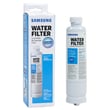
- If ice is the issue, verify the water supply valve is fully open and the filter is not overdue
When it may point to a compressor or sealed-system problem
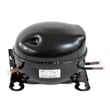
If the refrigerator is warm and you also notice a steady hum, clicking, or the unit runs constantly with little cooling, the compressor circuit may be involved. For this model, a compatible replacement is the Samsung refrigerator compressor NC1MV90ALPASH.
| Symptom | More likely cause | Less likely cause |
|---|---|---|
| Freezer cold, fridge warm | airflow/evaporator frost | compressor |
| Both sections warm | compressor/sealed system, condenser fan, control | door gasket |
| Ice maker not making ice | water supply/filter/ice maker | compressor |
Model-specific help
For control settings, error indications, and operating checks specific to RF28HMEDBSR, follow the steps in the RF28HMEDBSR manual. For ice maker-specific troubleshooting, we reminded customers to start with why your Samsung fridge stopped making ice and how to fix it.
Why it matters
Cooling and ice issues can have very different root causes. Doing a few quick checks first helps you avoid replacing parts unnecessarily and gets you to the right repair faster.
Last updated: January 2026