 Installation guide
 Owner’s manual




How to silence LG microwave LMv1762st?
On the LG LMV1762ST microwave/hood combo, you can silence the keypad beeps by changing the sound setting in the control options. Use the steps in the LMV1762ST owner's manual to turn the sound off, then test by pressing a few keys to confirm it stayed muted.
How to turn the beeps off
Most LG over-the-range microwaves in the LMV1762 series use a simple “sound on/off” option.
- Press Settings (or Options) on the control panel.
- Use the number keys (or + / -) to scroll to Sound (or Beep).
- Select Off (often 0 = Off, 1 = On).
- Press Start/Enter to save.
- Press Stop/Clear to exit.
If the beeps come back on
If the microwave beeps again after a power outage or breaker trip, re-set the sound option.
- Confirm the display is not in Demo mode.
- Set the clock first (some models store options more reliably after the clock is set).
- Avoid holding keys down; long-presses can trigger special functions.
- If keys do not respond consistently, the touch panel can be the cause.
Quick checks and what they mean
| What you notice | Most likely cause | What to do |
|---|---|---|
| Beeps only when pressing keys | Sound option is on | Turn sound to Off in Settings |
| Random beeping with no keypress | Stuck key or moisture | Unplug 1 minute, dry panel, retry |
| Some keys work, others do not | Keypad issue | Consider replacing the keypad/control panel |
Why it matters
Silencing the beeps is more than convenience; it also helps you spot abnormal sounds (like relay clicking or fan noise) that can signal a developing issue in the control area.
Last updated: February 2026
What are common problems with LG microwaves?
Common problems we see on LG microwave/hood combos like model LMV1762ST include not heating, blowing a fuse or going dead, sparking/arcing, a door that will not start the cook cycle, and loud vibration from mounting issues. Many symptoms trace to door interlocks, power protection parts, or high-voltage heating components.
Most common symptoms and likely causes
- Runs but does not heat: failed magnetron, high-voltage transformer, or high-voltage capacitor
- Dead display or no power: blown fuse, fuse assembly, or a control/power issue
- Starts then shuts off: overheating protection (especially when used over a hot cooktop), thermostat opening, or airflow/venting problems
- Sparking/arcing inside: metal/foil use, food splatter/carbon buildup, or damaged interior surfaces
- Will not start when door closes: door latch or interlock switch problem
- Vibration or rattling: mounting plate alignment or loose mounting hardware
Quick checks you can do first (no disassembly)
- Confirm the door closes firmly and the latch feels normal.
- Remove any metal/foil and avoid metal utensils in microwave mode (a common arcing cause).
- Try a different outlet (or reset the breaker) if the unit is completely dead.
- Run the hood fan and make sure airflow is not blocked; overheating can trigger an automatic shutdown.
- Check installation stability if you hear vibration; the installation guide calls out mounting plate and bracket alignment as common causes.
Parts that commonly fix these problems
| Symptom | Common part involved | Example part for LMV1762ST |
|---|---|---|
| No heat | Magnetron | Microwave magnetron 2B71165R |
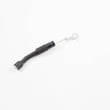
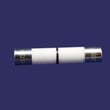
| Dead/no power | Fuse | Microwave fuse 3B74133Q |
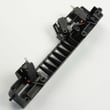
| Won’t start with door closed | Door latch/interlock assembly | Microwave door latch housing and interlock switch assembly 3501W1A019S |
| Shuts off from heat | Thermostat | Microwave thermostat 6930W1A003J |
Why it matters
A microwave that sparks, won’t latch, or shuts off unexpectedly is often protecting you and the appliance. Addressing door interlock and overheating symptoms early helps prevent repeat fuse failures and reduces stress on high-voltage components.
For operating and safety guidance specific to this model, use the LMV1762ST owner’s manual. For mounting and vibration issues, use the LMV1762ST installation guide.
Last updated: February 2026
Why did my LG ThinQ microwave stop working?
When an LG LMV1762ST microwave/hood combo stops working, the most common causes are a power interruption, a door-interlock problem (the oven thinks the door is open), or a failed internal safety part such as a fuse, thermostat, or control board. Start with the quick checks in the LMV1762ST owner's manual.
Quick checks we recommend first
- Confirm the outlet has power (try a lamp); reset the kitchen GFCI if it tripped.
- If the display counts down but nothing heats, firmly close the door and restart a cook cycle (not the timer).
- Power-cycle the microwave: unplug (or switch off the breaker) for 2 minutes, then restore power.
- Check for signs the door is not latching smoothly (misalignment, loose latch feel).
- If the unit is completely dead (no display), an internal fuse or fuse assembly is a common failure point.
What the symptoms usually point to
| Symptom | Most likely area | Common related parts for this model |
|---|---|---|
| No display, no response | Line fuse or fuse assembly; sometimes control board | Microwave fuse 3B74133Q, microwave fuse assembly EAF36358314 |
| Runs but does not heat | High-voltage system (service-level repair) | Microwave magnetron 2B71165R, microwave high-voltage transformer EBJ60664610 |
| Starts then stops when door moves, or won’t start | Door latch and interlock switches | Microwave door latch housing and interlock switch assembly 3501W1A019S, microwave door interlock switch 6600W1K001R |
| Random shutdown after use | Overheat protection opening | Microwave thermostat 6930W1A003J |
Safety and service notes (important)
Microwaves contain high-voltage components that can retain a dangerous charge even when unplugged. If your LMV1762ST is dead, repeatedly blowing fuses, or not heating, we recommend having a qualified technician diagnose the high-voltage circuit.
Why it matters
A microwave that “stops working” can be as simple as a tripped GFCI, but door-interlock and fuse issues are safety-related by design. Fixing the root cause prevents repeat failures and helps ensure the door safety interlocks are working correctly.
Last updated: February 2026


