 Owner’s manual
 Error Codes
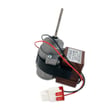



How to tell if a fridge evaporator fan is bad?
On Kenmore refrigerator model 11173027020, a bad evaporator fan typically shows up as weak or uneven cooling (often a warmer fresh-food section), unusual fan noise, or no airflow from the vents. Use the troubleshooting and noise guidance in the owner's manual to separate normal sounds from a failing fan.
- Fresh-food section warms up while the freezer seems closer to normal
- Little or no airflow from the refrigerator vents
- Loud rattling, grinding, or buzzing that changes as the unit runs
- Excess frost/ice buildup on the evaporator cover area (air cannot move well)
- Fan stops and starts or only runs intermittently
- Confirm doors are closing fully; warm air intrusion can mimic fan problems.
- Reduce door openings and allow time for temps to stabilize (up to 24 hours after changes).
- Listen for normal “whooshing”; the manual notes whooshing can be normal evaporator fan airflow.
- Check for vibration or rattles caused by the cabinet touching a wall or items on top of the refrigerator.
| What you notice | What it usually points to | What to do next |
|---|---|---|
| Whooshing sound, steady cooling | Normal evaporator fan operation | No repair needed; monitor temps |
| Rattling that stops when you move the fridge | Cabinet or line vibration | Adjust clearance, level the unit |
| Warm fridge, weak airflow | Fan not moving air or airflow blocked by frost | Inspect for frost pattern; defrost and recheck |
| Grinding/buzzing from freezer area | Worn fan motor or fan blade hitting ice | Clear ice; if noise returns, plan fan service |
The evaporator fan circulates cold air through both compartments. When airflow drops, the compressor may run longer, temperatures drift, and frost and moisture problems become more likely.
If your checks point to a failed fan motor or related airflow issue, use the parts list for model 11173027020 to match the correct component, or search by model on Sears PartsDirect. For step-by-step access and model-specific guidance, reference the owner's manual.
Last updated: February 2026
How to tell cubic feet of Kenmore refrigerator by model number?
For Kenmore model 11173027020, the most reliable way to get cubic feet is to look up the capacity in the specifications section of the 11173027020 owner's manual. If you do not see capacity listed there, you can estimate it by measuring the usable interior space and converting cubic inches to cubic feet.
- Check the manual first: Look for “Specifications” or a capacity listing in cubic feet in the 11173027020 owner's manual.
- Use the model number to search parts and documentation: Start with the parts list for 11173027020, then broaden your search by model number on Sears PartsDirect.
- Estimate by measuring the interior (good for a close approximation): measure the main fresh food compartment and freezer separately, then add them.
- Empty the compartment enough to measure flat-to-flat.
- Measure width x height x depth in inches (usable interior space).
- Multiply to get cubic inches.
- Divide by 1,728 to convert to cubic feet.
| What you have | What to do | Result |
|---|---|---|
| Inches (W x H x D) | Multiply | Cubic inches |
| Cubic inches | Divide by 1,728 | Cubic feet |
Kenmore model numbers sometimes hint at the platform or series, but they do not consistently encode the exact cubic-foot capacity. For 111.7302* bottom freezer models, the manual is the best source for the official capacity.
Cubic feet helps us match the right storage bins, shelves, crisper drawers, and airflow-related parts, and it also helps set expectations for food storage and organization in a bottom-mount refrigerator.
Last updated: February 2026
How to tell if a Kenmore refrigerator compressor is bad?
On a Kenmore 11173027020 bottom-mount refrigerator, a “bad compressor” usually shows up as poor cooling with long run times, repeated clicking as it tries to start, or a compressor that runs but never brings temperatures down. Before condemning it, we rule out airflow, door sealing, and dirty condenser issues first.
These items commonly cause warm temperatures or nonstop running even when the compressor is OK:
- Recent install or power outage: cooling can take up to 24 hours to stabilize.
- Doors opened often or not fully closed: warm air loads force longer compressor run time.
- Hot room conditions: at about 70°F, many units run 40% to 80% of the time; hotter rooms increase run time.
- Condenser cover and vents clogged with dust: clean using a vacuum attachment; do not remove the condenser area cover.
- Normal clicking noises: defrost control and thermostat/control clicking can be normal.
For model-specific operating notes and troubleshooting tables, use the 11173027020 owner's manual.
If the basics above check out, these signs carry more weight:
- Refrigerator and freezer both stay warm even after 24 hours of running
- Compressor is very hot and you hear repeated start attempts (clicking) every few minutes
- Compressor runs steadily but there is little to no cooling and airflow checks out
- Frost pattern looks abnormal (for example, only a small patch of frost on the evaporator)
| What you can check at home | What a technician confirms |
|---|---|
| Run time, temperatures, door closure, condenser vent cleanliness | Compressor start components, amperage draw, winding continuity, sealed-system pressures |
Replacing a compressor is one of the highest-effort refrigerator repairs. Confirming simple causes first (door sealing, airflow, condenser vent blockage, and normal defrost-cycle noises) prevents unnecessary parts replacement and gets cooling restored faster.
If troubleshooting points to a failed component (such as a start device, fan, or control), we match parts by model number. Start with the parts list for Kenmore 11173027020, or search by model on Sears PartsDirect.
Last updated: February 2026
How to tell what model Kenmore refrigerator?
Your Kenmore refrigerator’s model number is printed on an identification label inside the fresh food (refrigerator) compartment. For Kenmore model 11173027020, the Use & Care Guide specifies the label is on the interior liner of the refrigerator compartment; match that label to your paperwork or the 11173027020 owner's manual to confirm the exact model.
Check these common spots first (use a flashlight and look for a white or silver sticker):
- Inside the refrigerator compartment on a side wall (interior liner)
- Inside the refrigerator compartment near the top (ceiling area)
- Behind or beside the crisper drawers (still on the interior liner)
- Along the door frame area when the door is open
- Behind the lower kick plate or toe grille (some designs)
Record both numbers exactly as shown so we can match the correct parts list and documentation.
- Model number (example format in the manual: 111.7302*; your full model is 11173027020)
- Serial number (unique to your unit)
- Date of purchase (helpful for warranty paperwork and service history)
- Copy every digit in order; do not add spaces
- Include any suffixes or extra characters if shown
- Take a clear photo of the label for reference
Kenmore refrigerators can look similar across multiple series, but parts like the control board, evaporator fan motor, door gasket, and water filter housing can vary by model.
| What you have | What it’s used for | When you’ll need it |
|---|---|---|
| Model number | Identifies the exact design and parts breakdown | Ordering parts, looking up diagrams |
| Serial number | Identifies your specific production unit | Service history, warranty paperwork |
Using the exact model number prevents ordering the wrong refrigerator parts and speeds up troubleshooting for issues like cooling problems, ice maker failures, or display error codes.
Once you have the model number, search the parts list for your refrigerator model first; for broader model searches and diagrams, use Sears PartsDirect.
Last updated: February 2026
Where is the water filter on a Kenmore bottom freezer refrigerator?
On the Kenmore 11173027020 bottom-mount (bottom freezer) refrigerator, the water filter is typically located inside the fresh food (refrigerator) compartment, often in the upper-right area or along the ceiling near the back. Use the 11173027020 owner's manual to confirm the exact filter location and the correct install direction for your unit.
Check these common spots first:
- Upper-right corner inside the refrigerator section
- Ceiling area inside the refrigerator section (near the front or back)
- Upper-left corner inside the refrigerator section
- Base grille area at the bottom front (less common on this style)
We recommend these steps to avoid leaks and ensure good water flow:
- Turn the filter counterclockwise to remove, or press the release button if your housing uses one
- Insert the new filter fully (match the arrow or “front” marking on the filter)
- Twist clockwise until it stops, or push until it seats and the cover door closes
- Dispense and discard several glasses of water to clear air and carbon fines
- Reset the water filter indicator on the control panel if your model has one
| Check | What “correct” looks like | What to do if it is not correct |
|---|---|---|
| Filter seating | Filter sits flush; cover closes normally | Remove and reinstall; push in firmly before twisting |
| Leaks | No dripping at the housing | Re-seat filter; inspect O-rings for damage |
| Water flow | Flow returns to normal after purging | Purge more water; verify household water pressure |
A filter that is not fully seated can cause slow dispensing, air in the water line, or leaks at the filter head. Correct placement also helps protect the water inlet valve and ice maker from sediment.
- If your display shows a code or the dispenser is acting up, use Kenmore 111 model bottom freezer refrigerator error codes for targeted troubleshooting.
- For parts that fit Kenmore 11173027020, start with the parts list for this model, or search by model number on Sears PartsDirect.
Last updated: February 2026





