Owner’s manual
 Error Codes
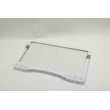
How to get the bottom shelf out of a Samsung fridge?
To remove the bottom glass shelf in your Samsung RF20HFENBSR, we pull the shelf forward until it stops, lift the front edge slightly, then angle the shelf (often sideways) to clear the cabinet notches before sliding it out carefully. Use two hands; the glass is heavy.
- Remove food from the shelf and the bins/drawers directly below it.
- Pull the shelf straight forward to the stop.
- Lift the front of the shelf slightly to disengage it from the supports.
- Angle the shelf (rotate it sideways if needed) to clear the interior notch/liner.
- Slide the shelf out slowly, keeping it level so the glass does not bind.
- Set it down on a towel or padded surface.
- Check for a drawer that is not fully closed; drawers often must be removed before the glass shelf above them can lift out.
- Look for ice buildup or sticky spills on the shelf rails; warm, damp cloth cleanup can help.
- Do not force the glass; reposition and try a slightly higher lift at the front, then rotate.
| What you see | What we do | Why it helps |
|---|---|---|
| Shelf stops but will not lift | Lift front edge higher, then pull | Clears the front lip from the supports |
| Shelf lifts but will not come out | Rotate shelf slightly sideways | Clears the cabinet notch/liner |
| Shelf binds on one side | Center it and pull evenly with two hands | Prevents twisting the glass |
Removing the shelf the right way prevents chipped glass edges, cracked shelf frames, and scratched interior liners. It also makes cleaning spills and accessing the vegetable/fruit drawers much easier.
For diagrams and the model-specific accessory removal notes, use the RF20HFENBSR user manual.
Last updated: January 2026
Do all Samsung refrigerators take the same filter?
No. Samsung refrigerators do not all use the same water filter, and for Samsung model RF20HFENBSR, the correct replacement cartridge depends on the filtration setup your unit is using (internal vs. an external in-line kit). We recommend confirming the exact filter type using the RF20HFENBSR user manual.
This model’s documentation notes that a water filter can be used as part of the water line setup, and it references a Samsung replacement cartridge number for that external kit. Because Samsung uses multiple filter styles across different refrigerator designs, we do not treat filters as interchangeable across models.
- Check the filter part number printed on the current cartridge (if one is installed).
- Confirm whether your refrigerator uses an internal filter housing or an external cartridge holder on the water line.
- Match the cartridge style (twist-in, push-in, in-line) to your setup.
- Use the model number RF20HFENBSR when shopping to avoid look-alike filters.
- Follow the flushing steps after replacement (new filters typically require a purge/flush).
Samsung commonly uses several filter families across different models (for example, HAF-CIN, HAF-QIN, and HAF-CU1). These can differ by:
- Physical shape and length
- O-ring placement
- Locking tabs or twist lugs
- Connector style and flow direction
| What differs | Why it matters | What you might see |
|---|---|---|
| Cartridge shape/locking | Prevents installation or causes leaks | Won’t seat, won’t lock |
| Flow/connection type | Affects water delivery to ice maker | Slow fill, no ice |
| Filter location | Determines which style you need | Internal vs. external in-line |
Using the wrong filter can lead to poor fit, leaks, restricted water flow, and weak ice production. Confirming the correct cartridge for RF20HFENBSR helps protect the water line connection and keeps water and ice tasting normal.
Last updated: January 2026
What is the most common problem with Samsung refrigerators?
For Samsung refrigerators like model RF20HFENBSR, the most common issues we see are cooling problems (fresh food too warm or freezer not cold enough), often tied to airflow restriction from frost buildup, dirty condenser coils, or a failing cooling system component. Use the troubleshooting section in the RF20HFENBSR user manual to narrow it down.
- Fridge section warm but freezer seems OK (or the reverse)
- Frost or ice buildup on the back wall or around vents
- Loud humming, buzzing, or fan noise
- Ice maker not producing ice or producing slowly
- Water leaking inside the cabinet or onto the floor
- Confirm temperatures: For this style of Samsung unit, a typical target is about 37°F in the refrigerator and 0°F in the freezer.
- Check for blocked airflow: Keep food from touching the rear air vents.
- Look for “Cooling Off” (demo) mode: If the display shows an “OF” style code, the unit will run but not cool.
- Clean condenser area: Dust buildup can cause poor cooling and long run times.
- Verify door sealing: A poor seal can cause moisture intrusion, frost, and temperature swings.
If the refrigerator is powered, controls respond, and airflow is clear but temperatures keep rising, the problem can shift from “setup/maintenance” to a cooling system fault. On RF20HFENBSR, one possible repair path (after diagnosis) is the sealed system, including the refrigerator compressor MKV172CL2JSJ1.
| Symptom | Common area to check | Why it matters |
|---|---|---|
| Warm fridge, freezer OK | Evaporator airflow/defrost | Cold air is not moving into the fresh food section |
| Warm freezer and fridge | Condenser coils, compressor, sealed system | Cooling capacity is reduced |
| Frost buildup | Defrost system/door sealing | Frost blocks vents and fans |
| No ice | Water supply pressure, ice maker settings | Ice production depends on proper fill and freezer temp |
Cooling issues can spoil food quickly and force the compressor to run longer, which increases wear and energy use. Catching airflow, frost, or maintenance problems early often prevents bigger repairs.
Last updated: January 2026
What is the difference between force defrost FD and RD?
On Samsung refrigerator model RF20HFENBSR, the user manual does not define the service-mode codes FD and RD, so we cannot confirm their exact meanings for this specific model from model-verified documentation. In general Samsung diagnostics, these codes are used to manually run defrost routines for different compartments.
Our model-specific documentation focuses on normal operation (temperature settings, Power Freeze/Power Cool, Ice Off, and troubleshooting) and does not list diagnostic code definitions; see the RF20HFENBSR user manual.
On many Samsung platforms, these codes are commonly used as shorthand for different forced defrost targets:
- RD: Refrigerator (fresh food) defrost routine
- FD: Forced defrost routine that may target a different section (often freezer) or a broader defrost function
- Behavior during defrost: Cooling pauses while heaters melt frost; temperatures rise temporarily
- Purpose: Service diagnostics and clearing heavy frost that blocks airflow
| Code | Common interpretation | Area affected (typical) | When it helps |
|---|---|---|---|
| RD | Refrigerator defrost | Fresh food evaporator area | Fridge section warm, airflow blocked by frost |
| FD | Forced defrost | Often freezer or broader defrost | Widespread icing, freezer airflow issues |
Using the wrong forced defrost option can waste time and may not clear the frost where the airflow restriction actually is. If icing keeps returning after a forced defrost, the underlying issue is usually in the defrost system, door sealing, or airflow management.
Last updated: January 2026