




How many years should a GE washing machine last?
Most GE washing machines, including the GE GTW385ASW0WS top-load washer, typically last 10 to 14 years with normal household use and basic maintenance. Heavy loads, frequent cycles, and poor leveling can shorten lifespan; prompt repairs can extend it.
Typical lifespan ranges
- Expected range: 10 to 14 years
- Often shorter when: daily use, oversized loads, frequent unbalanced spinning
- Often longer when: correct load size, proper detergent, washer stays level, issues fixed early
| Usage pattern | What we typically see | What helps most |
|---|---|---|
| Light (few loads/week) | Toward the high end of the range | Keep it clean and level |
| Average family use | Around the middle of the range | Avoid overloading, balance loads |
| Heavy (many loads/week) | Toward the low end of the range | Address vibration, draining, and belt wear early |
What usually wears out first on a top-load washer
On a GE top-load design like GTW385ASW0WS, these issues commonly show up before the washer is “done”:
- Spin problems and squealing: worn or stretched belt such as the washer drive belt WH01X27538
- Not draining or slow draining: drain pump wear or blockage; replacement is often the GE washer drain pump assembly WH23X28418
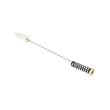
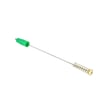
- Excessive shaking or banging: weak suspension components like the washer suspension rod and spring assembly WH16X26911
- Won’t shift or agitates poorly: shifter issues such as the washer shifter assembly WH03X30517
Maintenance that adds years (and prevents expensive repairs)
- Keep loads below the top of the basket and distribute items evenly.
- Use HE detergent and avoid overdosing (reduces residue and odors).
- Level the washer so all feet are firmly on the floor; recheck after moving.
- Run a monthly cleaning cycle (or hot wash) to reduce buildup.
- If you see error codes, use our GE gtw top load washer error codes to pinpoint the failure early.
Why it matters
A washer that is maintained and repaired early often avoids secondary damage (for example, chronic out-of-balance spinning can stress the suspension, drive system, and tub components). Planning around a 10 to 14 year lifespan also helps you decide when a repair makes sense.
Last updated: February 2026
How to force GE washer to drain and spin?
On the GE GTW385ASW0WS washer, we force a drain and spin by canceling the current cycle, then starting a dedicated Drain + Spin cycle. If the tub still will not empty, the issue is usually a drain restriction, a failed pump, or a lid lock problem.
Quick steps to drain and spin
- Press Power to wake the control.
- Press Start/Pause to pause.
- Hold Start/Pause (or Cancel) for about 3 seconds to cancel the cycle.
- Turn the cycle selector to Drain + Spin.
- Select Spin speed (start with Low if the load is unbalanced).
- Press Start/Pause to begin.
If it will not drain: what to check first
Unplug the washer before inspecting parts.
- Make sure the lid is fully closed; a lid lock issue can stop spin and sometimes drain.
- Check the drain hose for kinks, crushing, or a clogged standpipe; confirm the hose is not shoved too far down the drain.
- Listen for the pump: a steady hum with no water movement often points to a blockage or a failing pump.
- If the washer drains slowly or not at all, inspect or replace the pump: GE washer drain pump assembly WH23X28418.
- If you see siphoning (fills then immediately drains), correct the drain hose height and standpipe setup.
Common symptoms and the most likely cause
| What you notice | Most likely cause | What we recommend |
|---|---|---|
| Won’t drain, pump hums | Clog in hose or pump | Check hose path; consider washer drain hose WH41X32477 if damaged |
| Won’t drain, pump silent | Pump or control issue | Start with GE washer drain pump assembly WH23X28418 diagnosis |
| Drains but won’t spin | Lid lock, unbalanced load, drive system | Redistribute load; check lid lock; inspect belt |
| Loud squeal, weak spin | Worn belt | Inspect/replace washer drive belt WH01X27538 |
Why it matters
A forced Drain + Spin is a safe way to clear standing water and protect the GE washer drive system. If the washer cannot drain, continuing to restart cycles can overwork the drain pump and leave clothes soaking wet.
For fault codes that block drain or spin, use GE gtw top load washer error codes.
Last updated: February 2026
How to put a GE washer in diagnostic mode?
On the GE washer model GTW385ASW0WS, diagnostic mode is entered using a specific control sequence so you can read stored fault codes and run component tests (like agitation, spin, and drain). Once in diagnostics, you typically rotate the cycle knob to step through tests and code displays.
Before you start (safety and setup)
- Unplug the washer for 30 seconds, then plug it back in to start from a clean state.
- Make sure the tub is empty and the lid is closed.
- Turn the water supply valves on.
- If the washer will not lock the lid, address lid lock issues first because many tests require a locked lid.
Common GE top-load diagnostic entry method
Many GE GTW-style top-load washers use a sequence like this:
- Set the washer to idle (powered on, not running a cycle).
- Turn the cycle selector knob in a specific pattern (often clockwise turns with pauses) until the control enters diagnostics.
- When diagnostics starts, rotate the knob clockwise to scroll through error codes and test modes.
Because GE uses multiple control revisions, the exact knob-turn pattern can vary by series. The fastest way to match the correct sequence and interpret what you see is to use our GE gtw top load washer error codes reference.
What you can do once you are in diagnostics
Typical options you will see include:
- View saved error codes
- Clear error codes
- Run a spin test (checks drive system)
- Run an agitate test (checks shifter and drive)
- Run a drain test (checks pump and drain path)
Parts that commonly relate to diagnostic findings
If diagnostics points to a specific failure, these model-matched parts are common suspects:
| Symptom in tests | What it often points to | Model-matched part to check |
|---|---|---|
| Won’t drain or drains slowly | Pump issue or restriction | GE washer drain pump assembly WH23X28418 |
| Won’t spin or slips under load | Belt or pulley issue | Washer drive belt WH01X27538 |
| Won’t shift between agitate and spin | Shifter problem | Washer shifter assembly WH03X30517 |
Why it matters
Diagnostic mode helps us separate a control problem from a mechanical problem. For example, a no-spin complaint can be a simple belt slip, a shifter issue, or a drain problem that prevents high-speed spin.
Last updated: February 2026
What are the parts of a top load washing machine?
A GE top-load washer like model GTW385ASW0WS is built around a wash basket and drive system that moves clothes through water, plus fill, drain, and safety components that control water flow and spinning. Knowing the main assemblies helps you pinpoint which area to inspect when symptoms show up.
Main parts you will commonly see
- Wash basket (inner tub): Holds the laundry and spins to extract water.
- Agitator or impeller: Moves clothes through the wash water (many GE top-load models use an agitator-style system).
- Drive system: Motor, pulleys, and belt that create agitation and spin; the washer drive belt WH01X27538 is a key wear item.
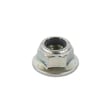
- Transmission/gearcase components: Transfer motor power into wash and spin motion; the washer gear case pulley and nut WH03X32097 is part of this drive path.
- Shifting and sensing: Controls mode changes and monitors speed; the washer shifter assembly WH03X30517 and washer speed sensor WH03X32158 help manage agitation vs. spin.
- Water fill system: Inlet valves and hoses that bring in hot and cold water.
- Drain system: Pump and drain hose that remove water; the GE washer drain pump assembly WH23X28418 is a common service part.
- Lid safety system: Lid lock/switch parts that prevent spinning with the lid open.
- Suspension system: Rods and springs that stabilize the tub; the washer suspension rod and spring assembly WH16X26911 helps control vibration.
Quick “what it does” guide
| Part group | What it controls | Common symptom when it fails |
|---|---|---|
| Fill (valves/hoses) | Water entering the washer | Won’t fill, fills slowly, wrong temp |
| Drive (motor/belt/pulleys) | Agitate and spin power | Won’t spin, weak agitation, burning smell |
| Drain (pump/hose) | Water leaving the washer | Won’t drain, stops mid-cycle, standing water |
| Suspension | Tub stability | Excessive shaking, banging, off-balance |
Why it matters
When you match a symptom to a system (fill, drive, drain, safety, suspension), you can narrow troubleshooting fast and avoid replacing the wrong part on your GE GTW385ASW0WS washer.
Helpful next step for diagnosing
If your washer is showing a code or flashing lights, use the GE top load washer error codes reference to connect the code to the most likely part group.
Last updated: February 2026
What is the most common problem with GE washers?
Drain and spin problems are the most common issues we see on GE washers like model GTW385ASW0WS. In many homes, the washer will not drain, drains slowly, or will not spin out because the drain path is restricted or the drain pump is failing.
Most common symptoms (and what they usually point to)
- Water left in the tub: drain hose restriction or a failing pump
- Hums but will not drain: pump impeller jam or weak pump motor
- Stops mid-cycle or will not spin: lid lock issue, out-of-balance condition, or drive system problem
- Burning rubber smell or no agitation/spin: worn or slipping belt
- Excessive shaking or banging: worn suspension rods
Quick checks we recommend first
- Unplug the washer and confirm the tub is not overfilled.
- Check the standpipe and inspect the drain hose for kinks or crushing.
- If the washer drains slowly, look for lint, coins, or small socks restricting the drain path.
- If it will not spin, redistribute the load and try a Drain/Spin cycle.
- If an error code is showing, use GE gtw top load washer error codes to match the code to the most likely failure.
Parts that commonly fix these problems on GTW385ASW0WS
| Symptom | Common fix | Example part for this model |
|---|---|---|
| Won’t drain / drains slowly | Replace drain pump | GE washer drain pump assembly WH23X28418 |
| Won’t spin / belt squeal | Replace drive belt | Washer drive belt WH01X27538 |
| Loud banging / off-balance | Replace suspension rods | Washer suspension rod and spring assembly WH16X26911 |
Why it matters
Drain and spin issues can leave clothes soaking wet, strain the drive motor, and cause repeated out-of-balance events. Fixing the drain path or worn drive and suspension parts early helps prevent bigger repairs like gear case or control problems.
Last updated: February 2026
What would cause a GE washer to not spin?
A GE GTW385ASW0WS washer usually won’t spin because the load is out of balance, the lid lock system isn’t proving “lid closed,” the drain system can’t pump water out, or a drive system part (belt, shifter, clutch, motor) is slipping or failing.
Quick checks we recommend first
- Redistribute the load; run a Drain/Spin with 3 to 5 similar items (avoid one heavy blanket alone).
- Confirm the lid closes fully and latches; remove any detergent buildup around the lid strike area.
- Make sure the washer fully drains; standing water often prevents high-speed spin.
- Verify the drain hose isn’t kinked or shoved too far down the standpipe (can cause siphoning or slow drain).
- Unplug the washer for 2 minutes, then retry a spin cycle to clear a temporary control glitch.
Most common part-related causes on this model
If the basics look good, these are the parts we see tied to “no spin” symptoms on top-load GE washers like GTW385ASW0WS:
| Symptom you see | Likely area | Example part to check |
|---|---|---|
| Tub won’t ramp up to speed, burning rubber smell | Belt slipping | Washer drive belt WH01X27538 |
| Washer drains slowly or not at all, then won’t spin | Drain system | GE washer drain pump assembly WH23X28418 |
| Agitates but won’t shift into spin, or spins weakly | Shift/drive control | Washer shifter assembly WH03X30517 |
| Loud grinding, weak spin, intermittent spin | Clutch/drive train | Washer clutch WH05X24185 |
Why it matters (and what the washer is “thinking”)
Your washer is designed to protect the motor and prevent flooding. If it can’t confirm a safe lid-locked condition or it senses the tub is still full of water, it will limit or cancel spin to avoid damage and excessive vibration.
When an error code helps
If the display shows an error, match it to the symptom before replacing parts. Use our GE gtw top load washer error codes guide to narrow the failure to lid lock, draining, speed sensing, or control issues.
Last updated: February 2026
Where to find model number on a GE washer?
On a GE washer like model GTW385ASW0WS, the model number is printed on a rating label attached to the washer cabinet. On top-load models, it’s most often under the lid opening or on the back of the control area; on front-load models, it’s usually in the door opening.
Common places to check on GE washers
Look for a sticker or metal tag with the model number (and usually a serial number). Check these spots:
- Under the lid, around the tub opening (top-load washers)
- On the back of the control panel or rear panel
- On the side of the main cabinet near the bottom front edge
- Behind the door or on the door jamb (front-load washers)
- Inside the lid area near the hinge (some top-load designs)
Quick tips to find it faster
- Use a flashlight; the label is often low-contrast and easy to miss.
- Wipe dust off the label; detergent residue can hide characters.
- Write the model number exactly as shown (letters and numbers matter).
- Take a photo so you can zoom in and avoid transcription errors.
Why the model number matters
The model number ensures we match the correct GE washer parts and diagrams for your exact configuration (controls, tub size, and drive system). That helps avoid ordering the wrong items, especially for common repairs like a belt, pump, or lid lock.
Examples of parts that depend on the exact model
| Repair need | Example part type | Example part for GTW385ASW0WS |
|---|---|---|
| Won’t spin or squeals | Drive belt | Washer drive belt WH01X27538 |
| Won’t drain | Drain pump | GE washer drain pump assembly WH23X28418 |
| Lid won’t lock | Lid lock components | Lid lock bezel WH01X31220 |
Last updated: February 2026


