 Owner’s manual



How many watts is the Samsung me20h705mss?
The Samsung ME20H705MSS microwave/hood combo is a 1000-watt microwave (power output). In the specifications, it also lists 1700 watts for power consumption, which is the electrical draw while operating (not the cooking power). See the owner's manual for the full spec table.
Watts explained (output vs. consumption)
Microwaves commonly list two different watt numbers; they mean different things:
- Power output (cooking power): how much microwave energy heats food (ME20H705MSS: 1000 W)
- Power consumption (input draw): how much electricity the unit uses while running (ME20H705MSS: 1700 W)
- Circuit planning: consumption matters for outlets and breakers; output matters for cooking performance
- Cooking time: higher output usually means faster heating for the same food load
Quick spec snapshot for ME20H705MSS
| Spec | Value |
|---|---|
| Power output (microwave cooking power) | 1000 watts |
| Power consumption (electrical draw) | 1700 watts |
| Power source | 120 VAC, 60 Hz |
| Oven capacity | 2.0 cu ft |
Why it matters
Using the correct watt number helps you set expectations. 1000 watts output tells you how quickly it should heat common items (water, leftovers, frozen meals). 1700 watts consumption helps you avoid nuisance trips by keeping the microwave on a properly rated kitchen circuit.
Parts and performance notes
If your ME20H705MSS runs but does not heat like a 1000-watt microwave, common heating-system parts to check include:
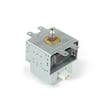
- Microwave magnetron OM75P-21-ESGN (creates microwave energy)
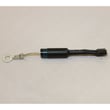
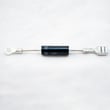
- Microwave high-voltage diode DE91-70063D (part of the high-voltage circuit)
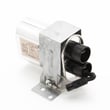
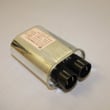
- Microwave high-voltage capacitor 2501-001011 (stores high voltage for the magnetron)
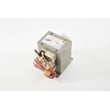
- Microwave high-voltage transformer DE26-00126B (steps voltage up for the high-voltage system)
For broader troubleshooting steps, we recommend why is my microwave not heating.
You can order replacement parts for your Samsung ME20H705MSS from the parts list for this model, or search by model number on Sears PartsDirect.
Last updated: February 2026
How to fix SE error on Samsung microwave?
On a Samsung ME20H705MSS microwave/hood combo, an SE error is typically caused by the control panel sensing a stuck key or false keypad input. We fix it by safely power-resetting the unit, drying and cleaning the keypad area, then checking for a door-switch or control issue if the code returns (see the ME20H705MSS owner's manual).
Quick fixes to try first (in order)
- Unplug the microwave (or switch off the breaker) for 2 to 3 minutes, then restore power.
- Wipe the control panel and surrounding trim with a soft, dry cloth (remove grease and moisture).
- Leave the door open for 10 to 15 minutes to help any trapped moisture evaporate.
- Confirm the door closes firmly and latches normally (a mis-latched door can confuse inputs).
- If the SE code returns immediately, stop using the microwave until the cause is corrected.
What usually causes the SE error
| Likely cause | What you’ll notice | What typically fixes it |
|---|---|---|
| Moisture, cleaner residue, or grease on the keypad | SE appears after cleaning or cooking steam | Dry-clean the panel; avoid spraying cleaners directly |
| Stuck or shorted keypad/control panel circuit | SE returns right after reset | Control panel or control board diagnosis |
| Door interlock issue (door not “seen” as closed) | Random beeps, won’t start, or error after closing door | Inspect/replace door switch or support |
Parts that commonly relate to this symptom
If the error persists after cleaning and a power reset, these model-matched parts are commonly involved in “keypad/door input” problems:
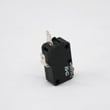
- Microwave door interlock switch 3405-001034 (door sensing)
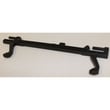
- Microwave door interlock support DE96-00414D (switch mounting and alignment)
- Microwave electronic control board DE92-03624C (interprets keypad and switch signals)
Why it matters
An SE error can prevent safe operation because the microwave may interpret a key as continuously pressed or misread door status. The manual also emphasizes that internal adjustments and repairs should be handled by properly qualified service personnel, especially on high-voltage appliances.
You can order replacement parts for your Samsung ME20H705MSS from the parts list for this model, or search by model number on Sears PartsDirect.
Last updated: February 2026
What are the most common issues with ME20H705MSS?
The most common issues we see with the Samsung ME20H705MSS microwave/hood combo are no heat, intermittent operation, a dead display or keypad, turntable problems, and vent fan or light issues. Many of these symptoms trace to door interlocks, high-voltage components, or the control board; use the ME20H705MSS owner's manual for model-specific checks and settings.
Common symptoms and likely causes
- Microwave runs but does not heat: magnetron, high-voltage diode, high-voltage capacitor, or high-voltage transformer
- Starts then stops, or blows a fuse/breaker: door interlock switch or interlock alignment issues
- No power, blank display: power cord connection, noise filter, or electronic control board
- Turntable not rotating: turntable motor or tray/roller alignment
- Vent fan noisy or not working: vent fan motor assembly or blocked venting
- Surface light not working: bulb or lens/holder issues
Parts that commonly fix these problems (for ME20H705MSS)
If your symptom matches, these model-listed parts are frequent repair solutions:
| Symptom | Part to check | What it does |
|---|---|---|
| No heat | Microwave magnetron OM75P-21-ESGN | Generates microwave energy for heating |
| No heat | Microwave high-voltage diode DE91-70063D | Converts AC to DC for the high-voltage circuit |
| Starts then stops | Microwave door interlock switch 3405-001034 | Confirms the door is closed so heating can run |
| Dead display or erratic controls | Microwave electronic control board DE92-03624C | Manages keypad, display, and cooking functions |
| Turntable not moving | Microwave turntable motor DE31-10172C | Rotates the turntable during cooking |
Quick checks we recommend before replacing parts
- Confirm the unit is plugged in firmly and the outlet has power.
- Test with a cup of water for 60 seconds; note whether it heats, hums, or stops early.
- Open and close the door slowly; listen for distinct interlock “clicks.”
- Make sure the turntable tray is seated correctly and not binding.
- Check that the vent grille is not blocked by grease buildup.
Why it matters
A microwave/hood combo uses door interlocks and high-voltage components to heat safely. When an interlock, control board, or high-voltage part fails, the microwave may run without heating, stop mid-cycle, or appear completely dead.
Last updated: March 2026


