 Installation guide
 Owner’s manual
 Error Codes










Who makes Kenmore 79092803016?
Kenmore model 79092803016 is part of the Kenmore 790 model prefix family, which indicates the range was manufactured by Frigidaire for Kenmore. You can confirm the prefix by checking the full model number on the appliance identification tag and matching it in the 79092803016 owner's manual.
How to confirm the manufacturer from the model tag
Look for the model and serial tag on the range (commonly on the oven frame behind the door, or on a side frame). Then verify the first three digits of the model number.
- Find the identification tag and write down the full model number
- Confirm the prefix is 790 (as in 79092803016)
- Use the prefix to identify the manufacturer (790 = Frigidaire-built for Kenmore)
- Keep the model number handy when ordering parts like a bake element, control board, or temperature sensor
Why the prefix matters when buying parts
Kenmore is a brand name; different manufacturers built different Kenmore ranges. The prefix helps ensure you get compatible parts (for example, an oven temperature sensor, surface element control switch, or terminal block) that match the original design.
| What you check | Example for this range | What it tells you |
|---|---|---|
| Model prefix (first 3 digits) | 790 | Manufacturer family (Frigidaire-built) |
| Full model number | 79092803016 | Exact parts fit and wiring configuration |
| Installation requirements | See guide | Power cord and grounding method |
Related setup detail that often gets confused with “who made it”
If you are installing or rewiring the range, follow the grounding and power cord instructions in the 79092803016 installation guide. The guide explains 3-wire vs 4-wire connections and warns not to loosen the factory-installed terminal block nuts.
Last updated: January 2026
What was the size of the Kenmore 79092803016 oven?
For the Kenmore 79092803016 electric range, the installation information confirms it is designed for a 30-inch range opening and calls out required cabinet clearances; it does not list the oven cavity capacity in cubic feet in the excerpt we have. For exact cutout and clearance dimensions, use the 79092803016 installation guide.
What “size” usually means for this model
When customers ask for oven “size,” it typically refers to one of these:
- Range width (fits a 30-inch space)
- Overall exterior dimensions (height, depth, width)
- Oven capacity (cubic feet)
- Required clearances to cabinets and walls
The documentation excerpt we have is focused on clearances and installation positioning, not oven capacity.
Key installation dimensions and clearances (from the install info)
These are the most important size-related points called out for the Kenmore 79092803016 installation:
- Designed around a 30-inch range space
- 0-inch minimum clearance at the rear of the range (per the installation instructions)
- 30-inch minimum from cooktop to an unprotected wood/metal cabinet bottom
- 24-inch minimum if the cabinet bottom is properly protected
- Anti-tip bracket installation and leveling leg clearance requirements are part of the setup
Quick reference table
| Measurement type | What you can use it for | Where to confirm |
|---|---|---|
| 30-inch range width | Verifying it fits your cabinet opening | 79092803016 installation guide |
| Cabinet clearances | Preventing heat damage and fire hazards | 79092803016 installation guide |
| Oven capacity (cu ft) | Comparing cooking space vs other ranges | 79092803016 owner’s manual |
Why it matters
Using the correct width and clearances prevents cabinet damage, helps the range sit level, and reduces overheating risks. It also avoids installation surprises like a range that fits the opening but fails clearance requirements.
Last updated: January 2026
How to reset Kenmore oven model 79092803016?
To reset your Kenmore electric range model 79092803016, we recommend doing a full power reset: turn the range off, cut power at the breaker for 5 minutes, then restore power and reprogram the clock. This clears many control glitches without replacing parts.
Quick reset steps (power cycle)
- Turn all surface element knobs to OFF.
- If the oven is running, press Cancel/Off.
- Switch the range circuit breaker OFF (or remove the fuse).
- Wait 5 minutes.
- Turn the breaker ON.
- Set the clock and test Bake and Broil.
For control and feature details specific to this model, follow the reset and clock instructions in the 79092803016 owner's manual.
If the reset does not fix the problem
A reset helps when the control board is “confused”, but it will not fix a failed sensor, heating element, or wiring issue.
Check these common symptoms:
- Oven will not heat: bake element or control issue
- Temperature is inaccurate: sensor issue
- Display works but heat is weak/uneven: element or relay issue
- Error code returns immediately after reset: hard fault that needs troubleshooting
Parts that commonly relate to “reset” complaints
| Symptom after reset | What to check next | Example model-matched part |
|---|---|---|
| Oven temp swings or won’t regulate | Oven temperature sensor | Frigidaire range oven temperature sensor 316490000 |
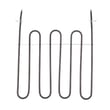
| Bake won’t heat but broil does | Bake element | Frigidaire range bake element 316505500 |
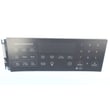
| Clock/control acts erratic | Electronic control | Frigidaire range oven control board and clock 316560127 |
Why it matters
Resetting by cutting power is the safest first step because it can restore normal operation without disassembly. If symptoms come back right away, we treat it as a troubleshooting issue (sensor, element, control, or wiring) instead of a simple reset.
If you are seeing an error code, use our Kenmore 790 self-cleaning range error codes guide to match the code to the most likely cause.
Last updated: January 2026
What is the F1 code on a Kenmore range?
On the Kenmore electric range model 79092803016, an F1 (or sometimes F10) error code usually points to a problem in the electronic oven control (clock/control board) or a related input such as the oven temperature sensor circuit. Clearing power may reset it briefly, but recurring F1 typically needs troubleshooting and repair.
What F1 typically means on this model
F1 is most often triggered when the control detects an internal fault or sees an out-of-range signal from a key circuit.
Common causes include:
- A failing electronic oven control (EOC) or stuck relay on the control board
- A problem in the oven temperature sensor circuit (sensor out of range)
- Loose, damaged, or overheated wiring/connectors between the sensor and control
- Moisture, heat damage, or contamination affecting the control panel area
Quick checks we recommend before replacing parts
Turn off power at the breaker before inspecting wiring.
- Reset power: switch the range breaker OFF for 1 minute, then back ON
- If F1 returns immediately, avoid using Bake/Broil until the cause is found
- Check for obvious wire damage at the rear access area and at the sensor harness
- If the oven overheats or temperature is erratic, prioritize the sensor circuit first
Parts that commonly relate to F1 troubleshooting
These parts are commonly involved when F1 is tied to temperature sensing or control issues:
| Symptom you notice | Most likely area to check | Example part for this model |
|---|---|---|
| F1 with uneven/incorrect oven temps | Temperature sensing circuit | Frigidaire range oven temperature sensor 316490000 |
| F1 returns even when oven is idle | Electronic control fault | Frigidaire range oven control board and clock 316560127 |
Why it matters
An F1 code can indicate the control is not regulating heat correctly. Addressing it helps prevent overheating, poor baking results, and repeated shutdowns during cooking.
Helpful references
- Use the 79092803016 installation guide for safe electrical access notes and connection cautions (especially around the terminal block and rear cover).
- For Kenmore range code definitions and common fixes, use Kenmore 790 self-cleaning range error codes.
Last updated: January 2026






