 Installation guide
 Owner’s manual



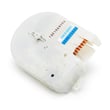
What does F12 mean on a Hotpoint washing machine?
On the Hotpoint HTWP1200D0WW washer, an F12 code points to an electronic control fault. In practical terms, the washer may not power on, may not start a cycle, or may stop responding because the control is not operating normally.
What to do first (quick checks)
- Unplug the washer for 2 minutes, then plug it back in to reset the control.
- Confirm the outlet has power (test with a lamp or small appliance).
- Do not use an extension cord or adapter plug; plug directly into a properly grounded outlet.
- Make sure the power cord is fully seated and not pinched behind the washer.
- If the washer is in an alcove or closet, keep minimum clearances so wiring and connections are not stressed.
When F12 is caused by installation or power issues
Electrical and setup problems can look like a control failure. We follow the electrical and installation requirements in the HTWP1200D0WW installation guide to rule out basics such as improper grounding, unsafe power connections, or a setup that leads to vibration and intermittent connections.
Common installation specs to verify
| Item to verify | Typical requirement for this model type | Why it matters |
|---|---|---|
| Water pressure | 10 to 150 psi | Low pressure can cause abnormal operation during fill |
| Drain standpipe height | 30 inches minimum (up to 8 ft max) | Prevents siphoning and drain problems that can interrupt cycles |
| Flooring | Firm, level surface | Reduces vibration that can loosen connections over time |
If the washer still will not start
If the washer remains dead or unresponsive after the reset and power checks, the problem is often in the lid safety circuit or wiring feeding the control.
- Inspect the lid strike and lid alignment.
- Check the harness connections for looseness or corrosion.
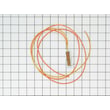
- If the lid switch is not closing electrically, replace the washer lid switch assembly WH12X10334.
Why it matters
An F12 control fault can stop the washer from operating at all. Doing the quick power and installation checks first prevents replacing parts unnecessarily and helps you pinpoint whether the issue is power supply, a safety interlock (lid switch), or the electronic control path.
Last updated: February 2026
Why does my Hotpoint washing machine make a banging sound when spinning?
A banging sound during spin on your Hotpoint HTWP1200D0WW usually means the washer is vibrating because it is not level, the load is unbalanced, or a tub and drive component is worn. Start with leveling and load size, then inspect the suspension and tub parts.
Quick checks we recommend first
- Stop the cycle and redistribute the load (mix large and small items; avoid one heavy item by itself).
- Confirm the washer sits on firm flooring (concrete is best; avoid rugs) to reduce vibration.
- Level the washer front-to-back and side-to-side; then tilt it forward 4 to 6 inches to help set the rear legs.
- Verify the drain standpipe height is correct (too low can contribute to poor draining and rough spin behavior).
- Look for a foreign object between the inner basket and outer tub (coins, bra wires, buttons).
When banging points to a worn part
If leveling and load balance do not fix it, banging often comes from looseness in the tub support or drive system.
Common suspects on this model include:
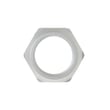
- Loose or worn hub hardware: check the hub nut WH2X1193 and related mounting hardware for looseness.
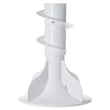
- Worn tub bearing: a failing washer tub bearing WH2X1198 can let the basket wobble and slam during spin.
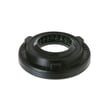
- Leaking or worn tub seal: a bad washer tub seal assembly WH02X10383 can lead to bearing damage over time.
- Drive and shifting issues: a worn washer drive shaft and shifter assembly WH38X10019 can cause harsh engagement and banging.
What the sound usually means (fast guide)
| What you hear/see | Most likely cause | Best first step |
|---|---|---|
| Banging only with bulky loads | Unbalanced load | Rebalance, reduce load size |
| Banging every spin, even empty | Not level or weak support parts | Level per HTWP1200D0WW installation guide |
| Roaring plus banging | Tub bearing wear | Inspect washer tub bearing WH2X1198 |
| Thumping plus water leak signs | Tub seal problem | Inspect washer tub seal assembly WH02X10383 |
Why it matters
Repeated banging is more than noise; it can damage the outer tub, loosen fasteners, and shorten the life of the drive system. Correct leveling and early part replacement helps prevent bigger repairs.
Last updated: February 2026
Where is the filter on a Hotpoint Smart Tech washing machine?
On the Hotpoint HTWP1200D0WW top-load washer, there is no routine, user-access “filter” like many front-load washers have. The closest “filtering” points are the inlet hose screen washers at the faucets and the drain pump inlet area, which are checked during no-fill or no-drain troubleshooting (see the HTWP1200D0WW installation guide).
Where to look (most common “filter” locations)
- Water inlet screens (most common): small mesh screens where the fill hoses connect (at the home faucets and sometimes at the washer inlet). Sediment here can cause slow fill.
- Drain path (coins, lint, socks): clogs typically show up in the drain hose or pump area rather than a removable filter.
- Tub area: items trapped between the inner basket and outer tub can mimic a “filter clog” symptom.
Quick checks you can do safely
- Unplug the washer.
- Turn off both hot and cold shutoff valves.
- If fill is slow, remove hoses at the faucets and rinse the screen washers; reinstall and check for leaks.
- If it will not drain, inspect the drain hose for kinks and verify the standpipe height is correct.
Drain setup specs to confirm
| Item | Typical requirement for this washer type | Why it matters |
|---|---|---|
| Standpipe height | 30 inches minimum | Prevents siphoning and drain errors |
| Max drain height | Up to 8 feet | Too high can reduce pump-out |
| Standpipe diameter | 1-1/2 inches minimum | Helps prevent overflow/backups |
When a “filter” issue is really a part problem
If symptoms persist after checking screens and hoses, a failed component is more likely than a dirty filter.
- No drain or weak drain: consider the washer drain pump WH23X10043
- No spin with lid closed: consider the washer lid switch assembly WH12X10334
- Overfilling or odd water levels: inspect the pressure hose routing and condition
Why it matters
Looking for a removable filter on a top-load Hotpoint like the HTWP1200D0WW can waste time. Checking inlet screens, drain hose setup, and key parts targets the real causes of slow fill, no drain, and poor spin.
Last updated: February 2026
Why is my Hotpoint washer not spinning clothes dry?
If your Hotpoint HTWP1200D0WW washer won’t spin clothes dry, the most common causes are an out-of-balance load, a drain problem that leaves water in the tub, or a lid safety issue that prevents high-speed spin. Start with load balance and draining checks, then move to the lid switch and drive components.
Quick checks that fix many “no spin” complaints
- Redistribute the load (heavy items should be mixed with smaller items).
- Confirm the lid closes fully and latches without resistance.
- Make sure the washer is level on firm flooring; an unlevel washer can stop or limit spin.
- Verify the drain hose setup: the discharge height should be at least 30 inches and not more than 8 feet above the washer base (a poor drain setup can cause slow draining and weak spin).
- Check that the drain hose is not kinked or shoved too far down the standpipe.
Drain and spin: what to look for
A top-load washer often will not spin fast if it cannot pump water out quickly.
| What you notice | Likely issue | What to do next |
|---|---|---|
| Tub still full of water | Drain restriction or weak pump | Inspect drain hose for kinks/clogs; consider the washer drain pump WH23X10043 if pumping is weak/noisy |
| Water drains slowly | Standpipe/house drain issue or hose routing | Confirm standpipe is open to atmosphere and meets the height guidance in the installation guide |
| Spins a little, then stops | Out-of-balance or leveling problem | Re-level the washer and reduce load size |
Lid safety switch problems (very common)
If the washer fills and agitates but will not spin, the lid switch circuit is a prime suspect.
- If closing the lid does not “feel” consistent, inspect the lid strike area.
- If the washer acts dead during spin with the lid closed, test the switch.
- Replace the switch if it fails continuity checks or shows physical damage.
Model-matched part to consider: washer lid switch assembly WH12X10334.
Why it matters
A washer that cannot drain or cannot verify the lid is closed will protect itself by limiting or stopping spin. Fixing the root cause prevents repeat wet loads and reduces strain on the drive system.
Last updated: February 2026


