




What is the average lifespan of a GE dishwasher?
A GE dishwasher typically lasts 10 to 12 years with normal household use. For your GE GDT550PGR7WW, consistent cleaning, correct detergent use, and quick attention to leaks or draining problems are the biggest factors that help you reach (or beat) that average.
Typical lifespan range (what we see most often)
Most dishwashers fall into a practical range based on how hard they work and how well they are maintained.
| Usage pattern | Typical lifespan | What usually shortens it |
|---|---|---|
| Light use (few loads/week) | 12 to 15 years | Long periods of sitting with dirty filters, hard-water buildup |
| Average use (1 load/day) | 10 to 12 years | Clogged filter, poor draining, worn door seal |
| Heavy use (2+ loads/day) | 8 to 10 years | Pump wear, heater issues, frequent overloading |
What helps a GE dishwasher last longer
We recommend these habits for GE electronic dishwashers like the GDT550PGR7WW:
- Clean the filter area regularly so the wash pump is not fighting debris
- Run hot water at the sink before starting a cycle (helps wash performance)
- Use the right amount of detergent; too much can leave residue and odors
- Keep spray arms clear of labels, seeds, and broken glass
- Check the door gasket for tears and wipe it clean to prevent leaks
- Avoid overloading; blocked spray patterns lead to re-washing and extra wear
Early warning signs it is nearing end of life
Catching problems early often prevents secondary damage to the motor, pump, or control.
- Dishes stay gritty or cloudy even after cleaning the filter
- Standing water or repeated drain problems
- Burning smell, unusual buzzing, or loud grinding during wash
- Door leaks or a door that will not latch consistently
- Cycles that stop mid-cycle or flashing error indicators
For code-related symptoms, use our GE electronic dishwasher error codes reference to narrow down the failure area before replacing parts.
Why it matters
A dishwasher near the end of its lifespan often uses more water and energy because it needs longer cycles, re-washes, or repeated draining attempts. Basic maintenance can delay major repairs and keep cleaning and drying performance consistent.
Last updated: February 2026
Can I replace dishwasher parts myself?
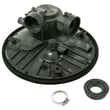
Yes, for a GE GDT550PGR7WW dishwasher, we can usually replace many common parts ourselves if the job is mechanical and easy to access (filters, spray arms, rack hardware, door gasket). Repairs involving wiring, leak sources, or controls take more care and are best approached step-by-step.
What you can typically DIY (and what to be cautious with)
Good DIY candidates (basic tools, low risk):
- Cleaning or replacing the filter and checking the sump area for debris
- Replacing a spray arm or unclogging spray arm holes
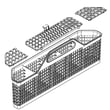
- Replacing rack wheels, rack stops, or adjusting the rack
- Replacing the door gasket if it is torn, flattened, or leaking at the corners
- Clearing a drain hose restriction (after confirming the disposer knockout is removed)
Use extra caution (higher risk of leaks or electrical issues):
- Water inlet valve and fill system work (leak risk)
- Drain pump or diverter area work (leak risk)
- Door latch switch and wiring checks (electrical safety)
- Control board or user interface work (electrical and static-sensitive)
Safety checklist before you start
- Shut off power at the breaker (do not rely on the door switch)
- Turn off the water supply valve under the sink
- Protect the floor; keep towels ready for residual water
- Take photos of wire routing and hose connections before removal
- Run a short test cycle after reassembly and watch for leaks
Quick “DIY or technician?” guide
| Repair type | Typical DIY difficulty | Common risk |
|---|---|---|
| Filter, spray arm, rack hardware | Low | Stripped plastic tabs |
| Door gasket | Low to medium | Mis-seated seal causing leaks |
| Not draining | Medium | Water spill, hose routing errors |
| Not filling | Medium | Leaks at fittings |
| Won’t start or error codes | Medium to high | Misdiagnosis, electrical handling |
Why it matters
Dishwashers like the GE GDT550PGR7WW combine water, heat, and electricity in a tight space. Choosing the right DIY level helps prevent repeat leaks, nuisance error codes, and damage to wiring or seals.
Helpful troubleshooting resources
Last updated: February 2026
What is the most common problem with GE dishwashers?
The most common problems we see on GE dishwashers like model GDT550PGR7WW are drainage failures, leaks, and won’t start/no run complaints. In many cases, the fix starts with cleaning the filter area, checking the drain path, and confirming the door latch is closing and the control is responding.
Most common issues (and what they usually point to)
- Not draining or standing water: clogged filter/sump area, blocked drain hose, or a drain pump problem
- Leaking: door gasket wear, loose hose connections, or a misaligned tub seal area
- Won’t start or stops mid-cycle: door latch switch issue, control lock or mode setting, or an electronic control problem
- Not cleaning well: clogged spray arms, low water fill, or heavy soil buildup in the filter system
- Not drying: rinse aid empty, heater circuit issue, or cycle selection that limits heated drying
Quick checks we recommend first
- Reset power: turn the breaker off for 1 minute, then back on.
- Check the door: close it firmly; confirm nothing (rack, utensil, tall pan) is preventing a full latch.
- Inspect the bottom of the tub: remove debris around the filter and sump area.
- Look for drain restrictions: check the sink drain connection and air gap (if used) for clogs.
- Run hot water at the sink for 30 to 60 seconds before starting a cycle to improve wash performance.
Error codes can narrow it down fast
If your GE dishwasher is beeping, flashing, or showing a fault, use the code to target the right system (drain, fill, heating, or control).
| Symptom | Most likely system | Best next step |
|---|---|---|
| Won’t drain | Drain path/pump | Clear filter area; check hose/air gap |
| Won’t start | Door latch/control | Confirm latch; check for control lock or mode |
| Poor cleaning | Wash system/fill | Clean spray arms; verify strong fill |
| Leaks | Door seal/hoses | Inspect gasket and connections |
For code-based troubleshooting, use GE electronic dishwasher error codes or GE dishwasher error codes.
Why it matters
Drain clogs and door-latch problems can look like “bad electronics,” but they are often simple mechanical or blockage issues. Starting with the filter, drain path, and latch saves time and prevents repeat problems.
Last updated: February 2026
What does E4 mean on a GE dishwasher?
On the GE GDT550PGR7WW dishwasher, an E4 code indicates an abnormal water level condition. In practice, that means the dishwasher is either overfilling/leaking (flood/overflow) or filling incorrectly because the unit is sensing the wrong water level.
What to do right away
- Press Cancel/Drain (if available) to stop the cycle.
- If you see water in the base area or on the floor, turn off the water supply at the shutoff valve.
- Shut off power at the breaker before checking anything under the dishwasher.
Quick checks that fix many E4 situations
- Make sure the dishwasher is level and the door closes fully.
- Check the float/float switch area inside the tub (front corner on many GE designs); remove debris so the float moves freely.
- Confirm the detergent type and amount; excess suds can mimic an overfill condition.
- Inspect the drain hose routing under the sink; a bad high loop or blockage can cause odd water level behavior.
- Run water at the sink until it is hot, then start a cycle and listen for a normal fill in the first minutes.
Common causes and what they look like
| What triggers E4 | What you notice | Best next step |
|---|---|---|
| Leak into the base (flood protection trips) | Water on floor or in bottom pan | Find leak source; check door seal, hoses, pump area |
| Overfill condition | Water level unusually high in tub | Check float movement; check inlet valve for sticking |
| Fill problem or sensing issue | Weak/slow fill, poor wash, code returns | Verify supply valve open; check inlet screen/valve |
Why it matters
When the dishwasher senses the wrong water level, it protects itself by stopping or draining. Fixing the underlying fill, leak, or float issue prevents repeat shutdowns and helps restore normal cleaning performance.
Helpful DIY reference
Use GE electronic dishwasher error codes to match E4 symptoms to the most likely checks for GE electronic-control dishwashers.
Last updated: February 2026





