 Owner’s manual




How many cubic feet is a Kenmore Model 72180012401 microwave?
The Kenmore microwave/hood combo model 72180012401 has a 1.7 cubic foot oven capacity. This is the interior cooking space, which helps you judge whether common items like dinner plates, casserole dishes, and microwave-safe bowls will fit comfortably.
How to confirm capacity and what it means
Capacity is measured in cubic feet and refers to the usable space inside the microwave cavity (not the exterior size). In the 72180012401 owner’s manual, capacity is listed with other key specs and operating details.
Quick ways we use capacity in real life:
- Fits most standard 10 to 12 inch dinner plates on the turntable
- Handles medium casserole dishes and covered bowls
- Helps estimate how evenly larger items will heat (bigger loads often need stirring or rotation)
- Guides replacement decisions when upgrading or matching an existing cutout
Capacity vs. exterior size (common confusion)
A 1.7 cu. ft. over-the-range microwave like this Kenmore model can still vary in outside width, height, and depth depending on the cabinet and venting design.
| Spec type | What it describes | Why you care |
|---|---|---|
| Oven capacity (cu. ft.) | Interior cooking volume | Fit of dishes and food containers |
| Exterior dimensions | Outside cabinet size | Fit over the range and under cabinets |
| Turntable diameter | Glass tray size | Plate size and rotation clearance |
Why it matters
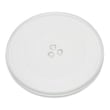
Choosing the right capacity helps prevent day-to-day frustrations, like plates rubbing the walls, tall containers hitting the top, or oversized dishes blocking turntable rotation. It also helps when ordering parts that relate to the cooking cavity, such as the Kenmore elite microwave glass turntable tray 3390W1A027A.
Last updated: February 2026
Can a Kenmore microwave be repaired?
Yes. A Kenmore microwave, including model 72180012401, is repairable when the problem is in common service parts such as the door interlock system, lights, venting pieces, or a blown fuse. For any high-voltage heating problem, we recommend professional service because internal components can store dangerous electrical energy.
What we repair most often on model 72180012401
- No power or dead display (often a blown fuse or door switch issue)
- Runs but does not heat (high-voltage circuit diagnosis)
- Turntable not rotating (motor, coupler, or tray fit issues)
- Cooktop light not working (bulb or lens)
- Venting problems (damper door stuck or noisy)
DIY-safe vs. technician-level repairs
Microwaves contain high-voltage components; we treat anything beyond basic access panels as technician work.
| Repair type | Typical examples | DIY-friendly? |
|---|---|---|
| Basic electrical and access parts | Fuse, light bulb, grease filter | Yes (with power disconnected) |
| Door safety system | Interlock switch alignment or replacement | Sometimes |
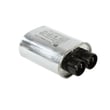
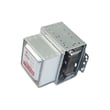
| High-voltage heating circuit | Capacitor, transformer, magnetron-related diagnosis | No |
Parts that commonly solve “no power” or “won’t start”
If the unit is completely dead or stops mid-cycle, these model-matched parts are common starting points:
Why it matters
A microwave/hood combo like the Kenmore 72180012401 has built-in safety interlocks and a high-voltage section. Using the correct troubleshooting steps from the 72180012401 owner’s manual helps you avoid repeat failures (like blowing a new fuse immediately) and keeps the repair focused on the real root cause.
Quick safety checklist before any repair
- Unplug the microwave or shut off power at the breaker.
- Never run the microwave empty; it can shorten product life.
- If you see arcing, burning, or smell electrical odor, stop using it until it’s inspected.
- For internal high-voltage components, schedule service instead of DIY.
Last updated: February 2026
How do I reset a Kenmore microwave?
For the Kenmore 72180012401 microwave/hood combo, the most reliable “reset” is a power reset: unplug the microwave (or switch off the breaker) for about 1 minute, then restore power and reset the clock. This clears many control glitches.
Quick reset options (start here)
- Power reset: Unplug for 60 seconds, then plug back in.
- Breaker reset: Turn the microwave circuit breaker OFF, wait 60 seconds, then turn it ON.
- Control panel check: If the display is locked, turn off the control lock (often a 3-second press on a key such as Stop/Clear or a lock-labeled pad).
- Clock reset: After power returns, set the clock per the 72180012401 owner’s manual.
If it still will not run after resetting
A reset helps when the control is confused; it will not fix a failed door switch, blown fuse, or other electrical problem.
What to check (safe, no disassembly)
- Confirm the outlet has power (test with a small lamp).
- Make sure the door closes firmly and latches fully.
- Try a different cook cycle (for example, Time Cook) after setting the clock.
- If the unit is completely dead (no display), stop using it and plan a repair.
Common parts involved when a “reset” does not help
| Symptom | Likely area | Example part for this model |
|---|---|---|
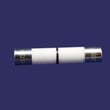
| No display, totally dead | Line fuse or power feed | Microwave fuse 3B74133Q |
| Runs but does not heat | High-voltage system | Microwave high-voltage capacitor 0CZZW1H004B |
| Starts then stops when door moves | Door interlock circuit | Microwave door interlock switch 6600W1K001Q |
Why it matters
Microwaves contain high-voltage components that can store dangerous energy even when unplugged. A simple power reset is safe; internal testing and part replacement should be done carefully and correctly.
Last updated: February 2026
Where is the fuse on a Kenmore microwave model 72180012401?
On the Kenmore 72180012401 microwave/hood combo, the main microwave fuse is typically located behind the top front grille and the control panel area, mounted in a small fuse holder on the noise filter or wiring harness. Use the 72180012401 owner's manual to confirm access steps and safety notes before servicing.
What to check before you open the cabinet
A microwave that looks “dead” is often a power or door-latch issue, not a blown internal fuse.
- Make sure the cord is fully seated in a grounded 3-prong outlet.
- Check the home breaker or household fuse first.
- Confirm the door closes firmly and latches.
- Press STOP/Clear to cancel timer-only operation.
- Try a different outlet (same circuit rating) to rule out a weak receptacle.
Safe, practical access overview (what we recommend)
Microwaves contain high-voltage components that can store a dangerous charge even when unplugged. For fuse access on an over-the-range unit like model 72180012401, we recommend this approach:
- Unplug the microwave (or switch off the circuit at the breaker).
- Remove the top grille (usually screws along the top edge).
- Remove the control panel mounting screw and tilt the panel forward.
- Locate the fuse holder and inspect the fuse.
- Replace only with the exact rated fuse for this model, such as the microwave fuse 3B74133Q.
Quick symptom-to-likely-cause guide
| Symptom | Most common cause | What to do next |
|---|---|---|
| No display, no fan, no light | House power issue or blown fuse | Check breaker/outlet, then inspect fuse |
| Runs but does not heat | High-voltage component issue | Use why is my microwave not heating troubleshooting |
| Blows fuse when door closes/starts | Door switch or short | Inspect door switches and wiring; service recommended |
Why it matters
The fuse is a safety device; it opens to protect the microwave from overloads and shorts. Replacing the fuse without addressing the underlying cause (door interlock switch, wiring damage, or a failing high-voltage part) can lead to repeated failures.
Last updated: February 2026
How big is a Kenmore microwave model 72180012401 in inches?
The Kenmore microwave/hood combo model 72180012401 is a standard 30-inch over-the-range style unit. For the exact overall width, height, and depth in inches (and the required cabinet and mounting clearances), use the dimension diagram in the 72180012401 owner's manual.
Dimensions you should confirm for 72180012401
Measure your existing unit and compare it to the manual’s spec diagram:
- Overall width (left to right across the front)
- Overall height (bottom of microwave to top of case)
- Overall depth (front face to back of case)
- Upper cabinet opening width (inside-to-inside)
- Cooktop clearance (bottom of microwave to cooking surface)
Typical over-the-range microwave size (for planning)
These ranges help with rough planning; use the manual for the exact 72180012401 numbers.
| Measurement | Typical range (inches) | What it affects |
|---|---|---|
| Width | 29 to 30 | Cabinet fit and mounting plate alignment |
| Height | 15 to 17 | Cabinet clearance and door swing |
| Depth | 15 to 17 | How far it projects over the cooktop |
Why it matters
Exact dimensions determine whether the mounting plate lines up with studs, whether the top cabinet holes match the unit, and whether the microwave sits at the correct height for safe cooktop clearance.
Parts that can impact fit during reinstall
If you are taking the microwave down and rehanging it, these parts are commonly involved:
- Microwave mounting plate 3300W0A030A (wall bracket that sets alignment)
- Microwave mounting hardware kit 3861W1A043C (mounting bolts and hardware)
- Microwave vent damper door 4900W1A001B (can affect venting connection and top fit)
Last updated: February 2026
Are Kenmore microwaves good?
Yes. Kenmore microwaves are a dependable choice when you pick the right features and keep up with basic care. For the Kenmore 72180012401 microwave/hood combo, consistent cleaning, filter care, and proper operation (as outlined in the 72180012401 owner's manual) directly support strong day-to-day performance.
What “good” means for a microwave/hood combo
Because this style also vents your cooktop, “good” includes heating plus ventilation.
We judge it by:
- Heating speed and evenness at multiple power levels
- Reliable door latching and responsive controls
- Effective exhaust fan airflow and reasonable noise
- Easy-to-clean interior and grease management
- Parts support for common wear items
Quick ways to evaluate your specific unit
Use these checks to decide if your microwave is performing like it should.
- Heat 1 cup of water for 2 minutes; it should get very hot
- Listen for unusual buzzing, rattling, or fan grinding
- Confirm the door closes smoothly and starts only when fully latched
- Check that the grease filter is clean and seated correctly
- Verify the cooktop light works and the lens is not heat-damaged
| What you notice | What it usually points to | Good next step |
|---|---|---|
| Runs but does not heat | Heating circuit component issue | Follow why is my microwave not heating troubleshooting |
| Completely dead/no display | Power supply problem, often a blown fuse | Check/replace microwave fuse 3B74133Q after unplugging |
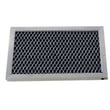
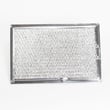
| Weak ventilation | Clogged filter or stuck damper | Clean/replace goldstar microwave grease filter 5230W1A012E |
Why it matters
A microwave/hood combo works harder than a countertop unit. Keeping airflow and interior surfaces clean improves cooking results, reduces odors, and lowers stress on electrical components.
Last updated: February 2026





