 Installation guide
 Owner’s manual
 Error Codes





What is the life expectancy of a whirlpool oven?
Most Whirlpool electric ovens like model RBS245PDQ8 last 13 to 16 years with normal household use. Regular cleaning, avoiding overheating, and fixing small issues early (like a failing oven light or door seal) helps you reach the full lifespan.
For a built-in electric wall oven, lifespan is mainly driven by heat exposure, door sealing, and how often the oven runs at high temperatures.
- Typical range: 13 to 16 years
- Heavy use (daily high-heat cooking): closer to 10 to 13 years
- Light use and good care: often 16+ years
| Usage pattern | What it looks like | Typical outcome |
|---|---|---|
| Light | 1 to 3 bakes per week | Longer life, fewer heat-related failures |
| Average | 3 to 6 uses per week | Typical 13 to 16 years |
| Heavy | Daily use, frequent broil/self-clean | Shorter life, more wear on controls and wiring |
These are the most common “lifespan reducers” we see with electric wall ovens:
- Running self-clean frequently (very high heat stresses wiring and components)
- Cooking with a leaking door seal (heat escapes and parts run hotter)
- Slamming or hanging weight on the oven door (hinges and alignment wear)
- Ignoring overheating symptoms (burning smell, repeated shutdowns)
- Grease buildup around vents and controls
We recommend these habits for the Whirlpool RBS245PDQ8:
- Follow the cleaning and self-clean guidance in the owner's manual.
- Keep the door closing firmly; replace worn bumpers or sealing parts when needed.
- If the oven overheats or shuts down, check heat-protection components such as the range high-limit thermostat WP9759243.
- Replace a dim or failed cavity light promptly so you can spot spills before they bake on (example: light bulb WP4173175).
A wall oven that runs hotter than normal or leaks heat can cook unevenly and put extra stress on wiring, controls, and safety thermostats. Catching those issues early is the simplest way to extend service life and avoid bigger repairs.
Last updated: February 2026
What are the symptoms of a bad oven control board whirlpool?
A bad Whirlpool oven control board in model RBS245PDQ8 typically shows up as a dead or flickering display, keypad buttons that do nothing or act on their own, error codes, or heating that is erratic (won’t heat, overheats, or shuts off mid-cycle). Confirm basic settings and power first using the owner's manual.
- Display is blank, dim, flickering, or resets randomly
- Keypad is unresponsive, beeps unexpectedly, or starts functions without input
- Oven won’t heat in Bake or Broil, or heats inconsistently
- Oven overheats or temperature swings are larger than normal
- Error codes appear repeatedly after clearing power
- Features start, then stop quickly (fan, elements, timed cooking)
These checks rule out common “false control board” symptoms.
- Control Lock: If you see “LOC” or a lock icon, the control panel is locked; only Clock and Timer pads work. Use the lock/unlock steps in the owner's manual.
- Power supply: A wall oven needs correct voltage and frequency per the rating plate; a partial power loss can cause a blank display or no-heat symptoms.
- Wiring connections: Loose or overheated connections at the power connection point can mimic control failure; the installation guide covers grounding and copper-wire connection requirements.
| Symptom | More likely cause | Example part on this model page |
|---|---|---|
| Oven shuts down after getting too hot | Over-temperature protection opening | Range high-limit thermostat WP9759243 |
| Oven light doesn’t work but oven heats normally | Bulb or light assembly issue | Light bulb WP4173175 |
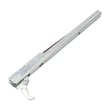
| Door doesn’t seal well; heat escapes; long preheat | Door seal/retainer issue | Wall oven door gasket retainer WP4448933 |
The control board is the “brain” for the display, keypad, and heating relays. Misdiagnosing it can lead to replacing an expensive part when the real issue is a locked control, a power connection problem, or an overheat condition.
Last updated: February 2026
Why did my Whirlpool wall oven stop working?
If your Whirlpool wall oven model RBS245PDQ8 stopped working, the most common causes are a tripped circuit breaker or blown house fuse, a control that needs to be reset after an invalid key press (“Err”), or an overheat condition that can open a safety limit and stop operation. Check the basics first, then follow the troubleshooting steps in the owner's manual.
- Confirm the circuit breaker is ON and the house fuse is not blown (a built-in oven can lose power even if other kitchen outlets still work).
- If the display shows “Err”, press OFF/CANCEL (or UPPER OFF/LOWER OFF on some configurations) and re-enter the setting.
- If you see an “F” code (an “F” followed by a number), stop using the oven and follow the guidance in the installation guide.
- Make sure the oven is actually being started; on many Whirlpool controls, you must press START/ENTER within a few seconds or the function cancels.
- If the oven light is out, do not assume the oven is dead; the light circuit can fail separately.
If power is good and the control responds, these parts and conditions commonly stop heating or stop the oven from running:
- Overheat protection tripped: a high-limit thermostat can open if temperatures get too high.
- Loose or burned wiring connection: especially at the power connection point.
- Failed oven light or socket (not a no-heat cause, but often noticed at the same time).
| Symptom | What it often points to | Example part on this model |
|---|---|---|
| Completely dead (no display) | Power supply issue, wiring connection | Terminal block WP8203546 |
| Stops during use, seems overheated | Safety limit opened | Range high-limit thermostat WP9759243 |
| Oven works but light does not | Bulb failed | Light bulb WP4173175 |
A wall oven that “stops working” can be a simple power interruption, but it can also be an overheat safety shutdown. Restoring power without addressing overheating or wiring issues can lead to repeat failures and unsafe operation.
Last updated: February 2026
What are the parts of an electric oven?
On a Whirlpool electric wall oven like model RBS245PDQ8, the main parts include the electronic oven control, oven vent, bake element, broil element, oven door components, and the oven light system. Your exact configuration and locations are shown in the RBS245PDQ8 owner's manual.
- Electronic oven control: sets bake/broil temps and manages timing and safety logic.
- Bake element: provides the primary heat for baking.
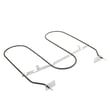
- Broil element: provides high, top-down heat for broiling.
- Oven vent: routes heat and moisture out of the cavity.
- Oven door assembly: window, hinges, liner, gasket/retainers, and bumpers that help seal and align the door.
- Oven light system: light bulb or lamp assembly plus the door-activated light switch.
The manual for this model lists these key features (some may vary by configuration):
| Feature | What it does | Where you notice it |
|---|---|---|
| Electronic oven control | Runs cooking modes and temperature control | Control panel behavior and display |
| Oven vent | Releases heat and moisture | Warm air near the vent area |
| Bake element | Main baking heat source | Bottom heat during bake |
| Broil element | High heat for broiling | Top heat during broil |
| Oven lock latch | Locks door for certain functions | Door will not open when engaged |
| Oven lights | Illuminates the cavity | Light turns on with switch/door |
These are examples of service parts that often come up during troubleshooting on wall ovens:
- If the cavity is dark, check the light; this model uses a light bulb WP4173175.
- If the door does not seal well, inspect door sealing hardware such as the wall oven door gasket retainer WP4448933 and door bumpers.
- If the oven overheats or shuts down from high temperature, a safety device such as a range high-limit thermostat WP9759243 can be involved.
Knowing the main oven parts helps you match symptoms to the right area. For example, “won’t heat” points toward heating and control circuits, while “heat leaking” points toward door sealing parts like the gasket retainer, liner, or bumpers.
Last updated: February 2026
How to replace control panel on whirlpool wall oven?
To replace the control panel on your Whirlpool RBS245PDQ8 wall oven, we shut off power, pull the oven forward enough to access the console area, then swap the control components and reconnect wiring exactly as found. Use the owner's manual and installation guide for the correct access points and safe handling.
- Turn off the 240V breaker; verify the display is dark.
- Let the oven cool completely before touching the console.
- Support the oven as you slide it out; wall ovens are heavy.
- Wear cut-resistant gloves; sheet-metal edges are sharp.
- Take clear photos of every connector before you unplug anything.
These steps match how most Whirlpool wall ovens are serviced; your RBS245PDQ8 mounting and wiring details are shown in the documents.
- Open the door and remove the screws securing the oven to the cabinet.
- Carefully slide the oven forward a few inches to reach the top/front control area.
- Remove the control cover or console fasteners to expose the control panel parts.
- Transfer wire connectors one at a time to the new control (match positions exactly).
- Reassemble the console, slide the oven back, reinstall mounting screws, restore power.
If you need to pull the oven far enough to reach the junction box or power connection, follow the grounding and connection method shown in the installation guide. Reinstall the junction box cover after wiring work.
| Situation | What you do | Why it matters |
|---|---|---|
| Only sliding oven forward a few inches | Keep wiring undisturbed; support the chassis | Prevents strain on conduit and connectors |
| Accessing junction box / power leads | Follow the guide for 3-wire vs 4-wire connections | Prevents miswiring and control damage |
- Terminal block WP8203546: replace if connections are burnt, loose, or overheating
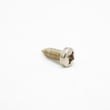
- Range screw WP4449154: useful if mounting screws are stripped or missing
A control panel can fail again if the oven has a loose power connection or heat damage at the terminal block; correcting those issues during the repair prevents intermittent operation and repeat failures.
Last updated: February 2026






