 Installation guide
 Owner’s manual



What is the average lifespan of a Frigidaire dishwasher?
A Frigidaire dishwasher typically lasts 10 years. For your Frigidaire FGID2476SF7A, real-world lifespan depends most on water quality, how often it runs, and routine care like cleaning the filter and keeping the spray arms clear (see the FGID2476SF7A use & care manual).
What affects dishwasher lifespan the most
- Hard water and mineral buildup (can stress the wash system and heater)
- Heavy weekly use (more cycles means more wear on pumps, seals, and controls)
- Filter maintenance (clogged filters reduce performance and can increase strain)
- Detergent and rinse aid habits (too much detergent in soft water can cause etching; low rinse aid can hurt drying)
- Installation factors (leveling, drain routing, and water supply issues can contribute to leaks or poor draining)
Simple maintenance that helps FGID2476SF7A last longer
- Clean the filters on a schedule that matches your usage (monthly is common for frequent use)
- Run hot water at the sink until it is hot before starting a cycle
- Use fresh automatic dishwasher detergent and store it dry
- Keep the spray arms from being blocked by tall items
- Address draining issues early (kinked hose, clogged filters, disposer knockout plug)
“Normal aging” vs. “repair time” (quick guide)
| What you notice | Often means | Typical next step |
|---|---|---|
| Cycles take longer | Water heating delay, sensor adjusting cycle | Verify incoming hot water is hot; review cycle options |
| Water left in tub | Drain restriction or drain hose issue | Clean filters; check drain hose routing |
| Poor cleaning | Loading, low temp, clogged filters, low pressure | Clean filters; confirm 120°F hot water; avoid nesting |
| Leaks | Door seal wear, loose connections, leveling | Inspect seals and connections; re-level if needed |
Why it matters
Knowing the typical 10-year lifespan helps you decide whether to invest in maintenance and repairs or plan for replacement. On a dishwasher like the FGID2476SF7A, consistent filter cleaning and correct water temperature are two of the biggest factors in keeping wash performance strong over time.
Last updated: January 2026
What is the most common problem with the Frigidaire dishwasher?
For the Frigidaire FGID2476SF7A dishwasher, the most common service issue we see is poor draining or weak wash performance caused by restricted water flow through the filter and sump area, or a drain restriction. The troubleshooting section in the FGID2476SF7A use & care manual points to filters, drain hose routing, and fill conditions as top checks.
What to check first (fast, no-parts steps)
- Cancel the cycle and restart a Normal cycle to rule out a paused or interrupted cycle.
- Verify the water supply shutoff valve is fully open and the supply line is not pinched.
- Clean the filters and check the sump area for debris (glass, labels, food).
- Inspect the drain hose for kinks and confirm the sink/disposer connection is not blocked.
- Run the hot water at the nearest faucet until hot before starting; incoming water should be hot for best results.
Common symptoms and the most likely causes
| Symptom | Most likely cause | What we recommend |
|---|---|---|
| Water left in bottom of tub | Clogged filters or restricted drain hose | Clean filters; check hose routing and sink/disposer connection |
| Dishes still dirty | Filter/sump restriction, spray arm blockage, low water temp | Clean filters; confirm spray arms spin freely; run hot water first |
| Low fill or not enough water | Supply valve not fully open, pinched supply line | Open valve fully; straighten supply line |
| Drain or wash motor-related error | Motor or control issue | Power reset at breaker, then retest; service if it returns |
When a part is commonly involved
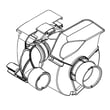
If cleaning and hose checks do not fix a drain problem, the drain pump is a common next suspect on many dishwashers, including FGID2476SF7A. If you need a compatible replacement, use the model-matched crosley dishwasher drain pump A00044328.
Other parts that can be involved depending on the symptom include:
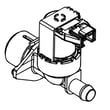
- Dishwasher water inlet valve 807445905 if the unit will not fill or fills slowly
- Filters and sump components if debris keeps returning after cleaning
- Electronic controls if you see recurring control-related error behavior
Why it matters
Restricted draining or water flow can cause standing water, odors, longer cycle times, and poor cleaning. Addressing filter and drain restrictions early helps protect the pump and improves wash performance.
Last updated: January 2026
How do I know what Frigidaire model I have?
For your Frigidaire dishwasher, the most reliable way to confirm the exact model is to read the serial label on the inside edge of the door; on FGID2476SF7A, that label is located on the right side of the door. Once you match the model number, you can choose the correct manual and compatible parts.
Where to find the model number on FGID2476SF7A
Frigidaire places the identification label where it is protected but easy to access.
- Open the dishwasher door fully.
- Look along the inner door edge on the right side.
- Find the serial label and read the model number and serial number.
- Write the model number exactly as shown (letters and numbers).
- Use that exact model number when selecting parts and diagrams.
For pictures, feature callouts, and operating details tied to this model, use the FGID2476SF7A use & care manual.
Why the exact model number matters
Even within the same Frigidaire family, small revisions can change which control panel, door seal, or electronic control board fits.
| What you’re doing | Why the model number is needed |
|---|---|
| Ordering replacement parts | Ensures correct fit and electrical compatibility |
| Using troubleshooting steps | Matches the right error codes and procedures |
| Checking installation requirements | Confirms wiring, water supply, and leveling guidance |
Quick checks if the label is hard to read
If the label is worn or covered, these steps usually help.
- Wipe the label gently with a damp cloth and dry it.
- Use a flashlight at an angle to reduce glare.
- Take a close-up photo and zoom in.
- Look for a second identifier on paperwork from purchase or installation.
Parts example (how model ID prevents wrong orders)
If you are diagnosing a door leak or poor sealing, the correct door seal depends on the exact model identification. For FGID2476SF7A-COMPATIBLE options, one example is the crosley dishwasher door seal 117158011.
Why it matters
Using the exact model number helps us match the right Frigidaire diagrams, manuals, and parts the first time; that reduces returns and avoids repeat repairs.
Last updated: January 2026
How do I know if my Frigidaire dishwasher control board is bad?
If your Frigidaire FGID2476SF7A dishwasher has dead or erratic controls, stops mid-cycle, shows electronic error codes (especially iC0), or won’t start even with power and the door latched, the electronic control system is a top suspect. We confirm it by ruling out the user interface, wiring, and power first using the FGID2476SF7A use & care manual.
Common signs that point to a bad control board
- Dishwasher won’t power up (no response to any buttons) but the outlet and breaker are good
- Cycle starts then cancels, pauses, or behaves unpredictably
- Repeating beeps or an error code that returns after a reset
- Error code iC0 (electronic control system problem)
- Loads finish with odd results because the cycle logic is inconsistent
Quick checks before replacing parts
- Reset the control: press CANCEL, or turn power off at the breaker for 5 minutes, then retry.
- Confirm the door is actually latching: a door not fully latched can prevent starting.
- Look for a UI issue: if lights/buttons are dead or intermittent, the problem may be the touch interface rather than the main board.
- Inspect wiring at the door: pinched or broken wires can mimic a failed board.
- Check for drain or fill problems that trigger errors: clogged filters or a pinched drain hose can cause symptoms that look “electronic.”
Control board vs. user interface: what fails most often?
| Symptom | More likely cause | Notes |
|---|---|---|
| No buttons respond, no lights | User interface or power supply issue | UI can fail even when the main board is OK |
| iC0 keeps returning after reset | Electronic control board | Indicates an electronic control system fault |
| Some buttons work, others don’t | User interface | Touch panel/board assembly is a common culprit |
| Random behavior across multiple cycles | Electronic control board | Also check wiring harness connections |
Parts that commonly relate to “control board” symptoms on FGID2476SF7A
- Dishwasher electronic control board 117518741: runs cycle logic, monitors sensors, controls loads
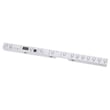
- User interface,assembly ,w/board-touch 5304528982: the touch control interface that sends commands
- Door wiring harness connections (inspect for damage where the door flexes)
Why it matters
Replacing the wrong electronic part is expensive and frustrating. On FGID2476SF7A, a failed user interface can look exactly like a bad main control board, so we narrow the failure by symptoms, error codes, and basic electrical checks.
Last updated: January 2026





