 Installation guide
 Error Codes




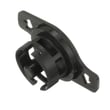
What is error code 44 on Electrolux dishwasher?
Error code 44 on an Electrolux dishwasher (including model EDSH4944AS0A) points to a drain problem: the dishwasher is not draining as expected within the allowed time. In most cases, clearing a blockage in the filter, sump, drain hose, or air gap resolves it.
Quick checks that fix most 44 drain errors
- Cancel the cycle and let the unit attempt to drain; then restart a normal cycle.
- Remove and clean the filter area and sump; clear food debris, labels, and glass.
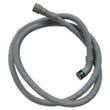
- Check the drain hose for kinks, crushing, or a high loop that fell down.
- If you have a garbage disposal, confirm the disposal inlet knockout plug was removed.
- Clear the sink air gap (if installed) and verify the sink drain is not backing up.
- Run the kitchen faucet until hot before starting; heavy grease can congeal in cool drains.
Parts that commonly cause a drain fault
If the path is clear but the dishwasher still will not drain, we focus on components that control fill and drain behavior.
| Symptom you notice | Most likely area | Example part for EDSH4944AS0A |
|---|---|---|
| Hums but little or no water leaves | Drain path restriction or check valve issue | (Inspect drain path first) |
| Overfilling or odd water levels before the error | Water level sensing | Dishwasher water-level pressure switch A00055408 |
| Intermittent draining, error comes and goes | Control sensing water clarity and cycle logic | Dishwasher turbidity sensor A00040106 |
Why it matters
A true drain fault can leave dirty water in the sump, trigger odor, and cause repeated cycle stops. Fixing the drain path early also helps protect the circulation system and prevents leaks at seals and gaskets.
Installation details that affect draining
Drain routing and connection height matter on this model. We follow the drain-hose routing and connection steps in the installation guide to confirm the high loop, disposal connection, and clamp placement are correct.
Last updated: February 2026
Why is my Electrolux dishwasher panel not working?
If the control panel on your Electrolux dishwasher model EDSH4944AS0A is not working, the most common causes are a power supply problem to the user interface, a failed control panel (UI), or a main control issue. Start with power and door-latch checks before replacing parts.
Quick checks we recommend first
- Reset power: turn the breaker OFF for 5 minutes, then turn it back ON.
- Confirm the dishwasher door closes firmly; a door that is not fully latched can make the panel appear dead.
- Check for a stuck key or moisture on the touch panel; dry the panel and try again.
- If the unit has lights but will not respond, check for a control lock setting (see the EDSH4944AS0A installation guide).
- If the panel is completely dark, focus on incoming power and wiring connections at the junction box.
Likely causes and what they look like
| What you see | Most likely cause | What to do next |
|---|---|---|
| Panel totally dark, no response | No power, loose wiring, failed control | Verify breaker, wiring connections, then test components |
| Lights on but buttons do nothing | User interface problem or control lock | Try reset, unlock procedure, then inspect UI wiring |
| Starts then stops, odd behavior | Control problem or sensing issue | Check for error codes and inspect related components |
Parts that commonly relate to “panel not working” symptoms
These parts are not the only possibilities, but they are frequent contributors on modern dishwashers:
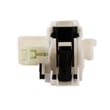
- Door not sensing closed: inspect the latch and strike; replace the door latch assembly 111315040 if it is not engaging consistently.
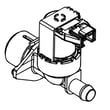
- Intermittent fills or stopping mid-cycle can confuse operation; if you also see fill issues, test the dishwasher water inlet valve 807445905.
- If the dishwasher overfills or underfills and then acts erratic, check the dishwasher water-level pressure switch A00055408.
Why it matters
The control panel depends on the door-latch circuit and stable power. Fixing a simple latch or power connection issue often restores normal operation without replacing the control panel or main control.
Last updated: February 2026
How do I find the model number on my EDSH4944AS0A?
Your Electrolux dishwasher’s model number is printed on the appliance’s rating label, not on the control panel. On EDSH4944AS0A dishwashers, the label is typically found along the door edge or on the tub frame where the door closes; open the door and look around the perimeter.
Where to look (most common spots)
- Top or side edge of the dishwasher door (on the inner door frame)
- Left or right tub frame (the rim the door seals against)
- Along the front edge of the tub opening
- On the side of the inner door panel
- Occasionally near the bottom edge of the door opening
What the label looks like
The rating label is usually a white or silver sticker or plate with several identifiers. Look for fields such as:
- Model (this is the model number)
- Serial (serial number)
- Electrical ratings (volts/amps)
- Brand name (Electrolux)
Quick ID checklist
| You see | What it means | What to write down |
|---|---|---|
| Model | Identifies the exact dishwasher version | EDSH4944AS0A (or what’s printed) |
| Serial | Production identifier | Serial number |
| Type/Code | Factory or configuration info | Optional, but helpful |
Why it matters
The exact model number ensures we match the correct diagrams and replacement parts (like a door latch, water inlet valve, or filter) for your specific Electrolux dishwasher configuration.
Tip for using the model number
Once you find it, compare it character-for-character (letters, numbers, and any suffix). If you are installing or leveling the unit, follow the clearances and mounting steps in the installation guide.
Last updated: March 2026





