 Installation guide
 Owner’s manual
 Error Codes



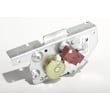
How do I reset my Whirlpool electric range?
To reset your Whirlpool electric freestanding range model RF262LXSB1, turn the range off and reset power at the breaker for 1 minute, then restore power. This clears many control glitches; if the range still will not heat, troubleshoot the power supply and key oven components.
Quick reset steps (most effective)
- Press CANCEL/OFF to stop any active bake, broil, or self-clean cycle.
- Turn all surface knobs to OFF.
- At your home electrical panel, switch the range circuit breaker OFF for 60 seconds.
- Switch the breaker ON and set the clock (if needed).
- Test Bake at 350°F for 10 minutes.
For model-specific operating details, follow the RF262LXSB1 owner’s manual.
If the reset did not work: what to check next
Many “needs a reset” symptoms are actually a power or heating issue. Use these checks from the installation and troubleshooting basics:
- Confirm the range is plugged into a grounded outlet and power is on.
- Check that the household fuse is intact or the breaker has not tripped.
- If the oven stays cold after about 5 minutes of operation, turn it off and have it serviced.
- If you recently moved the range, verify the anti-tip bracket is reconnected.
Common parts that cause “no heat” or bad temperature control
If the control resets but baking is still unreliable, these parts are common suspects on electric ranges:
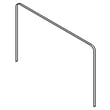
- Oven bake element WPW10308477 (no bake heat, slow preheat)
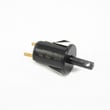
- Oven sensor WPW10181986 (temperature swings, underbaking, overbaking)
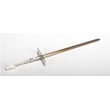
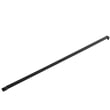
- Range broil element W10856603 (no broil heat)
Symptom-to-part guide
| Symptom | Most likely area | What the reset changes |
|---|---|---|
| Display frozen or keys unresponsive | Control logic | Clears temporary software lockups |
| Oven won’t heat but display works | Bake/broil circuit | Usually nothing; parts or wiring issue |
| Oven heats but temp is off | Sensor or calibration | Reset rarely fixes; sensor often involved |
Why it matters
A proper reset restores normal control operation after a power glitch, but it also helps you quickly separate a simple control issue from a real heating failure (element, sensor, wiring, or power supply).
Last updated: January 2026
What does F1E1 mean on a stove?
On a Whirlpool range like model RF262LXSB1, the F1E1 error typically points to an oven temperature sensing problem or an electronic control communication fault. The most common causes are a failing oven sensor, a loose wire connection, or a control issue that needs a reset or repair.
What to do first (safe, quick checks)
- Press Off/Cancel to clear the display, then restore power by flipping the breaker off for 1 minute and back on.
- If the code returns, stop using Bake and Broil until you troubleshoot; overheating can damage wiring and components.
- Let the oven cool completely before inspecting anything.
- Confirm the oven door closes fully and the gasket is sealing; heat leaks can contribute to temperature control problems.
- Review the error display and control operation steps in the RF262LXSB1 owner's manual.
Likely causes and the most common fix
In many cases, F1E1 is triggered when the control is not getting a normal signal from the oven temperature sensor circuit.
Common causes include:
- Failed oven temperature sensor
- Loose or corroded sensor connector
- Pinched, burned, or broken wiring between the sensor and control
- Electronic oven control (clock/control board) fault
If the oven is heating erratically, overheating, or shutting down with F1E1, replacing the sensor is a common first repair on this model family. The model-specific sensor listed for RF262LXSB1 is the oven sensor WPW10181986.
Basic troubleshooting flow
- Power off the range at the breaker.
- Access and inspect the sensor harness connection for looseness or heat damage.
- If you have a multimeter, test the sensor resistance at room temperature (many Whirlpool-style sensors read around 1,080 ohms at 70°F; a wide deviation indicates a bad sensor).
- If wiring and sensor test good, the electronic control is the next likely suspect.
Quick reference table
| Symptom with F1E1 | Most likely cause | Best next step |
|---|---|---|
| Oven overheats or temperature swings | Oven sensor out of range | Test or replace sensor |
| Code appears immediately on power-up | Control communication fault | Hard reset; then inspect wiring |
| Code appears during preheat | Sensor circuit intermittent | Check connector and harness |
Why it matters
The oven control relies on accurate sensor feedback to regulate bake and broil temperatures. When that signal is wrong or intermittent, the range may overheat, underheat, or shut down to protect itself.
Last updated: January 2026
Why is my Whirlpool oven suddenly not working?
If your Whirlpool RF262LXSB1 oven suddenly won’t heat or respond, the most common causes are a power interruption (often shown as a flashing clock), a control setting issue (START not pressed), or a failed heating or temperature-sensing component. Use the steps below to pinpoint the failure safely using the RF262LXSB1 owner's manual.
Quick checks first (no tools)
- Look for a flashing time on the display; that indicates a recent power interruption. Press OFF/CANCEL, then reset the clock.
- Try BAKE, set a temperature, then press START. On some electronic controls, the oven will not begin unless START is pressed promptly.
- If the oven was in or just finished Self-Clean, wait for it to cool; the door can remain locked until the temperature drops.
- Confirm the oven door is fully closed; some functions will not start if the door is not closed.
What to test next (most common failed parts)
If the display works but the oven will not heat, these parts are frequent culprits on electric ranges:
- Bake element: if it’s cracked, blistered, or not heating, replace the oven bake element WPW10308477.
- Oven temperature sensor: if the oven won’t regulate heat or won’t start a cycle correctly, test/replace the oven sensor WPW10181986.
- Broil element: if broil does not heat (and some models use broil assist during preheat), inspect the range broil element W10856603.
Basic symptom-to-cause guide
| What you notice | Most likely issue | What to do |
|---|---|---|
| Display is blank, nothing works | Power supply problem (breaker, cord, terminal block) | Check breaker, then inspect power connection (power off) |
| Display works, but BAKE won’t start | Control sequence or control lock | Clear with OFF/CANCEL; retry BAKE then START |
| Starts but won’t heat | Failed bake element or wiring | Inspect element; check connections |
| Temperature is way off | Failed oven sensor | Test sensor resistance; replace if out of range |
Why it matters
When an oven “suddenly” stops, it’s often a simple power event (flashing clock) or a single failed heating component. Checking the control behavior first prevents unnecessary part replacement and gets you to the right repair faster.
Last updated: January 2026






