 Installation guide
 Owner’s manual
 Error Codes




How do I find the right GE part number?
For your GE JB690SF1SS electric range, the right part number comes from matching the model number (JB690SF1SS) to the correct parts diagram, then confirming the part’s name, location, and any size or electrical details before ordering. Your JB690SF1SS owner’s manual helps you identify features that affect compatibility.
Step-by-step: how we match the correct part
- Confirm the model number on the appliance ID tag is JB690SF1SS (match every letter and number).
- Use the model to pull the correct exploded-view diagrams and parts list.
- Click the diagram section that matches the symptom (cooktop, oven, door, wiring).
- Match by part name + position in the diagram, not by appearance alone.
- Double-check key specs (example: element type, diameter, wattage, or connector style).
- If your range uses a power cord, confirm whether you have a 3-wire or 4-wire setup before ordering electrical parts (covered in the JB690SF1SS installation guide).
Common examples for this model
If you already know what failed, these are examples of model-matched parts you can cross-check against the diagram:
| What’s not working | What you typically replace | Example part for JB690SF1SS |
|---|---|---|
| Small surface burner not heating | Radiant surface element | Range radiant surface element, 5-1/2-in WB30T10145 |
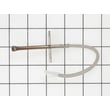
| Oven not baking evenly or not heating | Bake element | Range bake element WB44X45499 |
| Door leaking heat or smoke | Oven door gasket | Range oven door gasket WB04T10086 |
Why it matters
GE ranges can use different surface elements, terminal block styles, and door parts across similar-looking models. Matching by JB690SF1SS prevents ordering a part that fits physically but connects incorrectly or performs poorly.
Quick checks before you place the order
- Compare the part description to your symptom (surface element vs. bake element vs. broil element).
- Verify the part location on the diagram (front-left vs. rear-right burner, door vs. oven cavity).
- For electrical repairs, switch power off at the service panel before inspecting wiring (installation guidance is in the JB690SF1SS installation guide).
Last updated: February 2026
How much does it cost to replace a GE oven control board?
For a GE JB690SF1SS electric range, replacing the oven control board typically costs $150 to $400 for the part and $300 to $700 total with professional service. The final price depends on whether the issue is truly the control board or a related wiring, sensor, or power-supply problem.
What changes the price the most
- Diagnosis time: a misdiagnosed board replacement adds cost fast.
- Service call and labor: many repairs include a trip charge plus 1 to 2 hours labor.
- New vs. refurbished board: refurbished can cost less, new can cost more.
- Related parts: a failed terminal connection or harness can mimic a bad board.
- Access and installation complexity: varies by range design and wiring condition.
Quick cost breakdown (typical ranges)
| Cost item | Typical range | Notes |
|---|---|---|
| Control board (part only) | $150 to $400 | Price varies by exact board version and availability |
| Labor | $150 to $300 | Often 1 to 2 hours |
| Service call/trip fee | $75 to $150 | Sometimes applied toward labor |
| Total installed | $300 to $700 | Higher if additional parts are needed |
Before you buy a board: fast checks that often save money
- Reset power: turn the breaker off for 1 minute, then back on.
- Confirm proper supply: this range uses a dedicated, properly grounded 40-amp branch circuit; power issues can cause control problems.
- Look for heat-related damage: inspect the cord connection area for discoloration or loose connections.
- Check for error codes: use the display information and troubleshooting steps in the JB690SF1SS owner’s manual.
- Verify wiring connections: loose or burned connections at the terminal block can cause intermittent operation.
If you find damage or overheating at the power connection, the range terminal block WB17T10011 is a common repair item on electric ranges.
Why it matters
The control board is one of the most expensive electronic parts on a range. Spending a few minutes confirming power, connections, and error codes helps ensure you fix the real cause and avoid replacing a good board.
Last updated: February 2026
How to order GE appliance parts?
To order parts for your GE JB690SF1SS electric range, use the complete model number and serial number, then order by the exact part ID or part number to ensure the correct fit. For warranty questions or ordering help, contact Sears PartsDirect support.
What to have ready before you order
- Complete model number: JB690SF1SS
- Serial number (from the rating plate)
- The part ID or part number (example: WB44X45499)
- A short symptom description (for example: “bake not heating” or “surface element not working”)
How to order the right part (recommended steps)
- Confirm the part location and name using the JB690SF1SS installation guide.
- Match the failed component to an exact part listing by part ID.
- If multiple surface elements look similar, verify size and position (front/rear, left/right, dual vs. single).
- Order the part and compare it to the original before installing.
Common JB690SF1SS parts customers order
| What you are fixing | Typical part you may need | Example part ID |
|---|---|---|
| Oven not baking evenly or not heating | Bake element | WB44X45499 |
| One small burner not heating | Radiant surface element (5-1/2-in) | WB30T10145 |
| Power cord connection issue or burnt wiring at rear | Terminal block | WB17T10011 |
If you already know what failed, ordering the exact part is fastest; for example, the range bake element WB44X45499 is the bake element listing shown for this model.
Why it matters
GE ranges often use similar-looking components across model families. Ordering by the exact JB690SF1SS model and the exact part ID helps prevent returns, delays, and installation problems.
Last updated: March 2026
How to reset GE oven control board?
To reset the control board on your GE JB690SF1SS electric range, we recommend a hard power reset: turn the range circuit breaker OFF for 60 seconds, then turn it back ON. This clears many temporary glitches, including some display and keypad issues.
Quick reset steps (safe order)
- Press Cancel/Clear once to stop any active bake, broil, or self-clean cycle.
- Turn the range breaker OFF (or remove the fuse) for 60 seconds.
- Turn the breaker ON and wait 1 to 2 minutes for the control to fully boot.
- Set the clock and test Bake at 350°F.
- If an error code returns, write it down before trying more steps.
If the reset does not stick
A reset fixes software-like glitches; it will not correct a failed heating circuit, stuck key, or wiring problem. Use this quick check list:
- Oven will not heat: test Bake and Broil separately; a failed element can look like a control problem.
- Random beeping or unresponsive keys: check for a stuck keypad area and power reset again.
- Error codes: use the code to guide the next repair step.
Helpful references:
What to check before replacing parts
If the oven is still dead after a reset, we focus on power delivery and common heat components.
| Symptom | Most common cause | What we check next |
|---|---|---|
| Display blank, no response | No power to range | Breaker, outlet, cord, terminal block connections |
| Broil works, bake does not | Failed bake circuit | Bake element and wiring |
| Bake works, broil does not | Failed broil circuit | Broil element and wiring |
| Heats poorly, long preheat | Weak element or sensor issue | Element condition, calibration, sensor checks |
If you suspect a heating failure, these model-matched parts are common fixes:
Why it matters
Resetting the control board is the fastest way to clear a temporary lockup after a power flicker or interrupted cycle. If the problem returns immediately, the symptom usually points to a specific circuit (bake, broil, or power supply) that needs diagnosis.
Last updated: February 2026





