Owner’s manual
 Error Codes


What does a bottom mount refrigerator mean?
A bottom-mount refrigerator (like the LG LFXS26596S) has the freezer compartment on the bottom and the fresh-food section on top, so everyday refrigerated items sit at eye level while frozen foods are stored below.
- Fresh-food compartment is on top (most-used shelves and bins are easier to reach)
- Freezer is a lower drawer or pull-out compartment
- Many bottom-mount designs use slide-out baskets for frozen food organization
- This layout helps reduce bending for frequently used refrigerated groceries
| Feature | Bottom-mount refrigerator | Top-mount refrigerator |
|---|---|---|
| Fresh-food access | Easier (eye level) | Requires more bending |
| Freezer access | Requires bending | Easier (higher) |
| Best for | People who use fresh food most | People who use freezer most |
A bottom-mount design is usually a better fit when you open the refrigerator section far more often than the freezer. It also makes it easier to see and organize fresh foods, which can help reduce forgotten items and food waste.
The “mount” describes where the freezer sits, not the door style. Knowing you have a bottom-mount refrigerator helps when you’re looking up care, storage features, and model-specific instructions in the LFXS26596S owner’s manual.
Last updated: February 2026
What is the warranty on LFXS26596S?
For the LG LFXS26596S bottom-mount refrigerator, the compressor warranty is typically 10 years on parts and 5 years on labor (for the Linear/Inverter compressor). For the full coverage details and exclusions (sealed system, other parts, and what counts as normal use), use the warranty section in the LFXS26596S owner's manual.
Warranty terms vary by component, so we recommend matching your symptom to the covered part.
- Compressor coverage is usually the longest term (parts and sometimes labor).
- Other sealed system parts (like condenser and refrigerant tubing) may have different terms.
- Wear items and maintenance (filters, normal cosmetic wear) are typically not covered.
- Installation issues (water line leaks, leveling problems) are usually not warranty failures.
- Proof of purchase and the in-service date often determine eligibility.
Use this as a practical way to decide what to check next.
| Issue you’re seeing | Most likely system involved | What to do first |
|---|---|---|
| Not cooling or warm temps | Sealed system or airflow | Check temps and airflow steps below; then review warranty terms |
| No ice or no water | Water supply or ice maker system | Confirm water supply, filter status, and inlet valve operation |
| Odors in fresh food section | Air filtration and cleaning | Replace the fresh air filter and clean interior surfaces |
These steps help you document the problem and avoid a service trip for a simple setup issue.
- Write down the model number (LFXS26596S) and serial number.
- Record current temperatures (target is typically 37°F fresh food and 0°F freezer).
- Confirm doors seal fully and the unit is level.
- If ice or water is affected, verify household water pressure and check the filter.
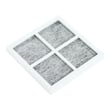
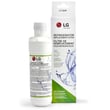
- If odors are the concern, replace the LG refrigerator air filter ADQ73214408 and reset the filter indicator if your model has one.
Warranty coverage is component-specific; identifying whether the issue is compressor-related, airflow-related, or water-supply-related helps you use the correct warranty section and speeds up the repair decision.
Last updated: February 2026
What does e and ff mean on an LG refrigerator?
On an LG LFXS26596S refrigerator, the E FF (often shown as E and FF) error points to a freezer fan problem. Most often, the evaporator fan is blocked by ice buildup or the fan motor is failing, so cold air cannot circulate properly.
- Power the refrigerator off at the breaker for 1 minute, then restore power (this can clear a temporary control glitch).
- Listen for the freezer fan: you should hear a steady fan sound when the unit is running.
- Check for frost or ice buildup on the rear freezer panel (a common cause of fan interference).
- Make sure freezer vents are not blocked by food packages.
- Confirm the doors close fully and the gaskets seal all the way around.
| What’s happening | What it means | Typical fix |
|---|---|---|
| Ice hits the fan blades | Fan can’t spin freely | Defrost the freezer and correct the cause of icing |
| Fan motor is noisy or dead | Motor is failing | Replace the fan motor |
| Heavy frost returns quickly | Defrost system or airflow issue | Check defrost heater, sensor, and airflow paths |
For this model, the freezer airflow depends heavily on the evaporator fan. If the fan motor is weak or seized, replacing the refrigerator evaporator fan motor EAU63923603 is a common repair.
When the freezer fan cannot move air across the evaporator, temperatures rise and cooling becomes uneven. That can lead to soft ice cream, thawing food, and the refrigerator section warming up even if the compressor is running.
- Unplug the refrigerator before removing panels or testing parts.
- If you see thick frost, a full manual defrost (doors open, towels down) can confirm whether ice was the trigger.
- Use the troubleshooting and error code information in the LFXS26596S owner’s manual to match the display code and follow the recommended checks.
Last updated: February 2026
How do you reset the freezer on a LG refrigerator?
To reset the freezer on your LG LFXS26596S bottom-mount refrigerator, we recommend doing a power reset: turn the refrigerator off by unplugging it (or switching off the circuit breaker) for about 5 minutes, then restore power and let temperatures stabilize for up to 24 hours.
- Unplug the refrigerator; if you cannot reach the plug, switch the kitchen refrigerator circuit breaker OFF.
- Wait 5 minutes (this clears many temporary control glitches).
- Restore power.
- Confirm the freezer is set to your target temperature (most households use 0°F).
- Keep doors closed as much as possible while it pulls down to temperature.
- Check temps again after 24 hours.
A reset is best for control hiccups, display issues, or after a brief power outage. It will not correct airflow or cooling-system problems.
| Situation | Reset helps? | What to check next |
|---|---|---|
| Display frozen, buttons unresponsive | Yes | Power reset, then verify settings in the LFXS26596S owner's manual |
| Freezer warm after door left open | Sometimes | Give it 24 hours; confirm vents are not blocked |
| Ice maker not making ice | Sometimes | Water supply, filter status, ice maker switch |
| Freezer not cooling at all | Rarely | Fans, frost buildup, sealed system, error codes |
These checks solve the most common “reset didn’t work” situations:
- Make sure food packages are not blocking interior air vents.
- Verify the doors seal tightly; gaps or a torn gasket can cause warm temps.
- Listen for the evaporator fan; if it is not running, the refrigerator evaporator fan motor EAU63923603 is a common suspect.
- If the unit is running but temps drift, a sensor issue is possible; the refrigerator temperature sensor 6500JB2002X relates to temperature feedback.
- If you see an error code, use the LG bottom freezer refrigerator error codes reference to narrow the failure.
A proper reset clears minor electronic glitches, but stable freezer temperature depends on airflow, accurate temperature sensing, and reliable fan operation. Checking those basics prevents food thawing and repeat ice maker problems.
Last updated: February 2026
What is the most common problem with the LG refrigerator?
For the LG LFXS26596S bottom-mount refrigerator, the most common service complaint is inconsistent cooling (fresh food section warm, freezer not holding temperature, or temps swinging). The next most common issues are ice maker and water dispenser problems caused by airflow restrictions, water supply faults, or door sealing issues; see the LFXS26596S owner's manual for model-specific checks.
- Refrigerator section warms up but freezer seems OK (or the reverse)
- Food freezes in the fresh food section
- Loud fan noise, rattling, or buzzing
- Frost buildup on the back wall or around vents
- Ice maker stops making ice or makes small/hollow cubes
- Water dispenser flow slows down
Cooling and ice/water issues often trace back to a few high-frequency areas:
- Airflow problems: blocked vents, overpacked shelves, or frost restricting the evaporator area
- Fan problems: a failing evaporator fan can reduce cold air circulation (a common suspect is the refrigerator evaporator fan motor EAU63923603)
- Defrost problems: frost buildup from a defrost heater or sensor issue (example part: refrigerator defrost heater MEE63545708)
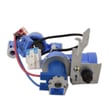
- Water supply problems: low house water pressure, kinked line, or a sticking valve (example part: LG refrigerator water inlet valve AJU72992601)
- Door sealing problems: gaps or a torn gasket letting warm air in (example part: kenmore refrigerator door gasket, right ADX72930475)
| Symptom | Fast check | Likely next step |
|---|---|---|
| Warm fridge/freezer | Confirm settings, clean condenser area, check door seal | Listen for fans; inspect for frost buildup |
| Frost on back wall | Look for blocked vents and heavy ice | Defrost system diagnosis |
| No ice/slow water | Replace filter if overdue; purge air | Check valve and water line |
Cooling problems can spoil food quickly, and frost or airflow restrictions make the compressor and fans run longer. Fixing the root cause early helps stabilize temperatures, reduce noise, and prevent repeat ice maker and dispenser failures.
Last updated: February 2026