Owner’s manual










Is an electric dryer 110 or 220?
An electric dryer typically runs on a 220 to 240-volt circuit for heat, even though some controls may use 120 volts internally. For your GE PTD60GBPR0DG dryer, plan on a dedicated 240V dryer outlet and verify the exact electrical requirements in the owner's manual.
What to expect for electric vs. gas dryers
- Electric dryer: 240V (commonly called 220V) for the heating system
- Gas dryer: 120V for the motor and controls; heat comes from gas
- Dedicated circuit: Most dryers use a dedicated breaker and dryer receptacle
- Two breakers/fuses: Many electric dryers use two fuses or breaker legs; one can trip and the drum may still tumble
Quick troubleshooting tip if the dryer tumbles but won’t heat
Your GE manual notes that an electric dryer can run but not heat if only one fuse is blown or one breaker leg is tripped.
- Reset the dryer breaker fully (OFF, then ON)
- Check for two linked breaker handles (both must be ON)
- If you have fuses, replace both dryer fuses as a set
- If power is correct and heat is still missing, follow the heating checks in the owner's manual
Common outlet and cord setups (typical in the US)
| Dryer type | Typical supply | Typical plug style | What it powers |
|---|---|---|---|
| Electric | 240V | 4-prong or 3-prong dryer plug | Heater, motor, controls |
| Gas | 120V | Standard 3-prong household plug | Motor, controls, igniter system |
(Outlet type varies by home wiring; match the cord to your receptacle and local code requirements.)
Why it matters
Using the correct voltage prevents no-heat problems, nuisance breaker trips, and wiring damage. It also helps you diagnose symptoms correctly, such as tumbling with no heat, which often points to a power supply issue.
If you need replacement parts for your GE PTD60GBPR0DG, you can order from the parts list for this model or search by model number on Sears PartsDirect.
Last updated: February 2026
Is GE profile considered high end?
Yes. GE Profile is generally considered GE’s higher-end mainstream line: it typically adds upgraded design, more cycle options, and more advanced features than basic GE models, without being positioned as a true luxury tier.
How this relates to your GE dryer model PTD60GBPR0DG
Your GE PTD60GBPR0DG is a GE Profile-series style dryer in terms of feature expectations: you can expect a more premium control experience and feature set than entry-level dryers, plus detailed care, venting, and troubleshooting guidance in the owner's manual.
What “high end” usually means in practice
When customers call an appliance line “high end,” they usually mean a mix of performance, features, and finish quality.
- More specialized cycles and sensor-driven drying options
- More electronic controls (and more diagnostics when something goes wrong)
- More refined fit and finish (knobs, display, door feel)
- More convenience features (signals, settings memory, connectivity on some models)
- Higher part complexity (more boards, sensors, and harnesses)
Feature and repair reality check (what to expect)
Higher-end lines often use more sensors and electronics. That can improve drying results, but it also means certain parts matter more when performance changes.
| What you notice | Common system involved | Example part on this model page |
|---|---|---|
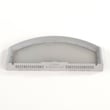
| Long dry times | Airflow and venting | GE dryer lint screen WE03X23881 |
| Overdrying or underdrying | Temperature sensing | Dryer thermistor WE4M448 |
| Cycle behavior feels “off” | Controls and UI | Main control board w/instructions WE22X34377 |
Why it matters
Knowing GE Profile is a higher-end mainstream line helps set expectations: you’re paying for more features and a more refined user experience, and you’ll want to stay on top of basics like lint filtering and annual vent inspection to keep performance consistent.
Parts and documentation we recommend using
- Use the owner's manual for cycle guidance, venting requirements, and care steps
- Order model-matched replacement parts from the parts list for PTD60GBPR0DG, or search by model on Sears PartsDirect
- If drying performance drops, start with airflow checks and lint screen cleaning before replacing sensors or boards
Last updated: February 2026
What is the capacity of the PTD60GBPR0DG?
The GE PTD60GBPR0DG dryer’s drum capacity is the cubic-feet value listed in the specifications section of the PTD60GBPR0DG owner's manual. Use that exact spec for load sizing; it is the authoritative capacity for this model.
How to find the exact capacity in the manual
Look in the manual for a section labeled “Specifications” or “Capacity” for PTD60GBPR0DG. We also recommend checking the model/serial tag behind the door to confirm you are matching the right variant.
- Open the PTD60GBPR0DG owner's manual
- Use the table of contents to locate the specifications section
- Find the line for drum capacity (usually shown as “cu. ft.”)
- Match the model number on the label behind the door to PTD60GBPR0DG
Why it matters
Capacity directly affects drying performance. When you load beyond the drum’s intended capacity, airflow drops, cycle times increase, and wrinkles and damp spots become more common.
Practical load sizing guidelines
Even with the correct capacity number, these habits help you get consistent results:
- Load items loosely; leave space for tumbling
- Dry bulky items (comforters, heavy blankets) one at a time when possible
- If thick areas stay damp, choose a higher dryness level (such as “More Dry” when available)
- Remove clothes promptly at cycle end or use Wrinkle Care to reduce wrinkles
- Keep airflow strong by cleaning the lint screen every load
Quick reference: what “capacity” means
| Spec you see | What it describes | What it does not describe |
|---|---|---|
| Drum capacity (cu. ft.) | Interior drum volume for load sizing | Drying time for every fabric type |
| Dryer size (exterior) | Cabinet dimensions for fit | How much laundry you should pack in |
If drying seems slow, check lint handling first
A clogged or damaged lint screen can mimic an “overloaded” dryer. If yours is torn or won’t seat correctly, replace it with the GE dryer lint screen WE03X23881.
You can order PTD60GBPR0DG parts from the parts list for this model, or search by model number on Sears PartsDirect.
Last updated: February 2026