Owner’s manual
 Error Codes



What's the average lifespan of a GE refrigerator?
A GE refrigerator typically lasts 12 to 15 years on average. For your GE GFE26JYMTFFS bottom-mount refrigerator, reaching that range depends most on keeping airflow clear, maintaining stable temperatures, and staying ahead of common wear items like water filters and door seals (see the GFE26JYMTFFS owner's manual).
Typical lifespan ranges (what to expect)
Most full-size refrigerators fall into a fairly consistent lifespan range; features like ice makers and dispensers can add maintenance needs.
| Refrigerator type | Typical lifespan | Notes |
|---|---|---|
| Basic top-freezer | 14 to 18 years | Fewer electronics, simpler ice systems |
| Bottom-freezer (like GFE26JYMTFFS) | 12 to 16 years | More fans, sensors, and controls |
| French door with dispenser | 10 to 15 years | More moving parts and water system components |
What shortens lifespan fastest
These are the most common conditions that push a refrigerator to fail earlier than expected:
- Dirty condenser area causing high compressor run time
- Doors not sealing well, leading to constant temperature recovery
- Overpacked compartments blocking air vents
- Skipped water filter changes in dispenser models
- Repeated power interruptions or surges affecting control boards
Maintenance that helps you hit the 12 to 15-year mark
We recommend these practical habits for GE bottom-mount units:
- Keep the condenser area clean and ensure good airflow behind the cabinet
- Set and maintain steady temps (typical targets: 37°F fresh food, 0°F freezer)
- Replace the water filter on schedule; this model uses the GE refrigerator water filter XWFE
- Confirm doors close fully and the door alarm is working (see how to reset the door alarm on a GE refrigerator)
- Address cooling changes early (warm temps, frost buildup, unusual fan noise)
Why it matters
A refrigerator that runs hotter or longer than normal wears out the sealed system and fans faster. Small issues like restricted airflow or an overdue filter can increase run time, raise energy use, and shorten the service life of major components.
Last updated: February 2026
What filter for GFE26JYMTFFS?
For the GE GFE26JYMTFFS bottom-mount refrigerator, the correct water filter is the XWFE cartridge. Replace it about every 6 months (or sooner if water flow slows), then reset the filter indicator on the control panel per the GFE26JYMTFFS owner's manual.
Confirming you have the right filter
Use these quick checks before you buy or install a replacement:
- Match the filter ID to XWFE (this model uses the XWFE cartridge on some versions).
- Verify the filter location: back upper-right corner of the fresh food compartment.
- If your dispenser shows filter status or a red filter light, plan to reset it after replacement.
- If flow is noticeably reduced, replace the filter even if it has not been 6 months.
- If you are troubleshooting a filter-related issue, try the bypass plug to isolate the filter.
Parts that apply to this model
| What you need | Part ID | What it does |
|---|---|---|
| Water filter cartridge | XWFE | Filters drinking water and ice maker water |
| Water filter bypass | WR17X33825 | Lets you run water without the filter for testing |
Relevant parts for this model:
Resetting the filter light (after replacement)
Most GE controls require a press-and-hold reset:
- Install the new filter fully seated.
- Dispense water for a few minutes to clear air and carbon fines.
- Press and hold the Water Filter (or Reset Filter) control for about 3 seconds.
Why it matters
Using the correct XWFE filter helps maintain normal water flow, supports better-tasting water and ice, and keeps the filter status system working correctly on models that track filter life.
Last updated: February 2026
What is the most common problem with a GE refrigerator?
Cooling problems are the most common issue we see with GE refrigerators like model GFE26JYMTFFS. The usual causes are restricted airflow (dirty condenser coils or blocked vents), a defrost system problem, or a fan/control issue that prevents the refrigerator and freezer from holding steady temperatures.
Quick checks that fix many “not cooling” complaints
- Confirm the temperature settings were not accidentally changed (adjust 1 step at a time).
- Make sure food is not blocking the rear air vents; the manual notes food too close to the back vent can cause freezing or poor airflow.
- Clean the condenser coils and make sure the condenser fan area is clear.
- Verify doors close and seal fully; a poor seal causes warm air leaks and frost.
- Listen for the evaporator fan; if it is not running, cooling will be weak and uneven.
- Check for heavy frost on the freezer back wall (often points to a defrost problem).
Common causes and what they typically look like
| Symptom | Most likely area | What you can do first |
|---|---|---|
| Fridge warm, freezer OK | Airflow/evaporator fan | Check vent blockage; listen for fan; inspect frost pattern |
| Both sections warm | Condenser coils/fan, compressor start, control | Clean coils; confirm fans run; power reset |
| Frost buildup, temps rise | Defrost system | Look for heavy frost; schedule a manual defrost test |
| Temps swing up and down | Sensor/control | Check for error codes; verify settings |
Parts that are often involved (when a repair is needed)
If basic airflow and settings checks do not solve it, these model-compatible parts are commonly tied to cooling complaints:
- GE profile refrigerator temperature sensor WR55X10025 (temperature feedback issues)
- Refrigerator defrost bi-metal thermostat WR50X10069 (defrost protection and cycling)
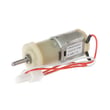
- Motor dc evap fan WR60X39625 (moves cold air through the compartments)
- Refrigerator condenser fan WR60X10209 (removes heat at the condenser)
- Main control board WR55X46945 (manages compressor, fans, and defrost logic)
Why it matters
A refrigerator can still “run” while temperatures drift into the food-unsafe range. Catching airflow restrictions early (vents, coils, fans) prevents longer run times, frost buildup, and premature sealed-system wear.
Where to confirm model-specific steps
For control settings, troubleshooting charts, and model-specific procedures, use the GFE26JYMTFFS owner’s manual.
Last updated: February 2026