Installation guide
 Owner’s manual
 Error Codes




How do I reset the error code on my GE oven?
To reset an error code on your GE JGBS10DEM2WW gas range, turn the oven controls to OFF, then reset power to the range at your home breaker for about 5 minutes. Restore power and check whether the code returns during baking.
Safe reset steps (recommended order)
- Turn the oven temperature knob to OFF.
- If the range is plugged in, unplug it; if it is hardwired, switch OFF the range circuit breaker.
- Wait 5 minutes to let the control fully power down.
- Restore power (plug back in or turn the breaker ON).
- Set the oven to bake and watch for the code to reappear.
If the code comes back right away
An error that returns immediately usually points to a control, wiring, or ignition-related problem rather than a one-time glitch.
Common checks on a free standing gas range:
- Confirm the oven control/knob is set correctly and not between settings.
- Check for a tripped breaker or blown fuse (a weak connection can cause repeat faults).
- Listen for normal thermostat clicking during operation; frequent clicking can be normal temperature control behavior.
- If the oven will not ignite or heats inconsistently, inspect the igniter circuit and connections.
Parts that are often involved (when symptoms match)
| Symptom you see | What it often points to | Example part for this model |
|---|---|---|
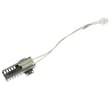
| No bake ignition, gas smell, or delayed ignition | Weak/failed igniter | Bake burner ignition WB13X40208 |
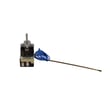
| Oven temperature runs consistently too hot/too cold | Temperature control out of calibration or failing | Range oven control thermostat WB24X24270 |
Why it matters
Resetting clears temporary control faults, but a repeating error code helps prevent unsafe operation and protects components like the igniter, thermostat, and gas valve from repeated misfires.
For model-specific operating details and troubleshooting tips, follow the steps in the JGBS10DEM2WW owner’s manual.
Last updated: January 2026
What does F7-40 mean on a stove?
On the GE JGBS10DEM2WW free standing gas range, an “F7-40” message indicates the range is detecting a control input fault (a key or control signal that looks “stuck” or invalid). The fastest way to restore operation is a power reset; if it returns, the control components need troubleshooting.
What to do first (safe, quick checks)
- Turn the range off at the circuit breaker for 60 seconds, then restore power.
- If the display returns to normal, set the clock and try Bake again.
- Keep the control area dry; cleaner residue and moisture can trigger false inputs.
- If the code comes back immediately after power is restored, stop using the oven until it’s checked.
- If the oven also will not heat, confirm the bake burner is igniting.
What “F7-40” usually points to
Even on ranges that use knobs for temperature, the appliance can still have an electronic clock/timer or control circuit that monitors inputs.
| Symptom you see | What it typically means | What we do next |
|---|---|---|
| Code appears at power-up | Control is sensing an invalid input right away | Inspect wiring and control components; repair/replace as needed |
| Code appears after cleaning | Moisture or residue affecting the control area | Dry thoroughly; reset power |
| Code appears during use | Intermittent control fault | Check connections; service the control system |
Parts that can be involved on this model
If the oven is not heating along with the error, ignition problems can be a separate issue from the code.
- Bake burner ignition WB13X40208 (ignites the bake burner; weak ignition can prevent heating)
- Range oven control thermostat WB24X24270 (regulates oven temperature on knob-controlled models)
Why it matters
A control input fault can cause the oven to heat unpredictably or prevent you from setting temperature reliably. Resetting power may clear it temporarily, but a repeating code means the range needs a proper diagnosis.
Where we confirm operating and reset steps
Use the JGBS10DEM2WW owner's manual for the correct control layout, clock/timer behavior, and power-failure reset guidance for your exact range.
Last updated: January 2026
What is the average lifespan of JGBS10DEM2WW?
A GE free standing gas range like model JGBS10DEM2WW typically lasts 15 years with normal household use and basic maintenance (keeping burners clean, ensuring proper gas ignition, and avoiding overheating the oven cavity). Use the owner's manual for care steps that help you reach that lifespan.
What affects lifespan most
- Burner ignition health (weak or delayed ignition increases wear and can cause heat stress)
- Gas regulation and flame quality (steady blue flames reduce soot and overheating)
- Oven temperature control accuracy (large swings can overwork components)
- Door seal condition (heat loss makes the oven run longer)
- Cleaning habits (spills and grease buildup shorten component life)
Quick maintenance checklist (high impact)
- Keep burner caps and ports clean and fully seated.
- If the oven takes multiple tries to light, inspect/replace the igniter such as bake burner ignition WB13X40208.
- Verify the oven door closes tightly; replace a worn gasket like range oven door gasket WB35X29720 if heat leaks.
- Use the correct oven light bulb and avoid touching the glass with bare fingers.
- Confirm the range is level and secured; follow the anti-tip and leveling steps in the installation guide.
Common “end-of-life” symptoms and what they usually mean
| Symptom | Most common cause | Typical fix |
|---|---|---|
| Oven won’t heat or heats slowly | Weak igniter | Replace igniter |
| Oven temperature is inconsistent | Thermostat/control issue | Test/replace thermostat |
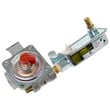
| Smell of gas or unstable flames | Gas valve/regulator or supply issue | Stop use; have gas system checked |
| Excess heat around door | Worn door gasket | Replace gasket |
Why it matters
Knowing the typical 15-year lifespan helps you decide whether to repair or refresh key wear parts. On JGBS10DEM2WW, replacing common items like an igniter or door gasket often restores safe, efficient baking for years.
Last updated: March 2026