 Error Codes



Can you replace the heating element in a GE oven?
Yes. On a GE electric range like model JKP97G, we replace a failed oven heating element by shutting off power, removing the mounting screws inside the oven cavity, pulling the element forward, moving the wires to the new element, then reinstalling and testing heat.
Before you start (safety and prep)
- Turn off the range breaker (double-pole) and confirm the oven is dead.
- Let the oven cool completely.
- Remove oven racks for working room.
- Use gloves; sheet metal edges can be sharp.
- Have a nut driver or screwdriver ready (common sizes are 1/4-inch or 5/16-inch).
Which element are you replacing?
Most electric ovens have two main heating elements:
| Element | What it does | Common symptom when bad |
|---|---|---|
| Bake element | Primary heat for baking | Oven will not heat or heats very slowly |
| Broil element | Top heat for broiling | No broil, weak broil, uneven browning |
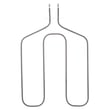
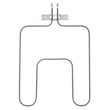
For this model page, common replacements include the range bake element WB44X200 and the broil unit WB44X173.
Basic replacement steps (bake or broil)
- Kill power at the breaker.
- Open the oven and remove racks.
- Remove the element’s mounting screws (usually 2) at the rear of the oven cavity.
- Carefully pull the element a few inches forward.
- Hold the wires so they do not slip back through the insulation; transfer wires to the new element terminals.
- Reinstall screws, reinstall racks, restore power, and test Bake or Broil.
Why it matters
A weak or open heating element can cause long preheat times, undercooked food, and temperature swings. Replacing the correct bake or broil element restores normal oven performance without replacing the entire range.
Helpful troubleshooting if the new element still will not heat
- Check the breaker again (a tripped half-breaker can look “on”).
- If the display shows an error, use GE manual cleaning range error codes.
- If neither bake nor broil works, the issue is often wiring, a control, or a sensor; use oven wont heat troubleshooting electric range problems video to narrow it down.
Last updated: February 2026
How do I find the right GE part number?
To find the right GE part number for your electric range, we match parts by your model number first, then confirm the part by name and where it installs. For this page, start with model JKP97G and use the part ID on the listing to ensure you get the exact replacement.
Step 1: Find your model number tag
On most GE ranges, the model and serial tag is typically located in one of these spots:
- On the oven frame behind the door (open the oven door and look around the front frame)
- On the lower drawer frame (if your range has a storage or warming drawer)
- Along the side trim of the oven opening
- On the back of the range (more common on some installations)
Tip: Write the model number exactly as shown on the tag (letters and numbers), then use that model to filter parts.
Step 2: Use the part ID to avoid mix-ups
GE parts can have similar names across models, so we recommend confirming the part ID shown on the part listing. For example, if you need a broil element for this model page, use the listing for the broil unit WB44X173.
Common examples for this model page
| What you are replacing | What to match on the listing | Example from this page |
|---|---|---|
| Broil element | Part name + part ID | Broil unit WB44X173 |
| Bake element | Part name + part ID | Range bake element WB44X200 |
| Control timer | Part name + part ID | Timer WB19X10006 |
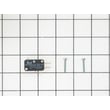
| Door switch | Part name + part ID | Door switch WB24X5167 |
Quick checks before you order
These checks help confirm you are choosing the correct GE replacement part:
- Compare the part name to your symptom (bake not heating vs broil not heating)
- Confirm the part ID matches the listing for your model
- Inspect your old part for visible damage (burn marks, breaks, melted terminals)
- Verify the connection style (spade terminals, harness plug) matches your original
- If you are troubleshooting heat issues, review oven wont heat troubleshooting electric range problems video to narrow down whether the bake element, broil element, or control is most likely
Why it matters
Using the correct model number and matching the part by part ID prevents ordering a look-alike part that does not fit, does not wire in correctly, or does not heat properly. This is especially important for heating parts like a bake element or broil element.
Last updated: February 2026
How much does it cost to replace a GE oven control board?
Replacing a GE oven control board typically costs $250 to $700 total (part plus labor). For a GE electric range like JKP97G, the final price depends on the exact control board used, service rates in your area, and whether additional parts (wiring, overlay, sensor) are needed.
Typical cost breakdown
- Control board part: $150 to $450 (most common range)
- Service call / diagnosis: $75 to $150
- Labor: $100 to $250 (often 1 to 2 hours)
- Possible add-ons: $0 to $150 (harness repair, terminal block, keypad/overlay)
What usually drives the price up
- Burned or loose wire connections at the control area
- A shorted heating circuit that damages the new board again
- A failing temperature sensor causing overheating or error codes
- Needing a separate keypad or overlay (some models split these from the board)
Quick comparison: DIY vs. professional repair
| Option | Typical total cost | Best when |
|---|---|---|
| DIY replacement | $150 to $450 | You can safely shut off power and match the correct board |
| Professional service | $250 to $700 | You want diagnosis, warranty on labor, and safety checks |
Before you buy a board (saves money)
- Confirm the symptom: dead display, stuck keys, random beeping, oven not heating, or error codes.
- Check power first: a tripped breaker or lost leg of 240V can mimic a bad board.
- Inspect wiring: look for overheated connectors or brittle insulation near the control.
- Rule out common heat issues: a failed bake or broil element can cause poor heating without a bad board (for example, the range bake element WB44X200 or broil unit WB44X173).
- Use error code guidance: match the displayed code to the likely failed circuit using GE manual cleaning range error codes.
Why it matters
A control board is one of the highest-cost range parts, so confirming power, wiring condition, and heating components first helps prevent replacing an expensive part that is not the root cause.
Last updated: February 2026
How to order GE appliance parts?
To order parts for your GE electric range model JKP97G, order using the complete model number and the exact part ID so you get the correct fit and wiring match. You can order replacement parts from the parts list for this model, or search by model number on Sears PartsDirect.
What to have ready before you order
- Complete model number: JKP97G
- Serial number (from the appliance ID tag)
- The part ID and part name (example: range bake element WB44X200)
- A short symptom description (for example, “oven not heating” or “broil not working”)
- Your shipping address and preferred delivery speed
How we recommend ordering (fastest and most accurate)
- Identify the failed function (bake, broil, timer, door switch).
- Match the part by part ID (most precise identifier for ordering).
- Confirm the part name matches what you’re replacing.
- Order the part and keep your receipt and packaging until the repair is complete.
Common parts customers order for this model
| Symptom | Likely area | Example part for JKP97G |
|---|---|---|
| Oven will not bake | Heating circuit | Range bake element WB44X200 |
| No broil heat | Broil circuit | Broil unit WB44X173 |
| Clock/timer issues | Control/timer | Timer WB19X10006 |
| Door-related operation problems | Door switch | Door switch WB24X5167 |
Why it matters
Ordering by model number plus the exact part ID helps prevent fit and wiring mismatches, which is especially important on electric ranges where bake and broil circuits use high voltage connections.
Last updated: March 2026
What are the most common stove parts to replace?
For the GE electric range model JKP97G, the most commonly replaced parts are the heating elements (bake and broil), oven controls, and door-related switches or seals. These parts take the most heat and wear, so they are the first to cause symptoms like no heat, weak broil, or an oven that will not start.
Most common replacements (and what you notice)
- Bake element: oven will not heat, slow preheat, uneven baking (see range bake element WB44X200)
- Broil element: no broil, weak top browning (see broil unit WB44X173)
- Timer/control: clock issues, bake/broil not responding, erratic operation (see timer WB19X10006)
- Door switch: light or heating behavior changes when the door moves, intermittent operation (see door switch WB24X5167)
- Oven racks and rack supports: sticking, wobbling, or damaged racks that affect cooking stability
- Wiring terminals/connectors: overheating, arcing, or melted ends at elements and switches
Quick symptom-to-part guide
| Symptom | Most likely part area | What we check first |
|---|---|---|
| Oven will not heat in Bake | Bake circuit | Bake element and its wire terminals |
| Broil does not work | Broil circuit | Broil element and connections |
| Controls act “dead” or inconsistent | Control/timer | Timer/control and power supply |
| Oven behavior changes when door moves | Door circuit | Door switch alignment and wiring |
Why these parts fail most often
High heat cycles and repeated on/off switching gradually weaken metal elements, electrical contacts, and connectors. Door-related parts also wear from frequent opening and closing, plus heat exposure around the frame.
What to do before ordering a part
- Turn off power at the breaker; ranges use 240 volts.
- Look for visible damage: blisters, cracks, or burn marks on elements.
- Check for loose or overheated wire terminals at the element ends.
- If the range shows an error code, match it to the failure area using GE manual cleaning range error codes.
- Confirm the exact model and part ID match before purchasing.
Last updated: February 2026




