
What are the common table saw mistakes?
Common table saw mistakes include skipping PPE, cutting without proper kickback control, and using unsafe feeding techniques. On the Pro-Tech 4002 table saw, these errors most often lead to kickback, binding, poor cut quality, and avoidable blade contact.
Most common mistakes we see (and what to do instead)
- Not wearing PPE: Use safety glasses and hearing protection; avoid loose clothing and jewelry.
- No splitter or riving knife (or it is misaligned): Keep the kerf from closing on the blade to reduce binding and kickback.
- Standing directly behind the workpiece: Stand slightly to one side so kickback energy is less likely to hit you.
- Using the rip fence and miter gauge together for the same cut: This can trap the workpiece and cause kickback; use one guiding method at a time.
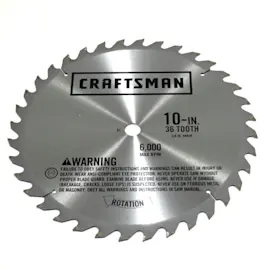
- Blade is dull or the wrong type: Dull teeth increase feed force and burning; match blade type to the material and cut.
- Blade set too high: Set blade height so gullets are just above the top surface of the workpiece.
- Freehand cutting: Always guide the cut with the fence, miter gauge, or a sled.
- Not using push sticks/push blocks: Keep hands away from the blade, especially on narrow rips.
Quick safety checklist before you cut
| Check | What “good” looks like | Why it helps |
|---|---|---|
| Fence alignment | Parallel to blade | Reduces binding and drift |
| Blade condition | Sharp, clean, correct tooth count | Cleaner cuts, less force |
| Work support | Stable infeed/outfeed support | Prevents tipping and pinching |
| Feed technique | Smooth, controlled, no twisting | Lowers kickback risk |
Why it matters
Most table saw injuries and damaged workpieces trace back to kickback or loss of control. Small setup choices (blade height, stance, and proper guides) dramatically reduce risk and improve accuracy.
Parts and help for your Pro-Tech 4002
If you need replacement parts (for example, guards, switches, or alignment-related hardware), start with the model-based parts list for Pro-Tech model 4002, or search by model number on Sears PartsDirect. For repair planning and tool basics, we also recommend are diy appliance repairs safe and must have tools for appliance repair.
Last updated: February 2026
What are the parts of a table saw?
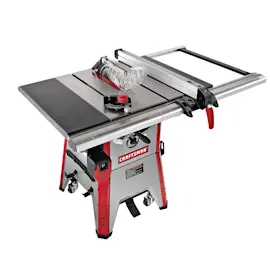
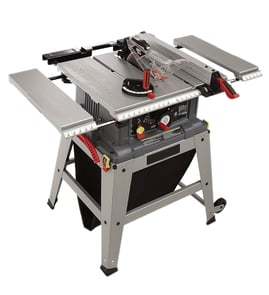
A Pro-Tech table saw like model 4002 is built around a flat work surface (the table) and a spinning saw blade, with guiding and safety components that control cut accuracy and help protect you. Most table saws share the same core parts, even when the exact design varies by model.
Main table saw parts (what they do)
- Table (top): Flat surface that supports the workpiece.
- Blade: The cutting tool; tooth count and style affect cut quality.
- Arbor (blade shaft): Holds and spins the blade; secured with an arbor nut/flange.
- Throat plate (blade insert): Removable plate around the blade opening; supports material near the cut.
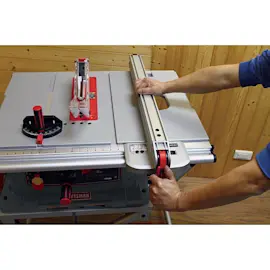
- Rip fence: Adjustable guide parallel to the blade for ripping consistent widths.
- Miter gauge: Guide that rides in a miter slot for crosscuts and angled cuts.
- Blade height wheel (elevation): Raises or lowers the blade to set cut depth.
- Bevel/tilt adjustment: Tilts the blade for bevel cuts (commonly 0° to 45°).
Safety and dust-control parts you should recognize
- Blade guard: Covers the blade area to reduce accidental contact.
- Riving knife or splitter: Helps keep the kerf open to reduce kickback.
- Anti-kickback pawls (if equipped): Help resist the board being thrown back.
- On/off switch (often with a safety key): Lets you shut down quickly.
- Dust port or dust chute (if equipped): Helps direct sawdust to a vacuum.
Quick reference table
| Part | Primary job | A common symptom when it’s off |
|---|---|---|
| Rip fence | Straight rip cuts | Burning, wandering cuts, pinching |
| Throat plate | Supports stock near blade | Tear-out, small offcuts dropping |
| Riving knife/splitter | Reduces kickback risk | Board binds behind blade |
| Miter gauge | Crosscuts/angles | Out-of-square crosscuts |
Why it matters
Knowing these parts helps you set up the fence and blade correctly, choose the right blade for the material, and reduce kickback risk. It also makes it faster to identify what to inspect when cuts are inaccurate or the saw vibrates.
Finding the right replacement parts
For Pro-Tech 4002, we use the model number to match the correct assemblies (fence components, switches, guards, arbor hardware, and more). Start with the parts list for your model, or search by model number on Sears PartsDirect.
Last updated: February 2026
What is the average lifespan of 4002?
A Pro-Tech table saw like model 4002 typically lasts 10 to 15 years with normal DIY use and routine maintenance. In a daily jobsite setting, lifespan is usually 5 to 10 years, depending on load, dust control, and how often wear items are replaced.
What affects lifespan most
- Motor load and heat: frequent thick hardwood ripping shortens motor life.
- Dust buildup: packed sawdust accelerates bearing wear and switch issues.
- Blade condition: dull blades force the motor and increase vibration.
- Alignment: misaligned fence or blade increases kickback risk and wear.
- Storage and corrosion: humidity rusts the tabletop and trunnion parts.
Typical lifespan by use (quick guide)
| Use pattern | Typical lifespan | What usually wears first |
|---|---|---|
| Occasional DIY (weekends) | 10 to 15 years | blade, belt (if equipped), switch |
| Regular home shop | 8 to 12 years | bearings, arbor components, fence parts |
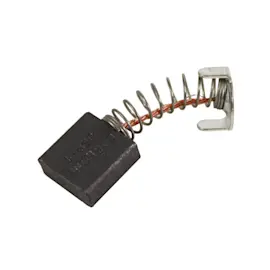
| Jobsite or heavy use | 5 to 10 years | motor brushes (if applicable), bearings, power cord |
Maintenance that adds years
- Blow out dust from the cabinet and motor vents after use.
- Keep the tabletop clean and lightly protected to prevent rust.
- Check blade-to-miter-slot and fence alignment periodically.
- Replace or sharpen the blade at the first signs of burning or slow cuts.
- Inspect the power cord and switch for heat damage or intermittent power.
Why it matters
A table saw’s “lifespan” is usually limited by wear parts and safety-critical components (switch, cord, bearings, alignment hardware), not the frame itself. Staying ahead of dust, alignment, and blade condition keeps cuts accurate and reduces strain on the motor.
For help confirming you are sourcing parts for the correct Pro-Tech model, use [how to find your appliance model number (and what it means for parts)].
Last updated: March 2026