Owner’s manual
 Error Codes





How to find LG gas range model number?
On an LG gas range like model LRG3193ST, the model number is printed on the model and serial number label. We typically find that label on the back of the range, and you should avoid removing it because it is meant to stay with the appliance for service and parts matching. See the LRG3193ST owner's manual.
Where to look on the range
Check these common label locations first:
- Back panel of the range (most common)
- Lower rear area near the gas connection and power cord
- Frame area behind the storage drawer (if your model has one)
- Door frame area around the oven opening (less common on gas ranges)
How to confirm you have the right number
LG labels usually show multiple identifiers. Use the model number for parts lookup.
- Model number: LRG3193ST (may include a suffix like /00 on some labels)
- Serial number: different format; used for manufacturing date and service history
- Gas type notes: natural gas or LP conversion info (not the model number)
Quick ID guide
| Label item | What it’s used for | Use it to order parts? |
|---|---|---|
| Model number | Exact product version | Yes |
| Serial number | Manufacturing tracking | No |
| Gas type / pressure info | Installation setup | No |
Why it matters
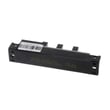
We use the model number to match the correct LG range parts because small model variations can change fit and wiring. For example, an oven ignition issue might use a specific igniter such as the LG range oven burner igniter MEE61841401, and the model number ensures the right match.
Last updated: February 2026
What is the life expectancy of an LG range?
Most LG gas ranges, including the LG LRG3193ST, typically last 10 to 15 years with normal home use. Lifespan depends most on how often you cook, how well burners and the oven are kept clean, and whether key components like the igniter and control electronics are maintained.
What affects lifespan the most
- Cooking frequency and heat load (daily high-heat use shortens life)
- Cleaning habits (grease and spills accelerate wear and corrosion)
- Ignition performance (weak ignition can stress gas and ignition components)
- Oven temperature accuracy (overheating can strain wiring and controls)
- Ventilation and moisture around the range
Typical lifespan by component (what usually fails first)
| Component area | Typical issue | Common symptom |
|---|---|---|
| Ignition system | Igniter weakens | Oven won’t light or lights slowly |
| Temperature sensing | Sensor drifts | Oven runs hot/cold |
| Controls/electronics | Board or keypad issues | Erratic operation, no response |
| Surface burner hardware | Wear or clogging | Uneven flame, hard to adjust |
If your oven is slow to ignite, a common repair is replacing the LG range oven burner igniter MEE61841401.
Maintenance that helps you reach the 10 to 15 year range
- Keep burner ports and caps clean and seated correctly
- Wipe up spills quickly to prevent baked-on soils
- Use LG’s EasyClean feature for light soils (water-only cleaning) to reduce harsh chemical exposure
- Avoid slamming the oven door; it stresses hinges and alignment
- If baking results change, check temperature performance early (before it strains other parts)
Why it matters
A range that is cleaned regularly and ignites quickly runs more efficiently and puts less stress on the gas valve, wiring, and control board. Following the care and safety guidance in the LRG3193ST owner's manual helps prevent avoidable wear and extends service life.
Last updated: February 2026
When I turn my oven on, it smells like gas.?
If your LG LRG3193ST smells like gas when you turn the oven on, treat it as a potential gas leak: open windows, do not light anything or touch electrical switches, and contact your gas supplier (or the fire department if you cannot reach them). Use the steps in the LRG3193ST owner's manual immediately.
What to do right now (safety steps)
- Open windows to ventilate.
- Do not try to light the oven or any other appliance.
- Do not touch any electrical switch.
- Do not use a phone inside the building.
- Call your gas supplier from a neighbor’s phone and follow their instructions.
- If you cannot reach your gas supplier, call the fire department.
Quick checks after the area is safe
After the situation is controlled and it is safe to re-enter (per your gas supplier or local authorities), these checks help narrow down the cause:
- Confirm all surface burner knobs are fully in the Off position.
- Verify the main gas shut-off valve and the oven gas shut-off valve (behind the range) are fully open.
- If the odor happens only during the first few uses, a “strong odor” can be normal from new insulation, but a gas smell still requires the safety steps above.
Common causes and likely fixes
| Symptom | Most common cause | Typical next step |
|---|---|---|
| Gas smell and oven will not heat | Ignition failure | Service the ignition system; a weak igniter is common |
| Gas smell plus error beeps / “F” code | Gas supply or control issue | Check shut-off valves; schedule service |
| Odor only during first uses (not a gas smell) | Insulation burn-in | Run a short bake cycle with ventilation |
If the oven is not igniting reliably, the oven burner igniter is a frequent wear item on gas ranges; for this model, see the LG range oven burner igniter MEE61841401.
Why it matters
Unburned gas can build up quickly. Your manual also notes that gas leaks may not be detected by smell alone, so using a UL-approved gas detector adds an extra layer of safety.
Last updated: February 2026
How to reset LG gas oven?
To reset an LG LRG3193ST gas oven, we cut power to the range for about 5 minutes, then restore power and re-set the clock and any cooking settings. This clears many temporary control glitches and is the recommended first step when an F error code appears.
Quick reset steps (power cycle)
- Turn the range off by pressing CLEAR OFF.
- Switch OFF the range circuit breaker (or unplug the power cord if accessible).
- Wait 5 minutes.
- Restore power (breaker ON or plug back in).
- Set the clock again and retry Bake or Broil.
For control-panel button locations and lockout details, use the LRG3193ST owner’s manual.
If an error code comes back after the reset
If the display beeps and shows an F code again after restoring power, we treat it as an active fault and troubleshoot the most common causes.
- Confirm the main gas shut-off valve is fully open.
- If the oven is not heating (often associated with F-9), check for weak or delayed ignition.
- Inspect the oven igniter for visible damage or a no-glow condition during a heat call.
- If the oven heats inconsistently, consider testing the temperature sensor circuit.
- If the keypad seems unresponsive (often associated with F-3), cancel with CLEAR OFF, then retry after the power reset.
Common parts related to “no heat” symptoms
| Symptom | Common suspect | Example part for LRG3193ST |
|---|---|---|
| Oven won’t ignite or takes a long time to light | Oven burner igniter | LG range oven burner igniter MEE61841401 |
| Temperature swings or inaccurate baking | Oven temperature sensor | Range oven temperature sensor EBG61305805 |
Why it matters
A proper reset clears temporary electronic faults after a power surge or control glitch. If the code repeats, the range is protecting you by flagging a condition that needs a real fix (gas supply, ignition, sensor, or control issue).
Last updated: February 2026