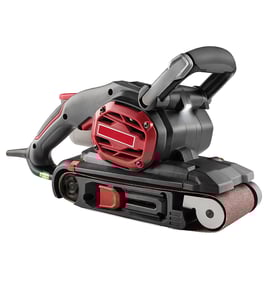

What are the 5 most common mistakes people make with a random orbital sander?
The 5 most common mistakes with a random orbital sander (including the Bosch B7000) are pressing too hard, skipping grits, sanding without a plan (not progressing), lifting the tool while it’s still spinning, and letting dust build up. These habits cause swirl marks, uneven scratch patterns, and slower sanding.
The 5 mistakes (and what to do instead)
- Pressing too hard: Let the pad and orbit do the work; use light, even pressure.
- Skipping grits: Move in steps (for example, 80 to 120 to 180 to 220) so each grit removes the previous scratches.
- Not sanding progressively: Start coarse only when you need to flatten or remove finish; then refine with finer grits.
- Lifting the sander while it’s running: Set it down flat before starting; lift it only after it stops to avoid “pigtails” and gouges.
- Not managing dust: Clean the pad, holes, and work surface often; dust trapped under the disc creates random deep scratches.
Quick grit progression guide (typical)
| Task | Start grit | Finish grit | Notes |
|---|---|---|---|
| Remove old finish / heavy leveling | 60 to 80 | 150 to 180 | Keep the sander moving to avoid dips |
| General smoothing on bare wood | 100 to 120 | 180 to 220 | Most common progression |
| Between coats (light scuff) | 220 | 320 | Use very light pressure |
Why it matters
Random orbital sanders are designed to minimize visible scratch patterns, but they still leave marks if the disc loads up, the tool is tilted, or the grit jumps are too large. Good technique improves finish quality and extends the life of sanding discs and the hook-and-loop pad.
Helpful DIY reference
If you’re troubleshooting a sander that seems weak, intermittent, or “dead,” electrical checks can help you separate a power issue from a worn pad or disc problem. See how to use a multimeter to test electrical parts video.
Last updated: February 2026
Which type of orbital sander is best?
For most DIY and woodworking tasks, the “best” orbital sander is the type that matches your finish goal: a random orbital sander for fast, swirl-free sanding, or a finishing (orbital) sander for light smoothing. For your Bosch B7000, choose based on dust control, pad size, and vibration comfort.
Quick pick: which type should you buy?
- Random orbital sander (ROS): best all-around choice for wood projects; removes material quickly with fewer visible swirl marks.
- Finishing (orbital) sander: best for light sanding between coats and final smoothing; slower stock removal.
- Detail (mouse) sander: best for corners and tight spots; not ideal for large flat panels.
- Gear-driven random orbital: best for aggressive leveling (tabletops, paint removal); heavier and more expensive.
What to compare (the features that matter most)
- Dust collection: a sealed dust port and a good bag or vacuum hookup keeps paper cutting longer.
- Pad size: 5-inch is the most versatile; 6-inch sands faster on large surfaces.
- Orbit size (stroke): smaller orbits finish smoother; larger orbits remove faster.
- Vibration and grip: lower vibration reduces hand fatigue and improves control.
- Speed control: helps prevent burning, pigtails, and over-sanding edges.
Best choice by job (simple guide)
| Job | Best orbital sander type | Typical grit range |
|---|---|---|
| Flattening and shaping | Random orbital | 60 to 120 |
| General prep before finish | Random orbital | 120 to 180 |
| Between coats (poly, paint) | Finishing (orbital) | 220 to 320 |
| Corners, trim, small parts | Detail sander | 120 to 220 |
Why it matters
Matching the sander type to the task saves time and reduces rework. The right orbit action and dust control help you get a cleaner surface with fewer sanding marks, while also extending sandpaper life and protecting the tool.
For help confirming your exact model number before ordering accessories or replacement items for the Bosch B7000, use how to find your appliance model number (and what it means for parts).
Last updated: February 2026
What is better than a belt sander?
A “better” tool than a belt sander depends on the result you want. For smoother finishing with fewer deep scratches, a random orbital sander is the better choice; for corners and tight areas, a detail sander works better. Your Bosch B7000 is a power sander model, but it is not a belt sander.
Best alternative by task
- Random orbital sander: best for most wood finishing; removes material evenly and blends scratches well.
- Finish (sheet) sander: best for light sanding, flattening between coats, and final prep.
- Detail (mouse) sander: best for corners, edges, and narrow profiles.
- Hand sanding block: best for controlled touch-ups and avoiding rounded edges.
- Hand plane or cabinet scraper: best for flattening and removing milling marks on solid wood before sanding.
Quick comparison
| Tool | Material removal | Surface finish | Best use |
|---|---|---|---|
| Belt sander | High | Medium to low | Rapid stock removal, leveling large flat areas |
| Random orbital sander | Medium | High | General sanding and finishing |
| Finish (sheet) sander | Low to medium | High | Between coats, final smoothing |
| Detail sander | Low | Medium | Corners, edges, tight spaces |
How we choose the right tool (practical guidance)
- Use a belt sander only when you truly need fast leveling; keep it moving to prevent gouges.
- Switch to a random orbital sander for the last sanding steps before stain or paint.
- Use a detail sander or hand sanding for inside corners where a belt sander cannot reach.
- Match grit to the job: coarse for stripping, medium for shaping, fine for finishing.
Why it matters
Belt sanders remove material quickly and can leave deep, straight scratches that take extra steps to erase. Choosing the right sander first saves time and helps your finish look flatter and more consistent.
Helpful reference
If you are troubleshooting power, switches, or cords on a sander, our general electrical testing tips apply: how to use a multimeter to test electrical parts video.
Last updated: February 2026
How much wood can a belt sander remove?
A belt sander can remove wood extremely fast; with coarse grit it can take off noticeable material in seconds, while finer grits remove very little and are mainly for smoothing. For Bosch B7000 owners, keep in mind the B7000 is a detail/corner-style sander, so removal is much slower and more controlled.
Typical removal by grit (belt sander)
Actual thickness removed varies by wood hardness, belt speed, pressure, and how long you stay in one spot. Use these practical expectations:
- 40 to 60 grit: rapid stock removal; easiest to gouge or dish the surface
- 80 grit: fast leveling; still removes material quickly
- 100 to 120 grit: controlled leveling; good for flattening with less risk
- 150 grit and higher: finishing; minimal thickness removal
| Grit range | Best use | What it does to the surface |
|---|---|---|
| 40 to 60 | Heavy removal, stripping | Removes fastest; highest mistake risk |
| 80 | Flattening, leveling | Fast removal with better control |
| 100 to 120 | Light leveling | Moderate, predictable removal |
| 150+ | Finish sanding | Very low removal; smooths scratches |
What this means for the Bosch B7000
The Bosch B7000 is typically used for corners, edges, and surface prep, not heavy stock removal like a belt sander. To remove more efficiently with a B7000-TYPE sander:
- Start with the coarsest grit that still leaves controllable scratches
- Use light pressure and keep the pad moving
- Make multiple short passes and check often with a straightedge
- Change paper when it loads up; clogged abrasive stops cutting
Why it matters
Coarse abrasives remove material so quickly that a brief pause can create low spots, rounded edges, or uneven panels. Planning for light passes gives you flatter results and less rework.
For general DIY safety practices before working on powered tools, use are diy appliance repairs safe.
Last updated: February 2026