 Installation guide
 Owner’s manual
 Error Codes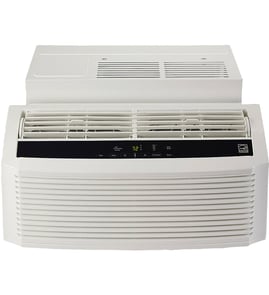





How big of a room will a 5000 BTU air conditioner cool?
A 5,000 BTU room air conditioner typically cools about 150 to 250 sq. ft. In a Kenmore room air conditioner setup like model 25377080510, that usually means a small bedroom, office, or nursery, assuming average ceiling height, normal sun exposure, and a reasonably sealed room.
Quick sizing guide (what 5,000 BTU handles best)
- Ideal range: 150 to 200 sq. ft.
- Upper limit (best-case conditions): up to about 250 sq. ft.
- Typical room examples: 10x15, 12x14, 14x14
- Ceiling height assumption: about 8 ft.
- Best results: door closed, blinds/curtains used, clean filter
What changes the “right” room size
A 5,000 BTU unit can feel underpowered or oversized depending on conditions:
- Strong sun exposure (south or west facing windows) reduces effective coverage
- Poor insulation or air leaks increase cooling load
- High-heat appliances (kitchen equipment, gaming PCs) add heat
- More people in the room adds heat and humidity
- High humidity climates often need more BTUs for comfort
Rule-of-thumb adjustments
| Situation | What to do | Why |
|---|---|---|
| Very sunny room | Size up one step | Solar heat gain is high |
| Shaded, well-insulated room | 5,000 BTU is usually enough | Lower heat load |
| Open floor plan | Size up | Air spreads beyond the target room |
| Humid area | Consider higher BTU or better dehumidification | Moisture removal takes capacity |
Why it matters
Correct BTU sizing helps your Kenmore air conditioner run longer, steadier cycles for better comfort and humidity control. Too small runs constantly; too large can short-cycle and leave the room feeling clammy.
Where to confirm model-specific guidance
For any model-specific recommendations (controls, operating modes, airflow direction, and installation best practices), use the 25377080510 owner's manual and the 25377080510 installation guide.
Last updated: January 2026
How to reset a Kenmore AC unit?
To reset your Kenmore room air conditioner model 25377080510, first try a simple power reset (unplug, wait, plug back in). If your unit has a resettable plug (with TEST and RESET buttons), use that plug reset to restore power protection and restart normal operation; see the 25377080510 owner's manual.
Reset options (use the one that matches your setup)
- Standard power reset: Unplug the air conditioner for 1 to 5 minutes, then plug it back in.
- Resettable plug (LCDI/GFCI-style) reset: Press TEST on the plug, then press RESET until it clicks.
- Breaker reset: If the circuit tripped, switch the breaker fully OFF, then ON.
- Control reset (if buttons are unresponsive): Unplug for 5 minutes to clear the control board, then restore power.
Step-by-step: resettable plug with TEST and RESET
- Make sure the unit is plugged directly into a wall outlet (no extension cord).
- Press TEST; the RESET button should pop out.
- Press RESET; you should feel a click.
- Turn the unit ON and select a cooling mode.
What to do if it will not reset
- Confirm the outlet has power (try a lamp).
- Make sure the plug is fully seated and the cord is not damaged.
- Clean the air filter; restricted airflow can cause shutdowns.
- If an error code is showing, use Kenmore error codes to identify the issue.
Quick comparison
| Reset method | What it fixes | Typical time |
|---|---|---|
| Unplug reset | Minor control glitches | 1 to 5 minutes |
| TEST/RESET plug | Tripped plug protection | Under 1 minute |
| Breaker reset | Tripped circuit | 1 to 2 minutes |
Why it matters
A proper reset restores safe power delivery and clears minor electronic control issues, which helps your window air conditioner run reliably and protects the unit from electrical faults.
Last updated: January 2026
What are the most common issues with 25377080510?
The most common issues we see with the Kenmore 25377080510 room air conditioner are weak or no cooling, water leaking or poor drainage, loud operation or vibration, and the unit not turning on. These problems usually trace back to airflow restrictions, installation/leveling, or electrical supply and controls.
Most common symptoms and what typically causes them
- Not cooling or cooling poorly: dirty air filter, blocked condenser coils, closed vents, incorrect mode (Fan vs Cool), low airflow, or a sealed-system issue
- Unit won’t turn on: tripped breaker, loose plug, bad outlet, failed control board, thermostat/control failure
- Water leaking indoors: unit not tilted slightly to the outside, clogged drain path, dirty evaporator coil, high humidity causing excess condensate
- Loud noise or rattling: loose mounting hardware, fan blade rubbing, debris in blower wheel, cabinet vibration against the window frame
- Freezing up (ice on coil): dirty filter/coil, low fan speed, restricted airflow, or low refrigerant
Quick checks we recommend first
- Set to Cool and a lower temperature; confirm the fan runs.
- Clean or replace the air filter; verify front intake is not blocked.
- Inspect the outdoor side; remove lint and debris from the coil fins.
- Confirm the unit is level side-to-side and slightly pitched outward for drainage.
- Reset power: unplug for 1 minute, then plug back in; check the breaker.
Troubleshooting guide by symptom
| Symptom | Best first action | What to look for |
|---|---|---|
| Weak cooling | Clean filter and coils | Better airflow, colder supply air |
| Leaking inside | Verify outward tilt | Water drains outdoors, not indoors |
| Won’t start | Check power and reset | Outlet power, breaker not tripped |
| Rattling | Tighten and isolate | Reduced vibration, no rubbing |
Why it matters
Airflow and proper installation angle directly affect cooling performance and condensate drainage. Fixing those basics prevents icing, water damage, and premature wear on the compressor and fan motor.
For model-specific operating steps, settings, and installation requirements, use the owner's manual and the installation guide. If electrical testing is needed, follow safe practices from are diy appliance repairs safe.
Last updated: March 2026


