 Installation guide
 Owner’s manual
 Error Codes









How do you reset a Kenmore 79097453804 oven?
To reset a Kenmore 79097453804 electric range oven, we recommend doing a full power reset: turn the range off, shut off power at the breaker for about 1 minute, then restore power and reset the clock and any oven settings. Use the 79097453804 owner's manual for control-specific steps.
Quick reset options (use the one that matches the problem)
- After a power outage: restore power, then reset the clock and oven function (this is required for normal operation).
- Control acting “frozen” or unresponsive: breaker OFF for about 1 minute, then ON.
- Door shows locked or “LOC”: use the oven lockout cancel steps below.
- Error code on the display: use the model-family error code guide to identify the failed circuit.
Cancel “LOC” (oven lockout) on model 79097453804
This model uses an Oven Lockout feature that disables most oven controls and locks the door.
- Press and hold the Oven Lockout pad for 3 seconds.
- Wait for LOC to clear.
- Let the door finish unlocking; the oven becomes fully operational after the lock releases.
If the oven still will not heat after a reset
A reset restores normal control logic, but it will not fix a failed part. Check these common causes:
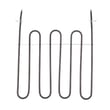
- Bake element not heating: inspect for blisters or breaks; consider the frigidaire range bake element 316505500.
- Broil works but bake does not: bake circuit or element is likely the issue.
- Temperature is inaccurate: the sensor can drift; consider the frigidaire range oven temperature sensor 316490000.
- Display works but functions fail: control board or wiring may be involved.
| Symptom | Best reset to try | What it usually points to |
|---|---|---|
| Blank display | Breaker reset | Power supply, terminal block, house circuit |
| “LOC” / door locked | Lockout cancel (3 seconds) | Lockout feature active |
| Heats sometimes | Breaker reset | Loose connection, failing control, sensor drift |
Why it matters
Resetting clears temporary control glitches and restores normal operation after a power interruption. If heat problems continue, focusing on the bake element, temperature sensor, and control circuits prevents repeated shutdowns and uneven cooking.
Last updated: February 2026
How to replace Kenmore Range oven control board?
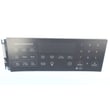
To replace the oven control board on your Kenmore 79097453804 electric range, we shut off power first, label and transfer each wire one at a time to the new board, then reinstall the rear panel and restore power. Use the wiring diagram and access steps in the 79097453804 owner's manual.
Safety first (do this every time)
- Turn off the range circuit breaker (240V) and confirm the display is dark.
- Let the oven cool completely.
- Pull the range forward carefully; avoid stressing the power cord.
- Use gloves; sheet-metal edges behind the console can be sharp.
- If the range was moved, confirm the anti-tip device is engaged per the installation guide.
Replacement steps (typical for this model style)
- Disconnect power at the breaker.
- Remove the rear access cover behind the control console.
- Take a clear photo of all connectors.
- Transfer wires one connector at a time from the old board to the new board.
- Re-seat any ribbon connector fully, then lock the connector (if equipped).
- Reinstall the rear cover, set the range back in place, and restore power.
- Set the clock; many ranges will not run the oven until the time of day is set.
What to check if the new board still will not work
- House power: verify the breaker is fully on (some trip “halfway”).
- Clock/time-of-day: set it before testing Bake.
- Error codes: if an “F” code returns after pressing CLEAR/OFF, troubleshoot the cause before replacing more parts.
- Sensor and heating circuits: a failed sensor or element can mimic a control problem.
Common related parts to consider
| Symptom | Often involved | Example part for this model |
|---|---|---|
| Oven temperature way off, F-code returns | Oven temperature sensor | Frigidaire range oven temperature sensor 316490000 |
| No bake heat but broil works (or vice versa) | Heating element | Frigidaire range bake element 316505500 or frigidaire range broil element 316203301 |
Why it matters
The control board is the “brain” for bake, broil, and error monitoring. Correct wire placement and solid connector seating prevent repeat failures, nuisance error codes, and no-heat conditions.
Last updated: February 2026
What causes a Kenmore oven to stop working?
On a Kenmore electric range model 79097453804, an oven that stops working is usually caused by a power supply problem (tripped breaker or outage), incorrect control settings, or a failed heating or control component such as the bake element, temperature sensor, or electronic control board. See the 79097453804 owner’s manual for control and troubleshooting steps.
Quick checks first (fastest fixes)
- Confirm the range has power; check for a tripped double breaker (240V) and verify other large appliances are working.
- If there was a power interruption, reset the clock and reselect Bake or Broil (the oven will not resume cooking automatically after an outage).
- Make sure the controls are set correctly for the cooking mode you want (Bake, Broil, Timed Bake).
- If the control is beeping and showing an “F” error code, press CLEAR/OFF, then reprogram the oven.
- If the oven is in a lockout or self-clean related state, let it cool and avoid forcing the door.
Most common failed parts when the oven won’t heat
If the display works but the oven will not heat, these parts are the most common suspects:
| Symptom | Most likely part | What you’ll notice |
|---|---|---|
| No bake heat (broil may still work) | Frigidaire range bake element 316505500 | Bottom of oven stays cold; no glow/heat |
| Temperature is erratic or way off | Frigidaire range oven temperature sensor 316490000 | Overcooks or undercooks; long preheat |
| Random shutdowns, dead keypad, repeated fault codes | Frigidaire range oven control board 316462807 | Beeping, “F” codes, unresponsive controls |
Why it matters
When an oven stops working, starting with power and control settings prevents unnecessary parts replacement. If power and settings are correct, focusing on the bake element, sensor, and control board targets the components most responsible for heating and temperature regulation.
Safety notes we follow
- Do not attempt to operate the range during a power failure.
- If you see flames or heavy smoke from the oven vent, turn the oven off and clean spillovers after the oven cools.
Last updated: February 2026
Where can I find my Kenmore electric range model number?
On Kenmore electric range model 79097453804, the model and serial number are printed on the serial plate located on the right side of the oven front frame, inside the storage or warmer drawer compartment. Use the exact model number when ordering parts or checking wiring and installation requirements in the 79097453804 owner's manual.
How to locate the serial plate (quick steps)
- Turn the range off and let all surfaces cool.
- Pull the storage drawer or warmer drawer fully open.
- Look along the right side of the oven front frame (the metal frame behind the drawer).
- Find the label that lists model and serial numbers.
- Write the numbers down or take a clear photo for reference.
Common label locations (comparison)
| Range style | Most common model/serial label spot | What to do |
|---|---|---|
| Freestanding electric range (like 79097453804) | Right side of oven front frame, in drawer compartment | Open the storage/warmer drawer and check the right frame |
| Some other ranges | Door jamb area | Open the oven door and inspect the frame edges |
| Some installations | Rear panel near vent area | Check the back only if the front label is missing |
Why it matters
The model number identifies the exact Kenmore configuration (controls, surface elements, oven sensor, wiring). Using the correct model number helps us match the right parts and avoid ordering a look-alike component that will not fit or connect correctly.
Last updated: February 2026






