Get free shipping on your order, with any water filter subscription. Find my filter

Open Hamburger Menu
Sears Parts Direct
Tips to find your model number
KitchenAid KMBS104ESS02 built-in microwave

KitchenAid KMBS104ESS02 built-in microwave Parts

Here are the diagrams and repair parts for KitchenAid KMBS104ESS02 built-in microwave, as well as links to manuals and error code tables, if available.

By Schematic
SELECT DIAGRAM
?

This is the number corresponding to the part on the diagram / schematic

Browse Parts for KMBS104ESS02 Microwaves

  • Microwave High-voltage Diode for KitchenAid KMBS104ESS02 - Part W11256462

    Oven interior parts diagram

    Single Hv.d

    Part #461964697812

    Replaced by #W11256462

    Info Icon
    Manufacturer substitution
    This part replaces 461964697812. Substitute parts can look different from the original.
    In Stock
    $26.84
    18% OFF Phone Price : $32.84Info Icon
    Minus Item
    Qty
    Plus Item
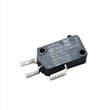
  • Microwave Door Interlock Switch for KitchenAid KMBS104ESS02 - Part W10211972

    Door parts diagram

    Switch

    Part #461967848881

    Replaced by #W10211972

    Info Icon
    Manufacturer substitution
    This part replaces 461967848881. Substitute parts can look different from the original.
    In Stock
    $36.30
    14% OFF Phone Price : $42.30Info Icon
    Minus Item
    Qty
    Plus Item
  • Microwave Door Interlock Switch for KitchenAid KMBS104ESS02 - Part W10211972

    Door parts diagram

    Microwave Door Interlock Switch

    Part #4375346

    Replaced by #W10211972

    Info Icon
    Manufacturer substitution
    This part replaces 4375346. Substitute parts can look different from the original.
    In Stock
    $36.30
    14% OFF Phone Price : $42.30Info Icon
    Minus Item
    Qty
    Plus Item
  • Range Oven Light Bulb for KitchenAid KMBS104ESS02 - Part W10886919

    Oven interior parts diagram

    Lamp G4 Halo

    Part #W10795595

    Replaced by #W10886919

    Info Icon
    Manufacturer substitution
    This part replaces W10795595. Substitute parts can look different from the original.
    This item is not returnable
    In Stock
    $12.07
    52% OFF Was : $25.38Info Icon
    Minus Item
    Qty
    Plus Item
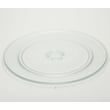
  • Microwave Turntable Tray for KitchenAid KMBS104ESS02 - Part W11373838

    Oven interior parts diagram

    O Turntable

    Part #461967721091

    Replaced by #W11373838

    Info Icon
    Manufacturer substitution
    This part replaces 461967721091. Substitute parts can look different from the original.
    In Stock
    $77.72
    7% OFF Phone Price : $83.72Info Icon
    Minus Item
    Qty
    Plus Item
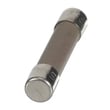
  • Fuse for KitchenAid KMBS104ESS02 - Part W11188752

    Oven interior parts diagram

    Fuse Mda 20a

    Part #241908600053

    Replaced by #W11188752

    Info Icon
    Manufacturer substitution
    This part replaces 241908600053. Substitute parts can look different from the original.
    This item is not returnable
    In Stock
    $11.41
    15% OFF Phone Price : $13.41Info Icon
    Minus Item
    Qty
    Plus Item
  • Interlock for KitchenAid KMBS104ESS02 - Part W11214928

    Door parts diagram

    Holder, Switch

    Part #W10876593

    Replaced by #W11214928

    Info Icon
    Manufacturer substitution
    This part replaces W10876593. Substitute parts can look different from the original.
    In Stock
    $48.16
    Minus Item
    Qty
    Plus Item
  • Microwave Turntable Motor Coupler for KitchenAid KMBS104ESS02 - Part W11126044

    Oven interior parts diagram

    Tt-drive Sha

    Part #461967750791

    Replaced by #W11126044

    Info Icon
    Manufacturer substitution
    This part replaces 461967750791. Substitute parts can look different from the original.
    This item is not returnable
    In Stock
    $22.20
    21% OFF Phone Price : $28.20Info Icon
    Minus Item
    Qty
    Plus Item
  • Refrigerator Nameplate for KitchenAid KMBS104ESS02 - Part W10839793

    Door parts diagram

    Kitchenaid 2

    Part #W10518672

    Replaced by #W10839793

    Info Icon
    Manufacturer substitution
    This part replaces W10518672. Substitute parts can look different from the original.
    In Stock
    $59.30
    Minus Item
    Qty
    Plus Item
  • Arm for KitchenAid KMBS104ESS02 - Part W11214480

    Door parts diagram

    Sliding Arm

    Part #461967750483

    Replaced by #W11214480

    Info Icon
    Manufacturer substitution
    This part replaces 461967750483. Substitute parts can look different from the original.
    In Stock
    $52.93
    10% OFF Phone Price : $58.93Info Icon
    Minus Item
    Qty
    Plus Item

KitchenAid Built-In Microwave KMBS104ESS02 FAQs

To hard reset (power cycle) your KitchenAid built-in microwave KMBS104ESS02, turn it off and remove power for about 5 minutes, then restore power. If the display shows a blinking ":" afterward, press CANCEL and reset the clock as described in the KMBS104ESS02 owner's manual.

Hard reset steps (power cycle)

  • Press CANCEL to stop cooking and clear the display.
  • Unplug the microwave; if it is built-in and not accessible, switch OFF the dedicated circuit breaker.
  • Wait 5 minutes.
  • Restore power (plug back in or turn the breaker ON).
  • If ":" is blinking, press CANCEL, then set the clock.

If it still will not respond after a reset

These items look like a “dead” microwave but are normal settings or modes:

  • Control Lock: If you see LOC, touch and hold CANCEL for 5 seconds to unlock.
  • Demo mode: With the microwave OFF, open the door and touch and hold COOK for 5 seconds to toggle Demo mode.
  • Cooling fan delay: If COOL shows, the fan is running after cooking; it shuts off automatically.
Display or symptom What it means What to do
Blinking ":" Power interruption Press CANCEL, reset clock
LOC Control Lock is on Hold CANCEL 5 seconds
"no" then "HEAt" Demo mode is on Door open; hold COOK 5 seconds

Why it matters

A power cycle clears minor control-board glitches and restores normal keypad operation without replacing parts. If the microwave repeatedly loses power, trips the breaker, or shows an oven status error message, schedule service.

Last updated: February 2026

The KitchenAid KMBS104ESS02 is a built-in microwave, not a Superba wall oven; its cooking capacity is listed in the product specifications section of the KMBS104ESS02 use and care guide. If you are trying to confirm an oven’s cubic-foot capacity, match the exact model number on the rating plate first because “Superba” can refer to multiple KitchenAid oven models.

How to get the correct capacity for your exact appliance

Use these steps so you end up with the right spec for the right model:

  • Locate the model and serial tag (often inside the door opening or on the frame).
  • Confirm the model number matches KMBS104ESS02 exactly (characters and suffix matter).
  • Check the “Parts and features” and specifications sections in the manual.
  • If you have a wall oven model instead, use that oven’s manual, not the microwave guide.
  • When shopping parts, always search by the full model number to avoid fit issues.

Microwave vs. wall oven capacity: quick comparison

Appliance type Capacity is usually stated as Typical range
Built-in microwave (like KMBS104ESS02) Cubic feet of cavity volume About 1.0 to 2.2 cu. ft.
Wall oven (often called “Superba” in older lines) Cubic feet of oven cavity About 3.0 to 5.0+ cu. ft.

Why it matters

Capacity affects what cookware fits, how much food you can cook at once, and which accessories (racks, turntables, trim kits) are compatible. Using the exact model number prevents ordering the wrong KitchenAid parts for your appliance.

Last updated: February 2026

A convection microwave (including combo models like the KitchenAid KMBS104ESS02) trades capacity and simplicity for versatility; the biggest disadvantage is limited usable cooking space and the extra cookware and settings needed for convection-style cooking compared with a standard microwave. See the KMBS104ESS02 owner's manual for mode-specific cookware rules.

Common disadvantages you will notice

  • Smaller effective capacity: you typically cook one dish at a time, especially when using racks or pans.
  • More setup and learning curve: convection, combination, grill, and other modes add settings and timing adjustments.
  • Cookware limitations: some items that are fine for microwave-only are not suitable for convection or combination modes.
  • More cleanup: convection-style cooking can create more splatter and baked-on residue than reheating.
  • Longer preheat-style behavior in some uses: convection cooking can feel slower than microwave-only for quick tasks.

Cookware and safety limits that matter (especially in convection modes)

The KMBS104ESS02 manual calls out important restrictions that can feel like “disadvantages” day to day:

  • Do not use paper products when the appliance is operated in convection, combination, grill, or “PAN BROWN” mode.
  • Do not cover racks or other interior parts with metal foil; it can cause overheating.
  • Avoid oversized foods or oversized metal utensils that can create fire or shock risk.

Quick comparison: standard microwave vs. convection microwave

Feature Standard microwave Convection microwave
Best at Reheating, defrosting Reheating plus baking/roasting-style results
Space for multiple dishes Limited Often more limited due to racks/pans
Cookware flexibility Higher Lower (mode-dependent)
Learning curve Low Medium to high

Why it matters

If you mainly reheat and defrost, a convection microwave’s extra modes can feel like extra steps. If you want browning and crisping in the same built-in unit, the tradeoff in space and cookware rules is usually worth it.

Last updated: February 2026

Effective articles & videos to help repair your microwaves

Are DIY appliance repairs safe?

Are DIY appliance repairs safe?

Find out how to stay safe when repairing your appliances.…

Introducing new technical repair content that we’re developing for the Sears Technical Institute

Introducing new technical repair content that we’re developing for the Sears Technical Institute

Learn about Sears Technical Institute and the advanced technical content being developed for aspiring appliance techs.…

How to tell if a fuse is blown

How to tell if a fuse is blown

Learn how to tell whether a fuse is blown…

Parts & More

Bottom-Mount Refrigerator
Cycling
Dishwasher
Electric Range
Faucet Water Filter
Front-Tine Tiller
Gas Leaf Blower
Gas Snowblower
Gas Walk-Behind Mower
Log Splitter
Mechanical Sewing Machine
Parts
Planer
Room Air Conditioner
Tool Storage