Owner’s manual



What is the average lifespan of an LG washer?
LG washers typically last 10 to 15 years with normal household use and basic maintenance. For the LG WT7880HWA, the owner's manual also highlights long-term component coverage (including Direct Drive motor parts), which aligns with that typical lifespan.
A washer’s lifespan is mostly driven by usage and care. These factors make the biggest difference:
- Load size and frequency: fewer oversized loads reduces strain on the drive system and tub
- Water quality and pressure: steady pressure helps the inlet valve operate correctly
- Drain health: keeping the drain path clear reduces pump wear
- Leveling and vibration control: less shaking protects suspension and bearings
- Routine cleaning: reduces odor, residue, and buildup that can cause performance issues
From the WT7880HWA manual, we recommend these practical habits:
- Replace inlet hoses every 5 years and check them periodically for cracks or leaks
- Keep water supply pressure in the 20 to 120 psi range
- Avoid pinching or kinking hoses behind the washer
- Use the correct water temperature settings; hot water supply is typically 120 to 135°F
If you’re troubleshooting balance-related wear (a common lifespan killer), our LG top load washer ue and ue error codes guide helps you correct out-of-balance conditions that can stress the suspension.
| Symptom | What it often points to | Example part on this model page |
|---|---|---|
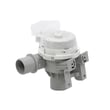
| Won’t drain, drains slowly | Drain pump or blockage | Washer drain pump assembly AHA75673404 |
| Won’t fill or fills incorrectly | Inlet valve or pressure sensing | LG washer water inlet valve assembly AJU75152602 |
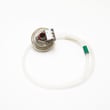
| Overfills, underfills, level errors | Pressure switch or hose | LG washer water-level pressure switch 6501EA1001R |
| Loud banging, excessive vibration | Suspension wear or leveling | LG washer shock absorber AGM74269801 |
A realistic 10 to 15 year lifespan helps you decide whether to maintain, repair, or plan ahead. Simple items like replacing hoses on schedule and fixing chronic imbalance issues can prevent water damage and reduce stress on high-cost components.
You can order replacement parts for LG WT7880HWA from the parts list for this model, or search by model number on Sears PartsDirect.
Last updated: February 2026
Do LG washers have a filter that needs to be cleaned?
Yes. Your LG top-load washer model WT7880HWA has small water inlet filter screens that should be cleaned when filling is slow or you get a fill-related error; the owner's manual outlines the safe cleaning steps. Many washers also have drain-side filtering, so keeping the drain path clear helps prevent draining problems.
The manual specifically calls out the water inlet filters (the screens inside the hot and cold inlet valves where the hoses connect).
- Unplug the washer before servicing or cleaning
- Turn off both hot and cold water faucets
- Remove the inlet hoses from the back of the washer
- Pull the small screens out carefully (pliers can help)
- Soak screens in white vinegar or a lime scale remover, then rinse well
- Reinstall the screens and reconnect hoses (do not run without the screens)
If the washer is not filling or fills very slowly, clogged inlet screens are a top cause. If the washer is draining slowly, the drain path (pump, hoses, and any debris trap used on your design) is the place to check.
| Symptom | Most likely area to check | Common next step |
|---|---|---|
| Slow or no fill | Inlet filter screens | Clean screens; verify faucets fully open |
| Fill error message | Inlet filter screens or inlet valve | Clean screens; inspect valve operation |
| Slow drain / standing water | Drain path | Check for clogs; inspect pump |
If cleaning does not restore normal operation, these model-matched parts are commonly involved:
- LG washer water inlet valve assembly AJU75152602 (controls water entering the washer)
- LG washer water-level pressure switch 6501EA1001R (senses water level)
- Washer drain pump assembly AHA75673404 (moves water out during drain/spin)
Clean inlet filters protect the inlet valve from sediment and hard-water scale. Keeping them clean helps prevent poor wash performance, fill errors, and potential leaking caused by a valve that cannot regulate flow correctly.
You can order replacement parts for your WT7880HWA from the parts list for this model, or search by model number on Sears PartsDirect.
Last updated: February 2026
What are the disadvantages of an LG top load washing machine?
LG top-load washers like model WT7880HWA are convenient to load and generally efficient, but the most common downsides are out-of-balance spinning (noise or cycle stops), less effective cleaning on very small loads, and occasional drainage or fill issues that require maintenance. For model-specific operating guidance, use the WT7880HWA owner’s manual.
- Out-of-balance loads can trigger vibration, loud spinning, or a paused cycle, especially with bulky items or a single small item.
- Small loads can be tricky; one light item can tumble to one side and cause imbalance.
- Water level may look low; high-efficiency top-load designs often do not fully cover the load, which can feel unfamiliar.
- Fabric care can be rougher than some front-load designs if items are overloaded or packed tightly.
- Clogs and slow draining can happen over time (coins, lint, small items), which can stress the drain system.
The manual’s loading guidance is the best fix for most balance complaints.
- Load large items first, then add smaller items around them.
- Keep items below the maximum fill line and avoid packing the tub tight.
- Avoid washing a single small item; add a few similar items to stabilize the load.
- Place bulky items low in the tub and distribute them evenly.
- If items are very wet, run Spin Only first to remove excess water before a full wash.
| Situation | What to do | What to avoid |
|---|---|---|
| One small item | Add several similar items | Washing it alone |
| Bulky bedding | Use the Bedding cycle, place items low | Overfilling or floating items on top |
| Mixed load | Combine large and small items | Packing clothes tightly |
If the washer won’t drain, drains slowly, or leaves clothes too wet, that points to a maintenance or part problem rather than a normal top-load trait.
- For drain symptoms, check the drain path and consider the washer drain pump assembly AHA75673404.
- For fill or water level sensing symptoms, the LG washer water inlet valve assembly AJU75152602 or LG washer water-level pressure switch 6501EA1001R are common suspects.
- To find additional parts for WT7880HWA, search by model on Sears PartsDirect.
Most “top-load disadvantages” come down to load distribution and airflow for spinning. Following the correct loading method prevents vibration, reduces wear on the drive system, and helps the washer finish cycles without stopping.
Last updated: February 2026