Installation guide
 Owner’s manual
 Error Codes




How to disable control lock on GE wall oven?
To disable Control Lock on your GE ZET938SF6SS wall oven, press and hold the 9 and 0 pads at the same time for 3 seconds until the display shows “LOC OFF.” This unlocks the touch pads so the oven controls work normally (including Bake and Broil). See the owner's manual for the exact keypad sequence for your control panel.
Steps to turn Control Lock off
- Make sure the oven is not in a cooking cycle.
- Press 9 and 0 together.
- Keep holding for 3 seconds.
- Confirm the display changes to “LOC OFF.”
- Test a simple function (for example, press BAKE and then CLEAR/OFF).
What you will see when Control Lock is on
When Control Lock is enabled, the oven beeps when you press pads and the display shows “LOC ON” to indicate the touch pads are locked.
If you have a double oven control
On double oven models, the lockout procedure is typically done from the upper oven controls, and it locks or unlocks both ovens.
Quick reference
| Display message | Meaning | What to do |
|---|---|---|
| LOC ON | Controls are locked | Hold 9 + 0 for 3 seconds |
| LOC OFF | Controls are unlocked | Use oven normally |
Why it matters
Control Lock prevents accidental keypad presses during cleaning or when kids are nearby. If it is left on, the oven can appear “dead” even though power is fine.
Last updated: February 2026
What is the proof mode on a GE wall oven?
On the GE ZET938SF6SS wall oven, Proof mode is a low-heat setting designed to keep a warm environment so yeast dough can rise. When Proof is running, the display shows “PrF” and the oven interior light stays on during proofing (temperature is not adjustable). See the owner's manual for the exact button sequence.
How to use Proof mode (ZET938SF6SS)
- Place covered dough in a dish on rack B or C.
- Press WARM/PROOF twice, then press START.
- Set the TIMER for up to 1 hour.
- Press CLEAR/OFF when finished.
- Avoid opening the door; opening the door drops temperature and slows proofing.
What to expect during Proof
| Item | What you’ll see | What it means |
|---|---|---|
| Display | PrF |
Proof mode is active |
| Oven light | Stays on | Helps maintain the proofing environment |
| Temperature setting | No adjustment | The oven controls the proof temperature automatically |
Important notes (to prevent problems)
- Proofing will not operate if the oven is above 125°F; the display may show “HOT”.
- Use Proof for a maximum of 1 hour; longer proofing can stop yeast from working.
- Proof is not a food-warming or food-safety holding mode; use WARM (press WARM/PROOF once) to keep cooked food warm.
Why it matters
Using Proof instead of Bake or Warm helps dough rise more consistently because the oven maintains a gentle, steady environment without you having to guess a temperature.
Last updated: February 2026
What does F9 mean on GE wall oven?
On the GE ZET938SF6SS wall oven, an F code plus a number or letter indicates a function error code. For an F9 specifically, the most common cause is a door lock or door switch problem, especially if it appears during or after Self Clean; clear the code, let the oven cool, then retry.
What to do first (safe reset steps)
Follow the control reset steps GE provides for “F and a number or letter” errors:
- Press CLEAR/OFF to stop the beeping and clear the display.
- Let the oven cool for 1 hour (important if the code appeared during Self Clean).
- Restore operation and try a simple Bake cycle.
- If the code returns, disconnect power for 30 seconds (flip the breaker off, then on).
- If F9 repeats after the power reset, schedule service; the issue is typically in the door lock circuit or control sensing.
For the exact wording and sequence, use the owner's manual.
Why F9 often points to the door lock system
During Self Clean, the control expects the door lock to move and the lock switches to change state within a set time. If the lock does not engage, does not release, or the switch feedback is wrong, the control can trigger an F code such as F9.
Common triggers include:
- Door lock mechanism sticking from heat or residue
- Misaligned door latch/strike
- Failed lock switch or wiring connection
- Control board not reading the lock circuit correctly
Parts that commonly relate to “F code” heating and sensing issues
If the oven is also overheating, underheating, or throwing other temperature-related errors, these model-specific parts are often involved:
| Symptom you notice | Common system involved | Example part for this model |
|---|---|---|
| Oven temp seems wrong, long preheat | Temperature sensing | Wall oven temperature sensor WB23T10015 |
| Oven shuts down on high heat | Safety limit circuit | Wall oven safety thermostat WB24T10060 |
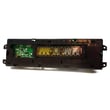
| Random errors, dead display, erratic behavior | Electronic control | Wall oven control board WB27T10607 |
Why it matters
An F9 can prevent Self Clean from starting or can leave the door locked. Addressing it quickly helps avoid being unable to use the oven, and it reduces the chance of repeated lock-related failures after high-heat cycles.
Last updated: February 2026