

Can I use .095 trimmer line?
Yes, you can use 0.095-inch trimmer line on the Craftsman 316798221 when the cutting head is labeled for 0.095-inch line; if the head is labeled for a smaller diameter (commonly 0.080-inch), 0.095-inch line can bind in the spool and cause poor feed and low cutting speed.
How to confirm the correct line size on a Craftsman 316798221
Check the cutting head itself; that marking is the deciding spec.
- Look for molded or printed text on the head housing (often lists line diameter)
- Check the spool for a diameter range or size callout
- Inspect the cap/bump knob for line size markings
- If the head was replaced, use the size printed on the replacement head
- If markings are worn off, match the diameter of the line that previously fed smoothly
What to expect if you switch to 0.095-inch line
Thicker line cuts tougher weeds better, but it also increases load on the engine and feed system.
| Line diameter | Best for | Common tradeoff |
|---|---|---|
| 0.080 in | Light trimming, edging | Wears faster in thick weeds |
| 0.095 in | General trimming, heavier weeds | More drag; can reduce RPM and feed smoothness |
| 0.105 in | Heavy weeds (only if the head is rated) | Higher chance of bogging and feed jams |
If 0.095-inch line feeds poorly
These steps usually fix the problem without replacing parts:
- Rewind the spool evenly; avoid crossed wraps that pinch the line
- Use round line first; twisted or aggressive shapes add drag
- Keep line length reasonable; extra-long line overloads the engine
- Clean debris from the head; packed grass can stop bump feed
- Replace old, brittle line; it kinks and sticks inside the spool
Why it matters
Using the line diameter the head is designed for keeps the 316798221 spinning at proper speed, reduces bump-feed jams, and helps prevent premature wear of the clutch and cutting head.
To look up the correct cutting head or other maintenance items by model number, search on Sears PartsDirect.
Last updated: February 2026
How do you reload a trimmer spool?
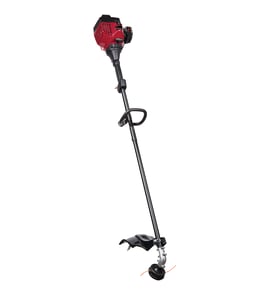
To reload the spool on your Craftsman 316798221 gas line trimmer, we wind new trimmer line onto the spool in the direction shown on the spool arrows, lock the line ends in the retaining notches, then reinstall the spool and feed the line through the eyelets so it can advance smoothly.
Before you start
- Shut the engine off and let it cool completely.
- Disconnect the spark plug wire to prevent accidental starting.
- Wear gloves and eye protection; trimmer line ends can snap back.
- Use the correct diameter line for your trimmer head (most gas trimmers use 0.080 in to 0.095 in line).
Steps to reload the spool (typical Craftsman bump-feed head)
- Remove the spool: Press the tabs on the trimmer head (or unscrew the bump knob, depending on the head) and lift the spool out.
- Cut new line: Cut one length of line (commonly 12 to 20 ft total) or two equal lengths if your spool uses dual lines.
- Anchor the line:
- Single-line spool: insert the line end into the starter hole/slot.
- Dual-line spool: insert each line end into its own starter hole.
- Wind in the direction of travel: Wind the line tight and even in the direction of the arrows on the spool. Keep the wraps neat so the line does not cross over itself.
- Lock the line: When you reach the end, hook the line into the spool’s retaining notch(es) so it cannot unravel.
- Reinstall and thread: Put the spool back into the head and feed the line end(s) through the eyelet(s). Pull the line(s) free from the notches after the spool is seated.
Quick checks if the line will not feed
- Line is wound the wrong direction.
- Line is crossed or wound loosely (it binds under load).
- You used line that is too thick for the head.
- The spool spring is missing or installed crooked.
- The eyelets are worn or packed with debris.
Why it matters
Correct winding direction and tight, even wraps prevent tangles inside the spool. That keeps bump-feed advancing consistent, reduces vibration, and helps protect the trimmer head from premature wear.
Helpful resources
For ordering the correct replacement parts by model number and viewing diagrams, use the parts list for Craftsman 316798221 or search on Sears PartsDirect.
Last updated: February 2026
How do I find the model number on my 316798221?
The model number on a Craftsman gas line trimmer is printed on the trimmer’s model/serial tag, usually on the engine housing, the shaft, or near the rear handle. Match the full number on that tag to ensure you’re looking up the correct parts for model 316798221.
Where to look on a Craftsman trimmer
Check these common tag locations (wipe dirt off first so the numbers are readable):
- On the engine cover or recoil starter housing
- On the shaft tube near the throttle handle
- Near the rear handle or trigger area
- On the debris shield area (less common)
- On a sticker or small metal plate riveted to the housing
What the tag should show
Most tags include more than one identifier. Use the model number for parts lookup.
| Item on tag | What it’s used for | Example format |
|---|---|---|
| Model number | Correct diagrams and parts list | 316798221 |
| Serial number | Production run identification | Letters and numbers |
| Engine info | Engine-specific service reference | CC rating or engine family |
Tips to avoid ordering the wrong parts
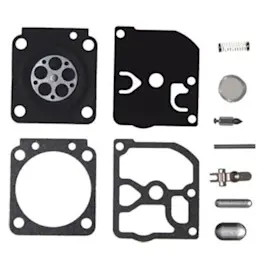
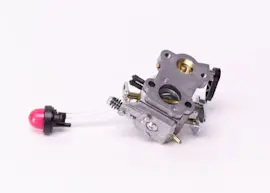
Using the exact model number matters because small design changes can affect items like the carburetor, fuel lines, primer bulb, trimmer head, and ignition parts.
- Write down the model number exactly as shown
- Take a clear photo of the tag before it fades
- If the sticker is damaged, look for an imprint on the plastic or a secondary label
- Search using the full model number, not just “Craftsman trimmer”
Why it matters
Parts for gas line trimmers are model-specific; the correct model number ensures the right fit and helps you avoid returns and downtime.
For a quick visual guide to locating and using the model number, use [how to find your appliance model number (and what it means for parts)].
Last updated: March 2026