Owner’s manual

How big is the LG dlex3570w?
The LG DLEX3570W dryer is 27 in. wide x 38 11/16 in. high x 30 in. deep; with the door open, depth is 51 in. These dimensions match the specifications listed in the DLEX3570W owner’s manual.
- Product (W x H x D): 27" x 38 11/16" x 30"
- Depth with door open: 51"
- Net weight: about 134.06 lb (electric) or 137.50 lb (gas)
| Measurement | DLEX3570W value |
|---|---|
| Width | 27" |
| Height | 38 11/16" |
| Depth (door closed) | 30" |
| Depth (door open) | 51" |
When planning a laundry space for the DLEX3570W, we recommend:
- Leave room behind the dryer for the exhaust duct and to avoid crushing the vent.
- Allow space to open the door fully (plan for the 51" door-open depth).
- Keep the vent run as short and straight as possible for better drying performance.
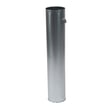
- If you’re replacing a damaged vent inside the dryer, match the part to your model, such as the dryer exhaust duct 5209EL1006A.
Correct width, height, and depth measurements help prevent installation problems like a kinked vent, poor airflow, longer dry times, and difficulty servicing the dryer later.
Last updated: January 2026
How do you reset the flow sensor on a LG dryer?
On the LG DLEX3570W dryer, the Flow Sense indicator is an airflow restriction alert, not a “sensor that needs resetting.” We reset it by fixing the venting issue first (lint filter, ducting, outside hood), then power-cycling the dryer and rerunning the duct check in the DLEX3570W owner’s manual.
- Turn the dryer off and let it cool.
- Clean the lint screen and reinstall it fully.
- Inspect and clean the entire exhaust path: behind the dryer, through the duct run, and the outside vent hood.
- Power reset: unplug the dryer (or switch off the breaker) for 5 minutes, then restore power.
- Run the installation/duct test to confirm airflow is now acceptable (procedure is in the manual).
Flow Sense commonly stays on when the dryer still “sees” restricted airflow.
- Crushed or kinked transition duct behind the dryer
- Excess duct length or too many elbows
- Lint buildup in the wall duct or outside hood
- Blocked vent hood flap (stuck closed)
- Lint screen not seated correctly or clogged
| Check | What “good” looks like | What “bad” looks like |
|---|---|---|
| Outside vent hood | Strong, steady airflow | Weak airflow or flap barely opens |
| Transition duct | Smooth, not crushed | Flattened, kinked, or sagging |
| Dry times | Normal cycle times | Long dry times, hot cabinet |
If airflow is confirmed good but you still get Flow Sense alerts, we typically move to airflow-related components and sensors. For this model, a common maintenance item is the lint screen; replace it if it is torn, warped, or won’t seal well in the housing: lint filter - dryer part by LG ADQ56656401.
Restricted venting can cause long dry times, overheating, and repeated Flow Sense warnings. Fixing the ducting is the real “reset” because it restores the airflow the dryer is designed to monitor.
Last updated: January 2026
What is the most common problem with LG dryers?
On the LG DLEX3570W, the most common issue we see is clothes taking too long to dry or not drying well, usually because airflow is restricted (lint buildup, a clogged lint screen, or a blocked/too-long vent run). The next most common complaint is noise from normal wear in moving parts.
- Long dry times / damp clothes: restricted venting, lint buildup, or a heating problem
- “Check filter” reminder stays on: lint screen needs cleaning or is not seated correctly
- FLOW SENSE bars showing restriction: ductwork is blocked, crushed, or too long
- No heat (electric models): heating circuit issue (element, thermostat, wiring)
- Thumping/squealing/rumbling: belt, idler pulley, drum support components, or blower wheel issues
Use these steps before replacing parts:
- Clean the lint screen before every load and make sure it seats fully
- Run the built-in duct check (FLOW SENSE installation test) described in the DLEX3570W owner’s manual
- Inspect the vent path from the dryer to the outside hood for lint, kinks, crushed duct, or too many elbows
- Try a smaller load and a Sensor Dry cycle to confirm the dryer is sensing moisture correctly
- If you have an electric setup, verify the dryer is getting full power (a partial power loss can let the drum run but reduce heat)
If airflow and settings check out, these model-compatible parts are often involved:
| Problem you notice | Common part to inspect on DLEX3570W | Why it matters |
|---|---|---|
| Lint screen won’t catch lint well | Lint filter - dryer part by LG ADQ56656401 | A damaged or warped filter can let lint bypass into the ducting |
| Dryer runs but heat is inconsistent | Dryer thermistor AGM30045804 | The thermistor helps regulate temperature and protect the heater |
| No heat (electric) or weak heat | LG dryer heating element 5301EL1001H | A failed element prevents proper heating |
Restricted airflow is the root cause behind many “LG dryer problems” because it increases drying time, can trigger FLOW SENSE alerts, and can also lead to overheating that stresses thermostats and sensors.
Last updated: January 2026