 Installation guide
 Owner’s manual
 Error Codes




How long do Bosch wall ovens last?
Most Bosch wall ovens, including the Bosch HBL5351UC, typically last 15 to 20 years with normal use and basic care (keeping vents clear, avoiding harsh cleaners on controls, and fixing small issues early).
What affects lifespan the most
- Heat management: A working cooling fan helps protect electronics from overheating.
- Door seal condition: A tight door gasket keeps heat in and reduces strain on heating and control components.
- Electrical health: Loose or damaged wiring can cause intermittent failures and heat damage.
- Cleaning habits: Heavy spills left to bake on can create excess smoke and heat cycling.
- Usage patterns: Daily high-temp roasting and frequent self-clean cycles can shorten component life.
Quick care checklist (high impact, low effort)
- Keep the oven’s air intake and exhaust areas clear so the unit can cool properly.
- Close the door gently; avoid hanging weight on the door.
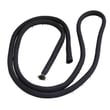
- Replace a worn gasket if you notice heat leaking, longer preheat times, or uneven baking.
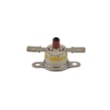
- If the oven shuts off unexpectedly, check for an overheat protection issue such as a blown thermal fuse.
- Follow the handling and installation guidance in the HBL5351UC installation guide to prevent cabinet fit and ventilation problems.
Common parts that may need replacement over time
| Symptom | Likely wear item | Example part for this model |
|---|---|---|
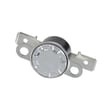
| Oven goes dead or shuts off after heating | Thermal protection opens | Wall oven thermal fuse 00631343 |
| Oven runs hot externally or errors after long bakes | Cooling airflow issue | Wall oven cooling fan assembly |
| Heat leaks, poor temperature stability | Door seal worn | Door gasket |
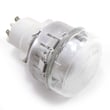
| Oven light out | Bulb or lens | Wall oven light bulb, 40-watt |
Why it matters
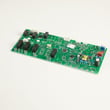
A 15 to 20 year lifespan is realistic when heat stays where it belongs (inside the cavity) and the control area stays cool. Catching a failing fan, gasket, or fuse early helps prevent bigger, more expensive failures like control board damage.
Last updated: January 2026
What is the best electric wall oven to buy?
For most kitchens, the “best” electric wall oven is the one that fits your cabinet cutout, matches your electrical supply (208/240V), and has the features you will actually use. If you already own a Bosch HBL5351UC, the best choice is typically staying with a compatible Bosch wall oven size and installation requirements shown in the HBL5351UC installation guide.
How we recommend choosing the best wall oven
- Fit first: confirm cabinet opening dimensions, required clearances, and support requirements.
- Electrical match: plan for a dedicated 208/240V, 60 Hz, 4-wire single-phase supply.
- Cooking features: convection, self-clean, probe, and rack configuration.
- Controls and usability: knob vs touch, display readability, and timer functions.
- Serviceability: parts availability for common wear items (light bulb, door gasket, cooling fan).
Quick comparison: what “best” means for most buyers
| Priority | What to check | Why it matters |
|---|---|---|
| Fit | Cutout size, clearance at cabinet end, support base | Prevents install problems and heat damage risk |
| Power | 208/240V rating, correct circuit size | Avoids nuisance trips and performance issues |
| Performance | Convection type, preheat speed, temperature stability | Improves baking and roasting results |
| Ownership | Replacement parts and repair access | Lowers long-term cost and downtime |
Model-specific notes for Bosch HBL5351UC owners
Bosch wall ovens in this family are designed for 208/240V operation and typically require a properly located junction/conduit box and a cabinet base that is flat, level, and strong enough to support the oven. The installation guide also calls out a small side clearance when the oven is installed at the end of a cabinet run.
Why it matters
Wall ovens are less forgiving than freestanding ranges; if the cutout, support, or electrical setup is wrong, you can end up with poor performance, difficult servicing, or an unsafe installation. Starting with the installation requirements helps you narrow to the right size and class of oven before comparing brands and features.
Last updated: January 2026
What are the common problems with Bosch ranges?
Bosch ranges and Bosch built-in ovens like model HBL5351UC most often have heat-related complaints (won’t heat, slow preheat, uneven baking), control or display issues, and door lock problems during self-clean. Many symptoms trace back to power supply, a failed safety device, or a failing control component.
Most common symptoms we see
- Oven does not heat in Bake or Broil
- Oven temperature seems inaccurate or food cooks unevenly
- Control panel or display is blank, erratic, or unresponsive
- Self-clean will not start, or the door stays locked after self-clean
- Oven light does not work (bulb, lens, or socket issue)
- Cooling fan runs constantly or is noisy
Quick checks before replacing parts
Always shut off power at the breaker before inspecting wiring or components.
- Confirm the breaker is fully on (a tripped breaker can look “on”)
- Verify the oven starts a preheat in BAKE mode and the light turns on during testing
- If self-clean is involved, confirm the door lock engages when the lock icon appears
- Look for overheated wiring or loose connectors at the terminal block and control area
- If the oven is completely dead, check for a blown thermal safety device
Parts that commonly solve these problems (when testing confirms failure)
| Symptom | Common suspect | Example part for HBL5351UC |
|---|---|---|
| Dead oven or intermittent power | Thermal safety device | Wall oven thermal fuse 00631343 |
| Noisy or constant cooling fan | Cooling fan | Wall oven cooling fan assembly 00759374 |
| Blank or glitchy display | Display/control electronics | Wall oven display board 00631881 |
| Self-clean lock issues | Door lock mechanism | Wall oven door lock assembly 00631192 |
Why it matters
Heat, airflow, and door-lock safety systems work together. A weak cooling fan, failing thermal fuse, or control board problem can cause shutdowns, poor baking performance, or self-clean lockouts, so accurate diagnosis prevents repeat failures.
For model-specific operating tests and service guidance, use the HBL5351UC installation guide and follow the “Testing operation” and “Before calling service” sections.
Last updated: January 2026
How do you reset a Bosch wall oven?
To reset your Bosch wall oven model HBL5351UC, turn the oven’s power OFF at the circuit breaker, wait about 30 minutes, then turn the breaker back ON. This clears many temporary control glitches; if an error code returns, troubleshoot the cause before repeated resets.
Quick reset steps
- Turn the oven off at the home electrical panel (breaker to the oven).
- Wait 30 minutes (do not use the oven during this time).
- Turn the breaker back on.
- Set the clock if prompted, then try a simple bake cycle.
- If an error code reappears, write it down before cycling power again.
If the oven still will not run after a reset
A reset helps when the control needs a clean restart, but it will not fix a failed part or wiring issue. These checks are the most common next steps:
- Confirm the breaker is fully reset (switch firmly OFF, then ON).
- Check for a locked door condition after self-clean; a stuck lock can prevent heating.
- Look for signs of overheating; an open thermal fuse can shut the oven down.
- If the display is blank or erratic, the display board or control board may need testing.
- If the oven runs but overheats or shuts down, verify the cooling fan is operating.
| Symptom after reset | Most likely area to check | Example part for this model |
|---|---|---|
| No power, dead display | Power supply, thermal protection | Wall oven thermal fuse 00631343 |
| Oven shuts off when hot | Cooling airflow, overheating protection | Wall oven cooling fan assembly 00759374 |
| Display issues, buttons not responding | User interface electronics | Wall oven display board 00631881 |
Why it matters
Resetting at the breaker is a safe first step because it removes power long enough for the electronic control to fully reboot. If the same error or shutdown repeats, the oven is usually protecting itself from a real condition (overheat, door lock issue, or an electrical fault) that needs diagnosis.
Reference for safe handling and access
For model-specific safety notes and access guidance (including handling the unit and routing the conduit during service), use the HBL5351UC installation guide.
Last updated: January 2026





