Owner’s manual



What is the most common problem with LG dryers?
The most common LG dryer problem is poor drying performance: long dry times or no heat. On the LG DLGX7801WE, this is most often caused by restricted exhaust airflow (lint filter or vent duct blockage) or a heat-related control/sensor issue; start with the airflow checks in the DLGX7801WE owner's manual.
Most common symptoms and what they usually mean
- Takes too long to dry: vent duct restriction, clogged lint filter, or overloaded drum
- Runs but no heat: tripped breaker/blown fuse, gas shutoff closed (gas models), or a failed heat-control component
- Stops too soon on sensor cycles: very small loads or moisture sensor bars coated with residue
- Won’t start: power supply issue or door switch problem
- Flow Sense indicator stays on: venting still restricted; it can take multiple cycles to reset after cleaning
Quick checks we recommend first (fastest wins)
- Clean the lint filter; if you dry lint-heavy items (like new towels), clean it mid-cycle.
- Inspect and clear the vent path (dryer outlet to exterior hood); remove lint buildup and crushed flex duct.
- Keep the duct run short with minimal elbows; long runs reduce airflow and increase dry time.
- For “no heat,” confirm the correct power supply and reset the breaker; some electrical issues let the drum run without heat.
- If you have a gas model, confirm both the house and dryer gas shutoff valves are fully open.
Parts that commonly relate to these problems on this model
If airflow is good and the problem persists, these parts are common suspects on LG dryers:
| Symptom | Common part to check | Example part for DLGX7801WE |
|---|---|---|
| Long dry time, inconsistent sensor drying | Moisture sensing circuit | Dryer moisture sensor 6500EL3001A |
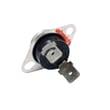
| No heat or overheating symptoms | Temperature sensing/control | Dryer thermistor AGM30045804 |
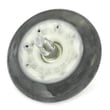
| Loud rumble or thump, poor tumbling | Drum support | Dryer drum support roller assembly 4581EL2002H |
| Drum not turning | Belt drive | LG dryer drum belt 4400EL2001F |
Why it matters
Restricted venting is the most frequent root cause because it reduces exhaust airflow, which directly increases dry time and can trigger airflow alerts. Fixing airflow first prevents unnecessary part replacement and restores normal drying efficiency.
For code-based troubleshooting, use our LG dryer error codes guide alongside the manual.
Last updated: February 2026
How do I reset the sensor on my LG dryer?
On our LG DLGX7801WE dryer, most “sensor” issues reset by correcting the cause (especially vent restriction) and then running a few normal Sensor Dry cycles; the dryer’s sensing system and Flow Sense indicator update after consecutive cycles once airflow and drying performance improve. See the DLGX7801WE owner's manual.
What “sensor reset” usually means on this model
LG uses sensors to adjust drying time and to detect venting problems:
- Moisture sensing (Sensor Dry cycles): the dryer compares moisture in clothes and air to adjust time automatically.
- Flow Sense indicator: warns when the exhaust system is restricted; it can stay on until the dryer “re-learns” improved airflow.
- Error codes: some codes point to sensor failures (for example humidity or temperature sensor related codes).
Steps we recommend (safe, practical reset)
- Power cycle the dryer: turn it off, then unplug (or switch off the breaker) for 1 minute; restore power.
- Fix airflow first: clean the lint screen, check the vent hose for kinks, and confirm strong airflow at the outside vent hood.
- Run consecutive cycles: run multiple back-to-back Sensor Dry loads (normal-sized loads) so Flow Sense can reset after performance improves.
- If an error code appears: follow the code guidance in the manual; some sensor-related codes require service.
What to expect after clearing a vent restriction
The Flow Sense indicator does not always turn off immediately.
| Situation | What you’ll see | What to do |
|---|---|---|
| Exhaust is severely restricted | “Four bars” restriction warning | Stop using until venting is corrected |
| Restriction cleared | Indicator may stay on | Run several consecutive cycles |
| Still on after 5 cycles | Indicator remains active | Arrange service per the manual |
Why it matters
A restricted vent makes drying slow, can trigger Flow Sense warnings, and can cause overheating symptoms that look like a “bad sensor.” Restoring airflow protects the burner system, thermostats, and controls.
If you’re troubleshooting codes, we also use the LG dryer error codes guide to match symptoms to the right checks.
Last updated: February 2026
Why does my LG dryer keep saying check filter?
On LG dryer model DLGX7801WE, the Clean Filter or Check filter message is a normal reminder that appears when you turn the dryer on. It’s telling you to check and clean the lint filter before starting; the reminder turns off after you press START/PAUSE.
What to do when you see “Check filter”
- Pull the lint screen straight up and remove lint with your fingers.
- Do not rinse or wash the lint filter to remove lint.
- Reinstall the lint filter firmly so it seats correctly.
- Start the cycle; the reminder should clear once START/PAUSE is pressed.
- If drying is slow, also check the exhaust venting for restrictions.
If the message is on but drying is also taking too long
A clean filter reminder is normal, but long dry times usually point to airflow problems.
| Symptom | Most common cause | What to check first |
|---|---|---|
| Clothes take too long to dry | Lint filter clogged | Clean and fully reinstall lint filter |
| Dryer runs but airflow feels weak | Vent/hood restriction | Inspect vent run and outside hood |
| Duct warning indicators show up | Duct blockage sensed | Clear duct restrictions and run several cycles |
Why it matters
Keeping the lint filter and venting clear improves airflow, shortens dry times, and helps prevent overheating issues that can lead to extra wear on parts like the blower wheel and thermostats.
For the exact lint filter cleaning steps and indicator descriptions for this model, use the DLGX7801WE owner's manual.
Last updated: February 2026
How to fix LG dryer d80 error code?
The d80 code on an LG DLGX7801WE dryer means the dryer detected about 80% blockage in the exhaust venting (restricted airflow). Fixing it is mainly a venting cleanup and airflow check; once airflow is restored, the warning clears after the restriction is gone.
What to do first (fast, high-impact steps)
- Clean the lint screen completely and remove any film buildup.
- Inspect the vent hose behind the dryer; straighten kinks and replace crushed flex duct.
- Check the outside vent hood while the dryer runs; you should feel strong airflow.
- Remove lint blockages in the wall duct and at the vent hood flap or screen.
- If the run is long or has many elbows, shorten and straighten the duct path.
When to stop using the dryer
If the vent is severely restricted, we stop using the dryer until the exhaust system is cleaned and repaired. Restricted venting increases drying time and energy use, and it can overheat the dryer.
What the dryer is “seeing” (Flow Sense behavior)
LG’s airflow monitoring can show restriction levels and may keep the indicator on after the cycle.
| Display/indicator | What it means | What to do |
|---|---|---|
| d80 | About 80% blocked | Clean and inspect the full vent path |
| d90 / d95 | More severe restriction | Do not run; correct venting immediately |
| Four bars (Flow Sense test) | Severely restricted | Have the exhaust system checked right away |
Parts that are sometimes involved (less common)
Most d80 issues are venting-related, not a failed dryer part. If airflow is confirmed good but drying is still inconsistent, we check sensor-related items next.
- Clean the moisture sensor bars inside the drum (remove residue from dryer sheets).
- If the dryer is shutting down early or misreading dryness, inspect the moisture sensor circuit.
Helpful parts to consider if diagnostics point there:
Why it matters
Good airflow protects key components (burner system, thermostats, motor) and keeps cycles accurate. A restricted vent is the most common reason an LG gas dryer takes too long to dry and triggers d80.
For model-specific troubleshooting steps and error code details, use the DLGX7801WE owner's manual.
Last updated: February 2026