 Installation guide
 Owner’s manual
 Error Codes
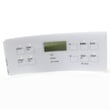





How do I reset my Kenmore electric range?
To reset a Kenmore electric range model 79096009604, turn the range off, then restore power by switching the range circuit breaker OFF for 1 minute and back ON. After power returns, set the clock again so the oven functions operate normally (see the 79096009604 owner's manual).
- Turn all surface element knobs to OFF.
- If the oven is running, press Cancel/Off on the control.
- Switch the range breaker OFF (or unplug the range if accessible).
- Wait 60 seconds.
- Restore power.
- Reset the time of day on the control panel.
Your range is designed so that when power is interrupted, the display can flash and the clock must be reset before normal oven operation. If power fails, we recommend turning the range off; when power resumes, reset the clock and then reselect your cooking mode using the steps in the 79096009604 owner's manual.
These checks help separate a simple reset issue from a heating or control problem:
- Confirm the display is on and responds to key presses.
- Try a different cooking mode (Bake, Broil) after setting the clock.
- Check for an error code; use the Kenmore 790 self-cleaning range error codes guide if one appears.
- If the oven heats unevenly after the reset, inspect common heating parts like the range bake element 316075103 and the oven temperature sensor.
| Symptom after reset | Likely next step |
|---|---|
| Display is blank | Check breaker, power cord connection, and terminal block wiring |
| Oven will not start | Set the clock, then retry Bake or Broil |
| Error code shows | Look up the code and follow the recommended checks |
| Oven heats poorly | Check bake element and temperature sensor circuit |
A proper reset clears temporary control glitches after a power surge or outage and ensures the clock is set, which is required for normal oven operation on this model.
Last updated: January 2026
How do I tell what model Kenmore stove I have?
For Kenmore ranges, the model number is printed on the appliance identification plate. On Kenmore model 79096009604, the plate is located on the right side of the oven front frame inside the storage or warmer drawer compartment; pull the drawer out and look along the right-side frame area (use the location diagram in the 79096009604 owner's manual).
Check these common label locations in this order:
- Inside the storage drawer or warmer drawer opening (right-side oven front frame is common)
- On the oven door frame or door jamb area (visible with the door open)
- On the back panel near the power cord entry/terminal block cover
- Under the cooktop (some designs require lifting the top; follow the manual)
Record both the model and serial number exactly as shown; they are used to match the correct Kenmore parts, wiring, and control settings.
| Item | Example format | Used for |
|---|---|---|
| Model number | 790.96009604 (may appear with a dot) | Parts lookup, diagrams, compatibility |
| Serial number | Letters and numbers | Date code, service history |
- Copy the full model number, including all digits (and any prefix like 790.).
- Take a clear photo of the label before ordering parts.
- If the label is hard to read, check your purchase paperwork and then confirm against the appliance plate.
Kenmore ranges share similar looks across many model series; using the exact model number prevents ordering the wrong bake element, oven temperature sensor, or surface element control switch.
Last updated: January 2026
What does F90 mean on a Kenmore stove?
On a Kenmore electric range model 79096009604, the F90 error code points to a problem with the oven door lock system, most often when the control cannot unlock the door after a self-clean cycle. The quickest fix is a power reset and letting the oven cool completely, then checking the lock mechanism.
- Press Cancel/Off to stop the cycle and clear the display.
- Let the oven cool fully; the lock can stay engaged until temperatures drop.
- Reset power: turn the range off at the breaker for 5 minutes, then restore power.
- If the door is still locked, avoid forcing it; forcing can bend the latch.
- Review the self-clean and lock behavior for your model in the 79096009604 owner's manual.
F90 typically shows up when the control does not see the door lock switch change states as expected.
Common causes include:
- Door lock motor not moving the latch fully
- Door lock switch not opening or closing reliably
- Wiring connection issue at the lock assembly
- Control not receiving the correct lock feedback
If the lock will not unlock after cooling and a reset, the door lock assembly is a common repair item: range oven door lock motor and switch assembly 5304528973.
| Symptom | What it usually indicates | What to check |
|---|---|---|
| Door stays locked after self-clean | Lock motor or switch issue | Lock assembly movement and wiring |
| F90 appears during self-clean | Lock feedback not detected | Latch alignment, switch operation |
| Intermittent F90 | Loose connection or failing switch | Harness connections at lock |
During self-clean, the range locks the oven door for safety. If the lock system cannot confirm the correct locked or unlocked position, the control may display F90 and keep the door locked to prevent unsafe operation.
For additional Kenmore range code help, use Kenmore 790 self-cleaning range error codes.
Last updated: January 2026







