 Owner’s manual




How to unlock Kenmore microwave keypad?
To unlock the keypad on your Kenmore Elite microwave/hood combo model 36363703600, press and hold START/ENTER for about 3 seconds until the control unlocks. This is the built-in control lock feature described in the owner's manual.
Quick steps to unlock (control lock)
- Make sure the microwave is not cooking.
- Press and hold START/ENTER for 3 seconds.
- Watch the display for the lock indicator to turn off.
- Try a simple command (for example, ADD MINUTE) to confirm the keypad responds.
If it still will not unlock
These checks fix the most common “locked keypad” look-alikes:
- Press STOP/CLEAR once, then try holding START/ENTER again.
- Close the door firmly; a door that is not fully latched can prevent normal operation.
- If the display is acting odd after a power surge, unplug the unit (or switch the breaker off) for 1 minute, restore power, then retry.
- If the door feels loose or does not “catch,” inspect the latch parts; the microwave door latch and spring WB10X10021 is a common wear item.
What button unlocks it on this model?
On model 36363703600, the manual calls out START/ENTER as the control lock toggle.
| Task | Button to use | How long to press |
|---|---|---|
| Unlock keypad (control lock) | START/ENTER | About 3 seconds |
| Cancel a cooking program | STOP/CLEAR | Press once |
Why it matters
The control lock prevents accidental starts and unwanted setting changes. If the microwave seems “dead” but the display is on, unlocking the keypad is the fastest first step before troubleshooting parts like door switches.
Last updated: February 2026
What are the most common issues with 36363703600?
The most common problems we see with the Kenmore Elite 36363703600 microwave/hood combo are door-switch and latch failures (won’t start or stops when the door moves), turntable issues (no rotation or noisy tray), and vent fan or light problems. Use the owner's manual for model-specific checks and settings.
Common symptoms and likely causes
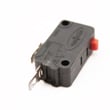
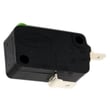
- Microwave won’t start or runs only with the door held: door interlock switches or latch alignment issues (often tied to a worn micro-switch WB24X10047 or door latch parts).
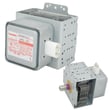
- Starts then stops, or blows a fuse/breaker when starting: shorted door switch, wiring issue, or a failing high-voltage component.
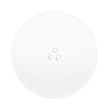
- Turntable not turning or tray wobbling: worn coupler/shaft, damaged roller ring, or a cracked tray (see glass tray WB49X10129 and microwave turntable shaft WB06X10312).
- Vent fan loud, weak, or not working: damaged blade, failing motor, or stuck damper (see fan blade WB38X10055, fan motor WB26X10189, and inlet damper WB06X10668).
- Cooktop light out: burned-out lamp (see lamp 12v 20w WB01X10239).
Quick checks we recommend before replacing parts
- Confirm the door closes firmly and the latch hooks are not loose or cracked.
- Unplug the microwave for 2 minutes, then restore power and retest.
- Test with a cup of water; listen for normal fan and turntable operation.
- Inspect the power cord and outlet fit; a loose connection can cause resets.
- Clean and reseat the grease filter; restricted airflow can make the vent seem weak.
Symptom-to-part cheat sheet
| Symptom | Most common area | Example part on this model |
|---|---|---|
| Won’t start, door-related | Door interlock circuit | Micro-switch |
| Noisy or not turning | Turntable drive | Microwave turntable shaft |
| Vent fan noisy/dead | Ventilation system | Fan blade or fan motor |
| Light out | Lighting | Lamp 12v 20w |
Why it matters
On over-the-range units like the 36363703600, door interlock problems can prevent operation entirely, and ventilation issues can reduce smoke and heat removal. Fixing the correct component first saves time and avoids repeat failures.
Last updated: March 2026
What is the average lifespan of 36363703600?
The average lifespan of the Kenmore Elite 36363703600 microwave/hood combo is 10 years. Keeping the venting system clean, ensuring the door closes and latches correctly, and replacing worn parts promptly helps this model reach its full service life.
What affects lifespan most
- Grease and airflow: Clogged filters and restricted ducting make the vent fan work harder.
- Door wear: A loose latch or misaligned door can prevent proper operation.
- Electrical stress: Power surges and repeated hard resets shorten control life.
- Heat and steam exposure: Heavy cooktop use without ventilation accelerates wear.
- Routine cleaning: Spills and grease buildup can damage the control panel and switches.
Maintenance checklist (high impact)
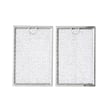
- Wash or replace the grease filter regularly; use the correct microwave grease filter WB06X10309.
- Keep the vent grille and intake areas clear.
- Clean the door sealing surfaces and latch area; avoid slamming the door.
- Use cookware that fits and rotates freely on the tray.
- Follow the cleaning and care steps in the owner's manual.
Typical lifespan vs. what you’re seeing
| If your microwave is… | Most likely situation | What to do next |
|---|---|---|
| Under 5 years old and failing | Usually a specific part issue | Inspect door/latch, fan, and power components; replace as needed |
| Around 10 years old | Normal end-of-life window | Compare repair cost vs. replacement |
| Over 10 years old and still running | Above-average longevity | Keep up with filter cleaning and gentle door use |
Why it matters
A microwave/hood combo like the Kenmore Elite 36363703600 does double duty (cooking plus ventilation). Grease buildup and door-switch wear are two of the most common causes of early failure; staying ahead of those items prevents nuisance shutdowns and poor vent performance.
Last updated: March 2026


